Wiki
When you inherit an unfamiliar project, the slow part usually isn't writing code — it's working out what the project does, how the main flow runs, and how the modules fit together. The repository wiki has ZCode read through the codebase and turn that into a document you can consult whenever you need it.
It's an architecture guide to the codebase, not a product documentation site or a user manual. The catalog favors project identity, main execution paths, core modules and submodules, cross-process boundaries, data and state flow, configuration boundaries, extension points, and risk areas — rather than generic sections like "Installation" or "CI/CD". Every claim carries a source location you can click through to.
The wiki scans your code and stores the result in the runtime environment the current workspace lives in, one per workspace. To generate the catalog and pages, ZCode sends code context — filtered by its safety rules and read on demand — to the model service you selected.
Generating one
Open it from the Repo wiki icon next to the repo name at the top of the workspace file tree; it takes over the main work area. Before you've generated anything, a status card in the middle offers four settings:
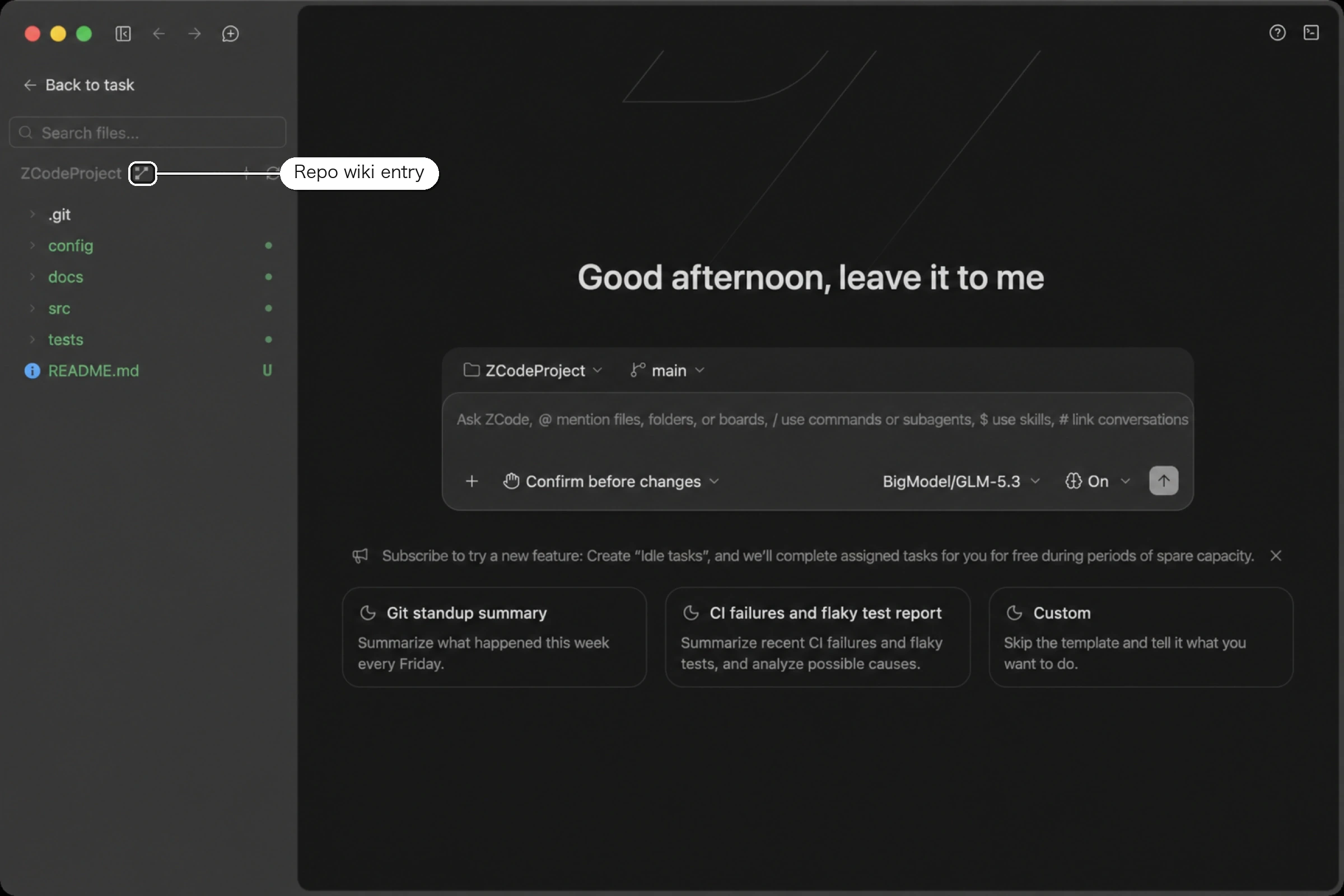
Can't find the entry? The wiki icon lives inside the file tree panel (same on every platform, including Windows). If you don't see it, open the file tree first: hover over the workspace item in the left sidebar and click the file-tree button that appears; the icon sits at the top of the panel, to the right of the repo name. The entry is hidden while a remote workspace is disconnected or the workspace is read-only.
| Setting | Details |
|---|---|
| Language | Simplified Chinese or English, following the interface language by default |
| Model | Defaults to the current workspace's chat model. You can switch it just for this run without affecting your chat settings |
| Generate diagrams | On by default. Produces architecture, flow, sequence, or state diagrams where a diagram genuinely helps and the source backs it up |
| Retries | How many times to retry a page that fails to generate. No retries by default |
Once you hit Generate wiki, the status bar walks through analyzing the codebase → generating the catalog → generating pages → saving.
You can start reading as soon as the catalog appears: finished pages open immediately, and pages not yet generated show a waiting state in the catalog. You can click Stop at any point — pages already finished are kept, and you can still regenerate or delete afterwards. If some pages fail to generate, the catalog area shows how many.
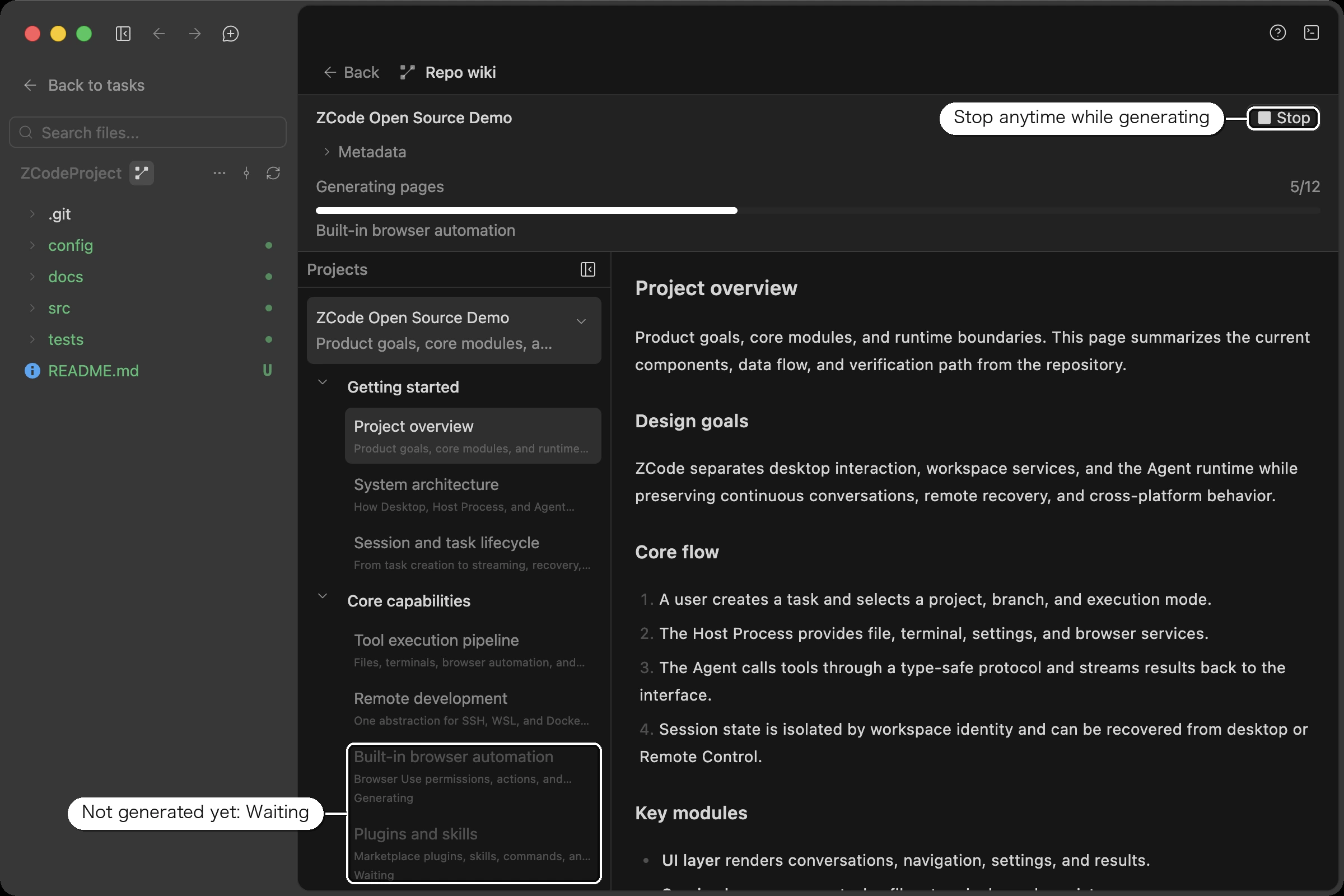
Reading it
The view has two columns: open projects on the left, expanding into each project's catalog tree, and the page content on the right. The divider is draggable, the project list collapses entirely, and a narrow window or panel switches the layout to stacked.
The repo name sits at the top, and expanding Metadata below it reveals the branch, language, last updated time, commit ID, and page count — enough to confirm which version of the code this wiki reflects.
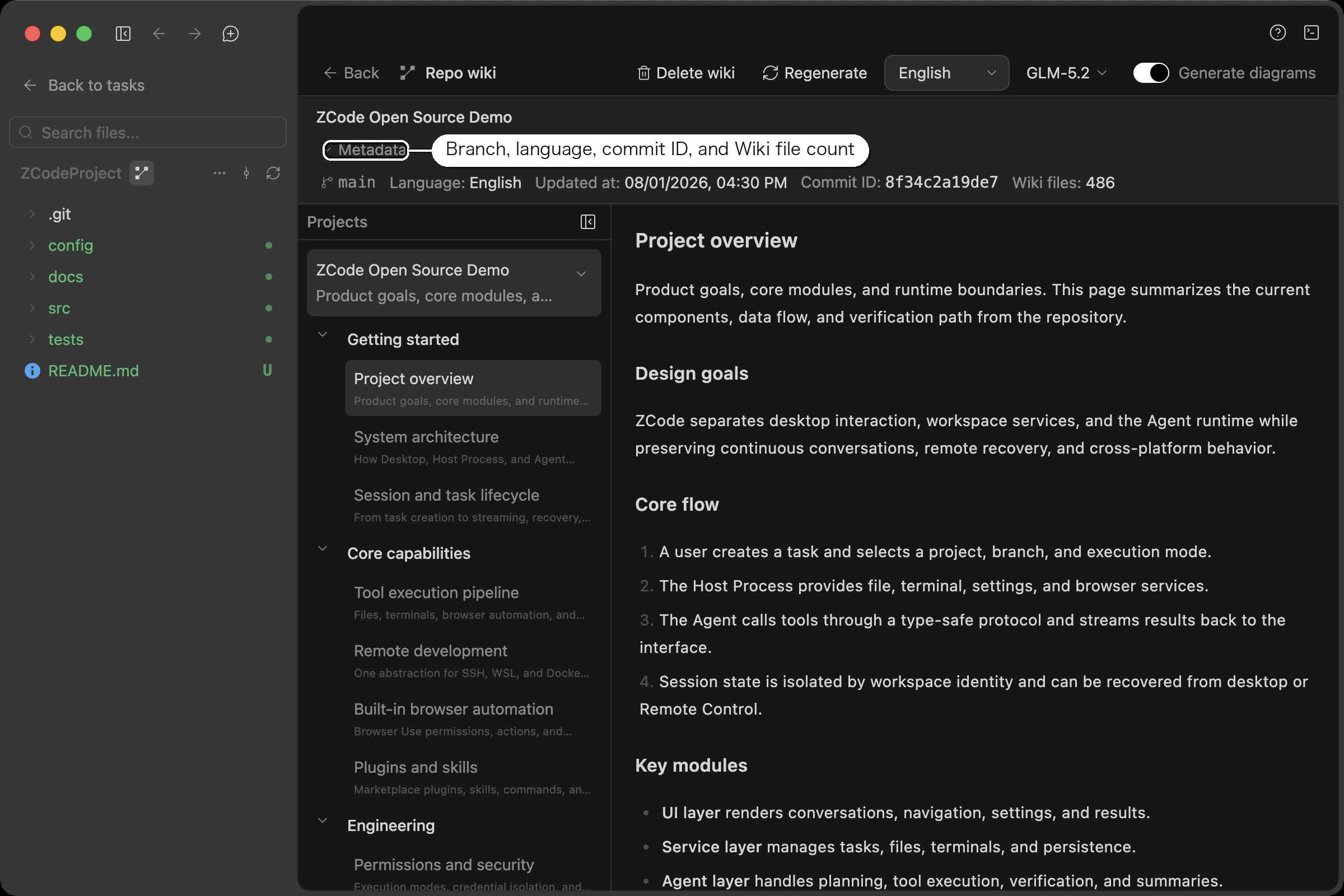
Each claim in the page body is annotated with a source location: a file path and line range that jumps straight to that file and line in your workspace. Mermaid diagrams follow the app theme and support zoom and full-size preview; a diagram that fails to render never blocks the rest of the page.
Keeping it current
You don't have to remember to update it. At the end of each turn, if the repo already has a wiki, ZCode checks whether the code actually changed — and only refreshes when it did.
To redo it yourself, use Regenerate in the toolbar. It reuses the model from last time by default, and you can switch models just for that run.
Delete wiki only clears the local content; you can regenerate at any point.
Where the Output Lives
The generated wiki is saved in your local user data directory — never written into the repository:
~/.zcode/v2/repo-wiki/<workspace-hash>/wiki.json
wiki.json is plain JSON containing every page's Markdown body and source references (on Windows it lives under C:\Users\<user>\.zcode\v2\repo-wiki\). To let an Agent read the generated wiki directly, just give it this file path.
Troubleshooting Generation Failures
- "Wiki model request timed out (180000ms)": each model request has a fixed 3-minute cap (not configurable). Slow networks or slow model services trigger it — switch to a faster model or retry later.
- "Model response is missing text content": most common with third-party model deployments. The wiki requires the model to return its answer in the standard text field of the selected API protocol; models that put content into a reasoning field, return chunked content, or are configured with a mismatched API protocol all trigger this error. Check that the provider's API protocol is set correctly (tool-driven catalog/page generation currently supports the OpenAI Chat Completions protocol only), or switch to an official-channel model.
- Single-page failures don't stop the run: a page that exhausts its retries is counted as failed and generation moves on; the task only fails as a whole when every page fails. Retries defaults to 0 — raise it to 2–3 if generation is flaky.
- App closed mid-generation: the task is marked stopped on next launch; finished pages are kept and you can regenerate.
What it reads
Generation only reads files inside the current workspace, through a wiki-specific reading view that's independent of how other features scan files. The following never reach the model context used to generate the wiki:
- The
.gitdirectory, dependency directories, build output, caches, and local runtime state files - Anything excluded by the supported ignore rules in the root
.gitignore - Suspected secret or config files whose names contain sensitive words such as
token,secret,credential, orpassword(ordinary source files liketokenService.tsare not affected) - Files and directories that symlinks point to
The model isn't handed a prepared list of files. It navigates the directory tree and reads what it needs, always within the boundaries above.
Limits
- Only one generation task can run per repository at a time.
- A repository keeps one language version. Regenerating in another language replaces the existing one; Chinese and English can't coexist.
- Individual pages can't be regenerated on their own, and no version history is kept.