Install
Download and install the ZCode desktop app to start the end-to-end development workflow powered by ZCode Agent.
Download
Download ZCode
Download .dmg(Apple Silicon)
All platforms
Supports macOS (Apple Silicon / Intel), Windows (x64 / ARM64), and Linux (x64, ARM64, AppImage, DEB, RPM).
Installation Guide
- 1Open the downloaded ZCode.dmg disk image.
- 2Drag ZCode.app into the Applications folder.
- 3Find ZCode in Launchpad and launch it.
- 1Download the ZCode installer.
- 2Double-click it and follow the setup wizard to complete installation.
- 3Launch ZCode from the Start menu or the desktop shortcut.
- 1Pick Linux in the download area and download the .AppImage, .deb, or .rpm file.
- 2For AppImage, make it executable:
chmod +x ZCode-*.AppImage. For .deb or .rpm, install it with your distribution's package manager. - 3Double-click the file or run it from a terminal to launch ZCode.
First Launch
The first launch opens the onboarding setup page. When you finish, click Connect in the bottom-left corner to reach the sign-in page:
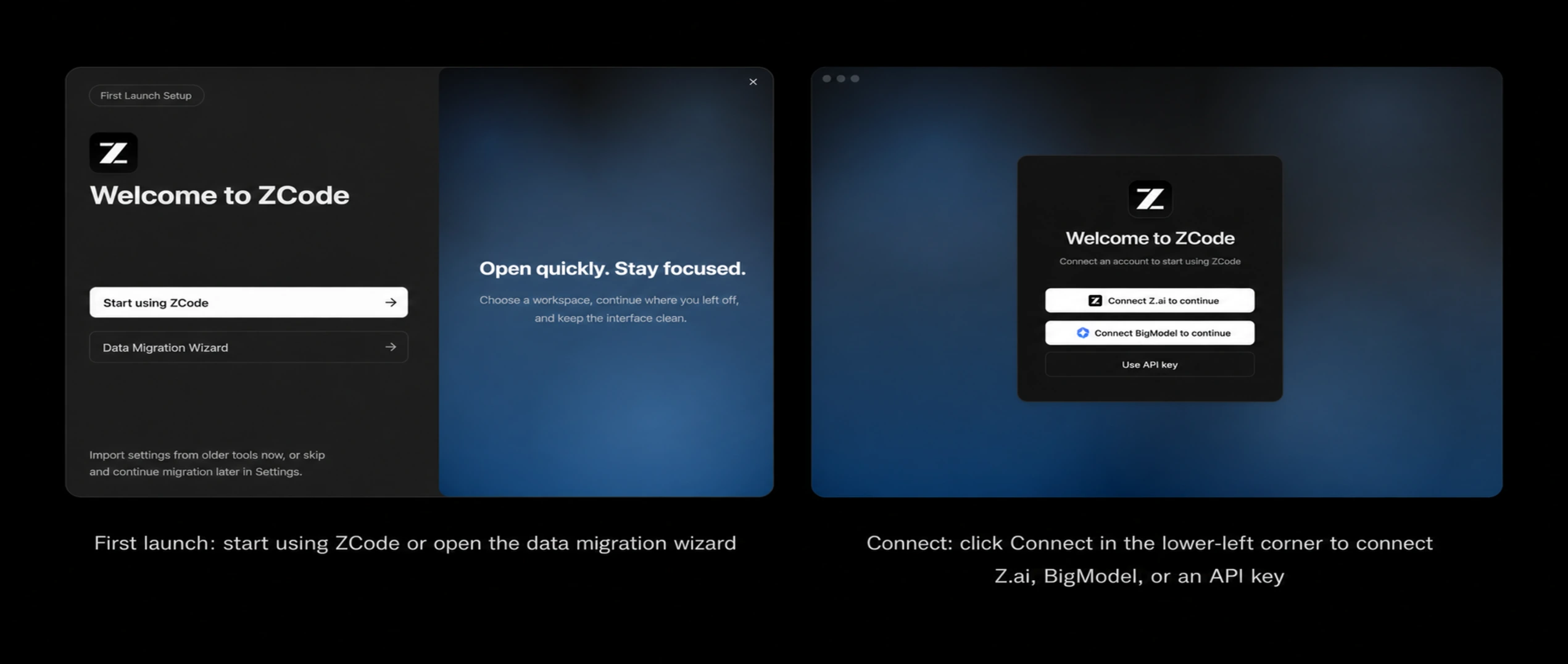
- 1Click Start using ZCode to jump right in. To migrate historical data, choose the Data Migration Wizard: it currently only imports conversations from Claude Code and ZCode Agent in legacy ZCode — other tools are not supported. You can also skip this and continue the migration later in Settings.
- 2Pick a project directory as your workspace.
- 3Type a simple instruction in the chat box — for example, ask the Agent to list the files in the current directory — to confirm everything responds normally.
If you have not connected a model yet, click Connect in the bottom-left corner to open the sign-in page, which guides you through Connect Z.ai, Connect BigModel, or Use API Key. See the next section, Connect Models, for details.
Network Proxy
If your network requires a proxy to reach model services, configure it under Settings → General. There are three fields; save them and restart the app for the change to take effect.
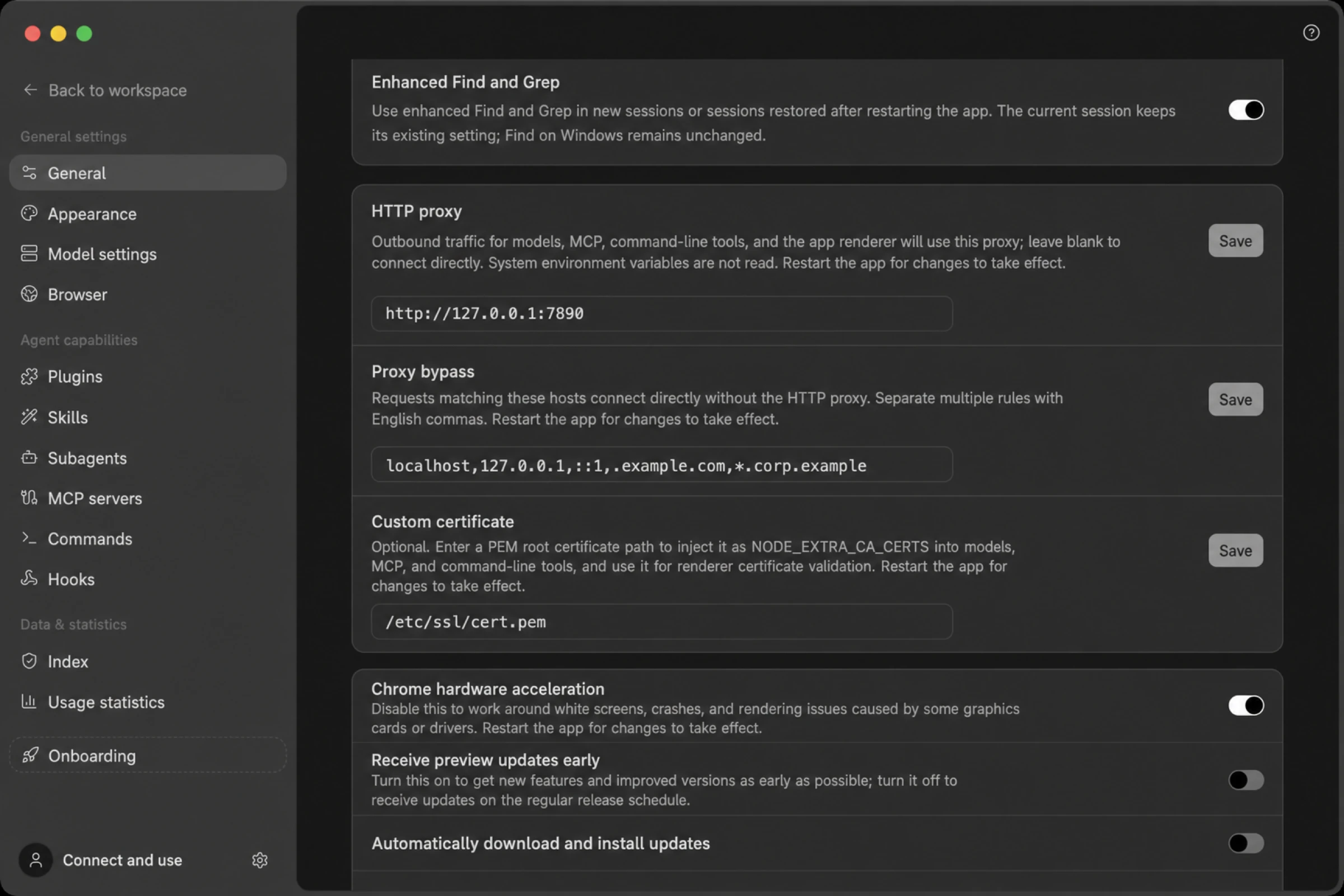
HTTP Proxy: the proxy address, for example http://127.0.0.1:7890.
Empty doesn't mean "follow the system." When this field is blank ZCode connects directly and does not read
HTTP_PROXYor similar environment variables. That's the opposite of how many command-line tools behave, so if your terminal reaches the network but ZCode doesn't, this is usually why.
Once set, model requests, MCP servers, command-line tools the Agent runs, and the app's own interface requests all go through this proxy.
No proxy: addresses that should bypass it, comma-separated:
localhost,127.0.0.1,::1,.example.com,*.corp.com
Hostnames, domain suffixes like .example.com, and wildcards like *.corp.com all work, and you can include a port when you need to.
Custom certificate: the local path to a PEM root certificate. If your corporate network runs a gateway that decrypts HTTPS, the certificates it issues aren't trusted by default — point this field at the corresponding root certificate. Note that this is not a way to skip certificate validation: ZCode only accepts connections whose chain actually contains that root certificate, and everything else is validated as usual.
Windows-Specific Settings
Choosing a shell. Under Settings → General → Terminal you can pick which shell the Agent uses to run commands: Auto, CMD, or Git Bash (shown only when it's installed). Auto is the default and prefers Git Bash, falling back to cmd.exe. Changes apply to new sessions only.
Closing to the tray. Since v3.4.0 this is the default: clicking the window's close button doesn't quit the app but tucks it into the system tray, which is also what lets scheduled and idle-time tasks keep running in the background. Right-clicking the tray icon offers new task, open workspace, check for updates, and quit, among others; left-clicking brings the window back.
To make the close button quit instead, turn off Hide to tray when closing window under Settings → General → Notifications. The switch exists only on Windows.
If you're upgrading from an older version, note that this default change turns the switch back on once, even if you had previously disabled it. Turn it off again and your choice sticks from then on.
Troubleshooting
macOS says "ZCode is damaged and can’t be opened"
Run the following command in Terminal to remove the quarantine attribute, then open the app again:
xattr -dr com.apple.quarantine /Applications/ZCode.app
Windows installer blocked by firewall / antivirus
Temporarily disable real-time protection or add the installation directory to the allowlist, then retry.
Linux installer won't run
Make sure the file is executable (chmod +x); some distributions also require the fuse dependency. For more Linux / WSL installation, login, and input method issues, see the Linux / WSL Troubleshooting Guide.