Goal Mode
For complex work that runs for a long time, use /goal to set an objective for the current session. Once it is set, ZCode Agent keeps working toward that objective: at the end of every round it automatically checks whether the goal has been met, starts another round if it hasn't, and only wraps up once it has. Instead of watching the agent and repeatedly typing "continue", you set a goal and wait for the result.
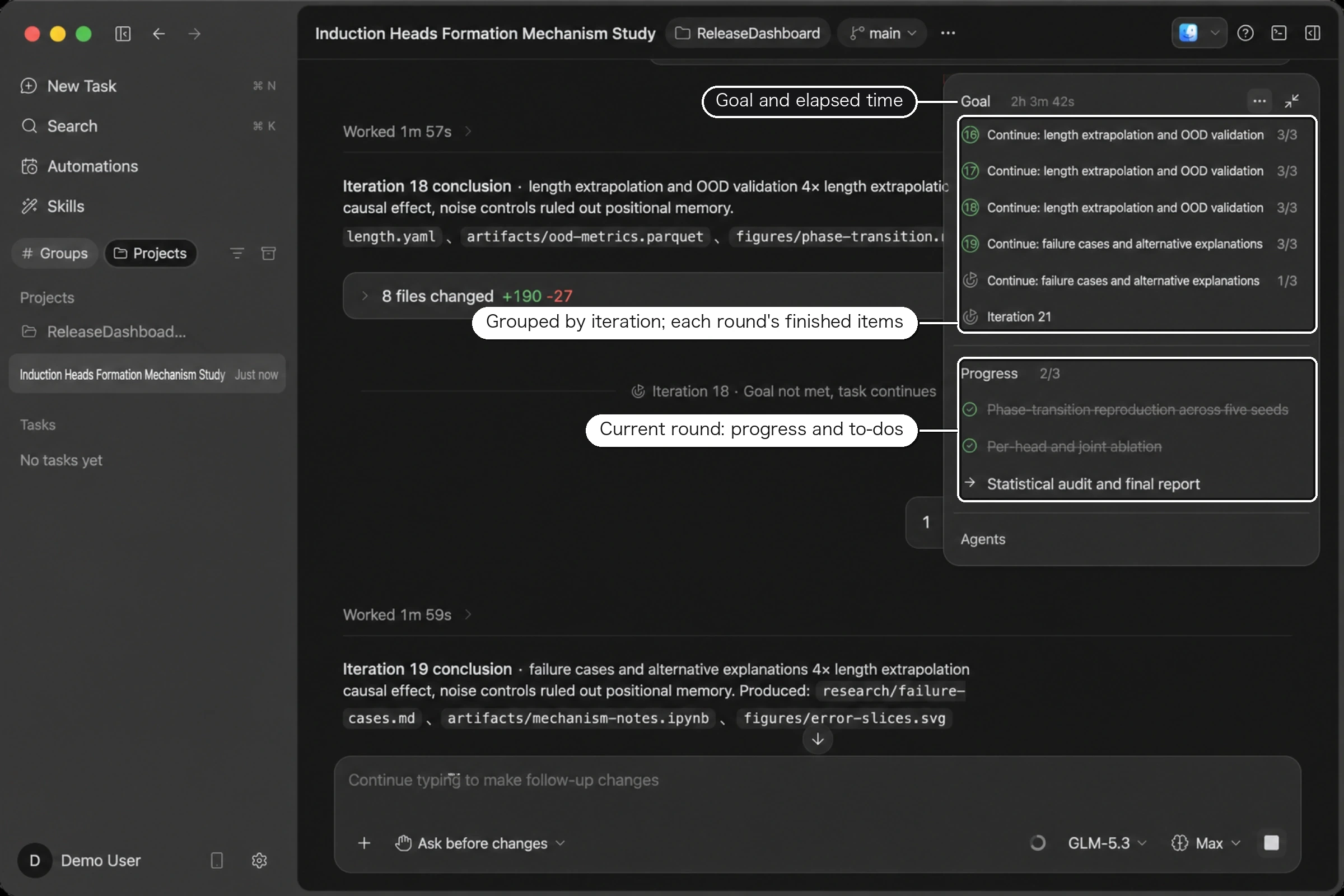
The research task below has been running for twenty consecutive rounds; the summary panel on the right shows what each round did and where the task currently stands.
Best for work that is easy to state in one sentence but takes many rounds to finish, for example:
- "Refactor the whole module and keep the tests passing"
- "Fix all TypeScript compile errors"
- "Get this page's Lighthouse performance score above 90"
The more specific and checkable the objective, the more accurate each round's verdict. "Make pnpm test pass and keep first-paint under two seconds" works much better than "make it faster".
Setting a goal
Type /goal in the chat input followed by a sentence, and that becomes the objective for the session. You can also type / and pick goal from the suggestion panel.
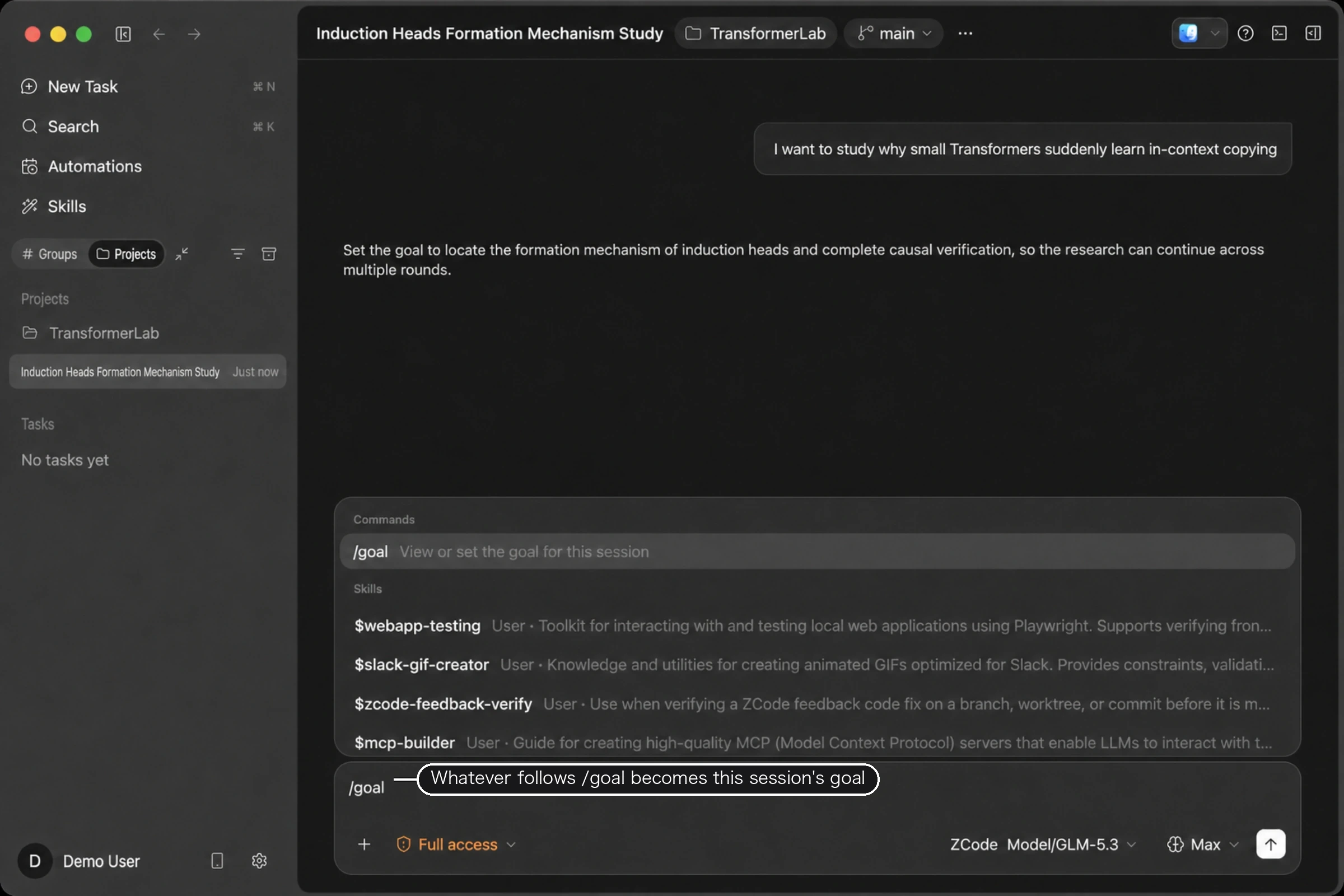
A session has one goal at a time. The usual forms:
/goal                     Show the current goal
/goal <objective>         Set the goal; replaces the existing one if there is one
/goal replace <objective> Explicitly replace the current goal
/goal pause               Pause
/goal resume              Resume
/goal clear               Clear
Once the goal is set, a card appears in the summary panel with the objective and the elapsed time. Below it, finished checklist items are grouped by iteration, and the current round's progress and to-dos sit at the bottom. Each round's title comes from the next action the previous round's verification produced, so reading down the panel shows you how the task got to where it is.
One detail worth knowing: a checklist item stays in the iteration where it first appeared, even if it is finished several rounds later. That keeps each round's real output from being attributed to the wrong place.
Verification after every round
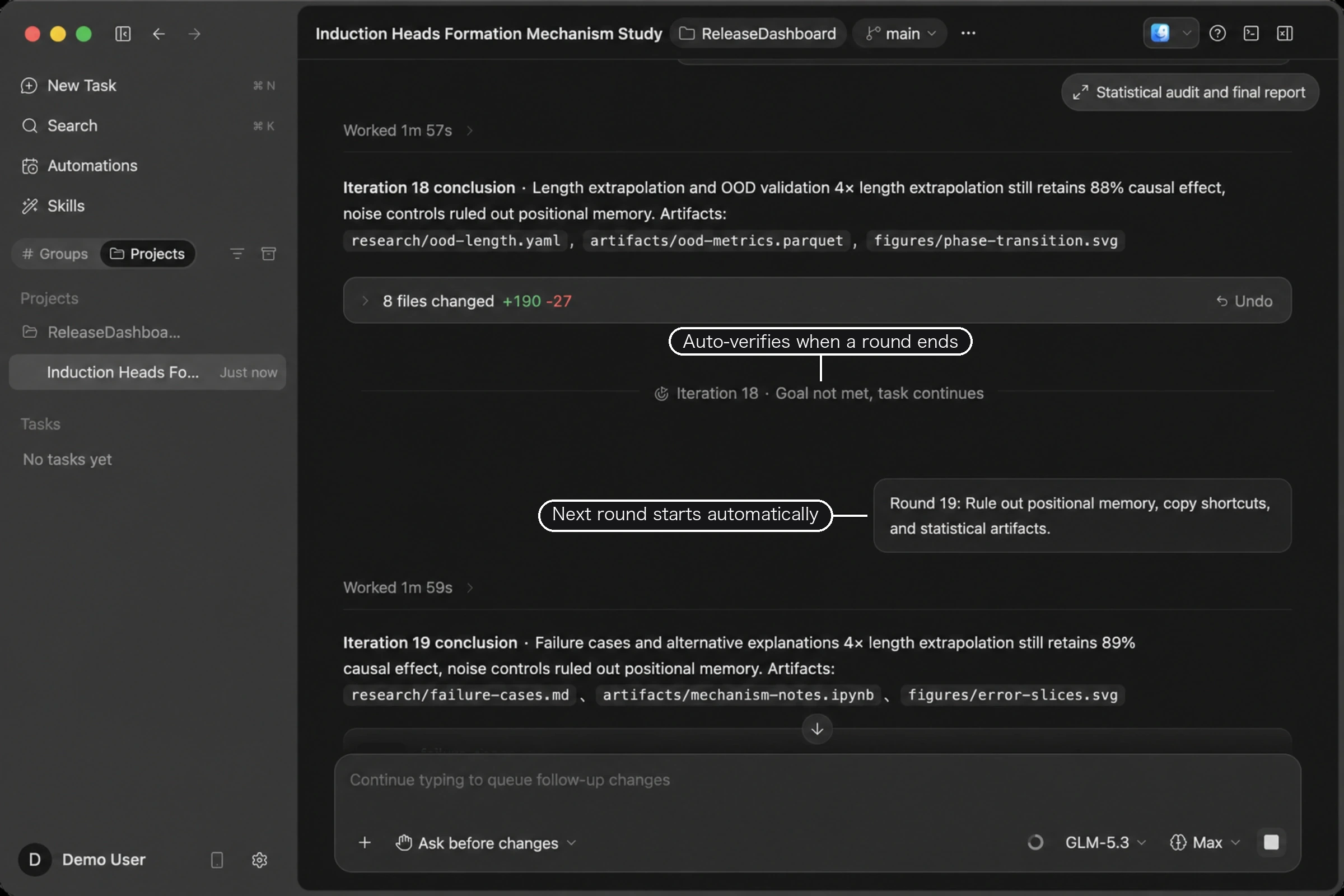
When a round ends, ZCode runs a separate check to decide whether the objective has been met.
If it hasn't, the check produces the next step and the following round starts automatically — you don't have to ask it to continue.
If it has, the task wraps up and writes a summary.
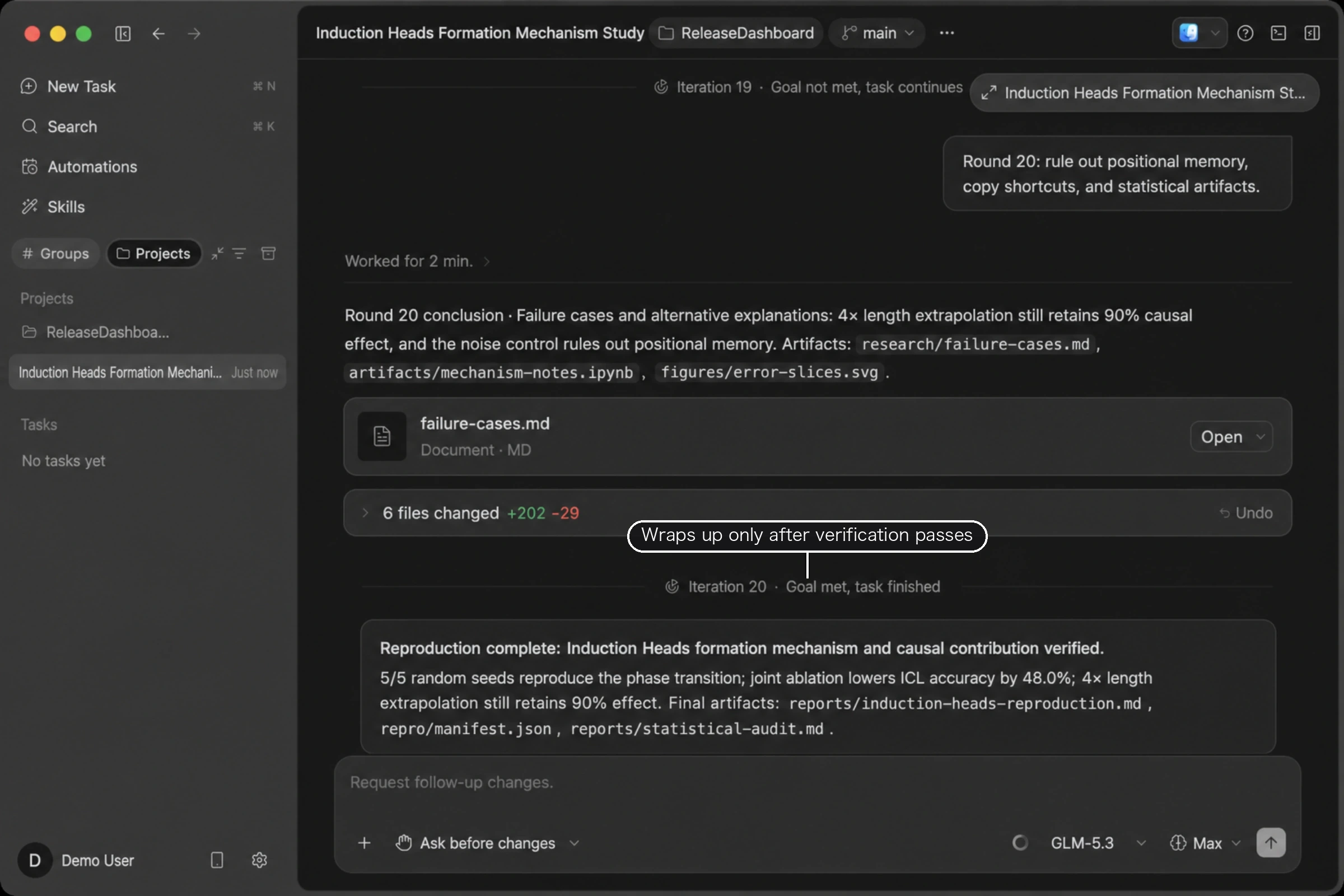
Verification looks for real evidence. A plan, a checklist, a lot of elapsed effort, or a reply that merely sounds conclusive does not count on its own; changed files, command output, and test results do. And as long as any to-do is still unfinished, the check will not call the goal complete — it prioritizes finishing that item instead.
Stepping in
You can adjust a goal at any time. The easiest way is to just tell the agent in plain language — change direction, hold off for now, drop the goal entirely — and it will replace, pause, or clear it accordingly, with no command syntax to remember.
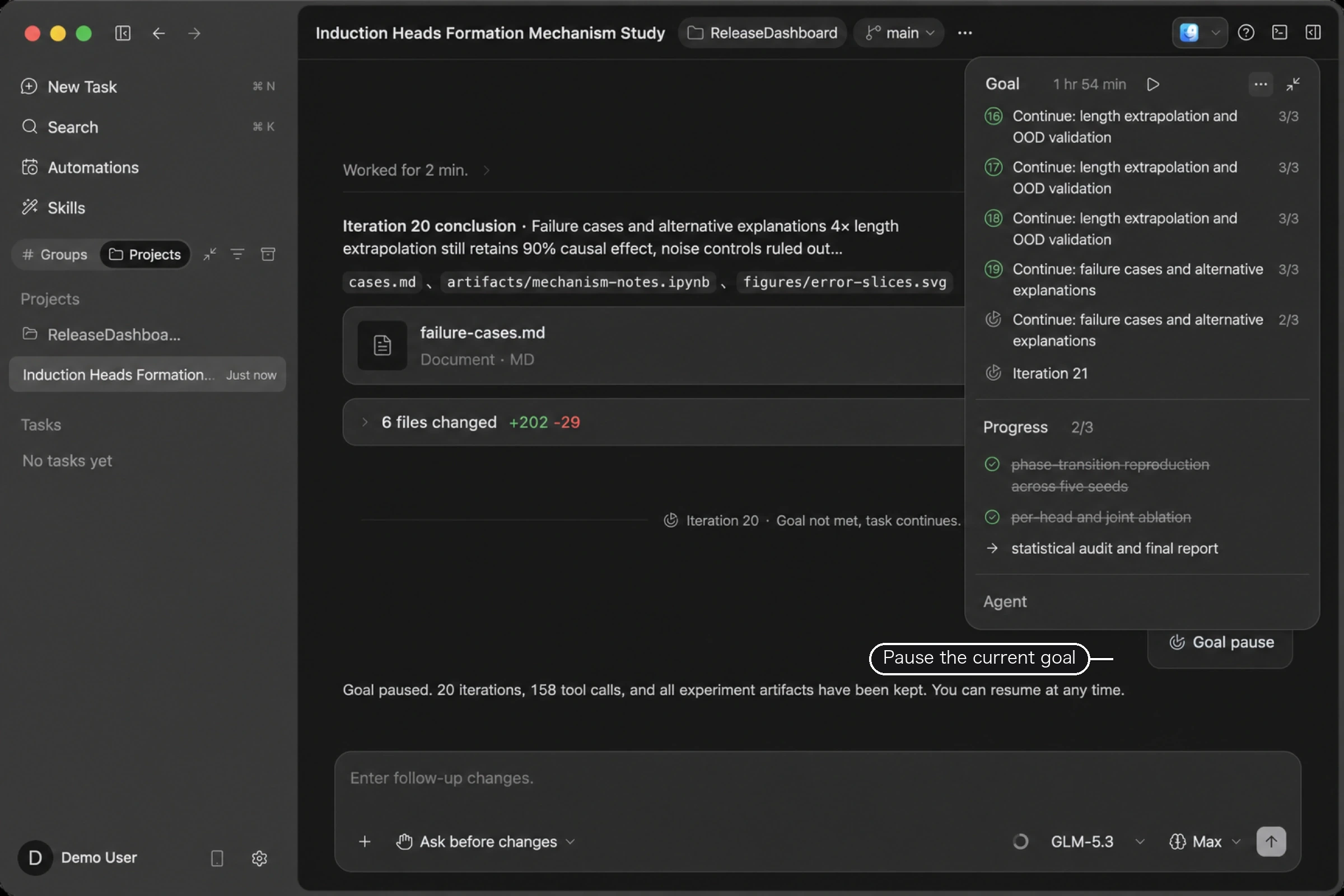
Pausing loses nothing: completed rounds, tool-call history, and produced files all stay, the icon at the top of the summary panel turns into a resume control, and you can pick the task back up whenever you want. Stopping a running task also pauses the goal automatically, so it won't quietly keep consuming quota while you aren't looking.
The same holds if you close the session and come back. Goal state is stored by the system, so it is still there when you reopen the session and can continue from where it left off.
A goal stops advancing on its own in three cases: verification says it's complete, you pause or clear it, or it reaches the usage budget configured for that goal.
When a goal can't be set
Two situations are rejected, and the interface tells you why.
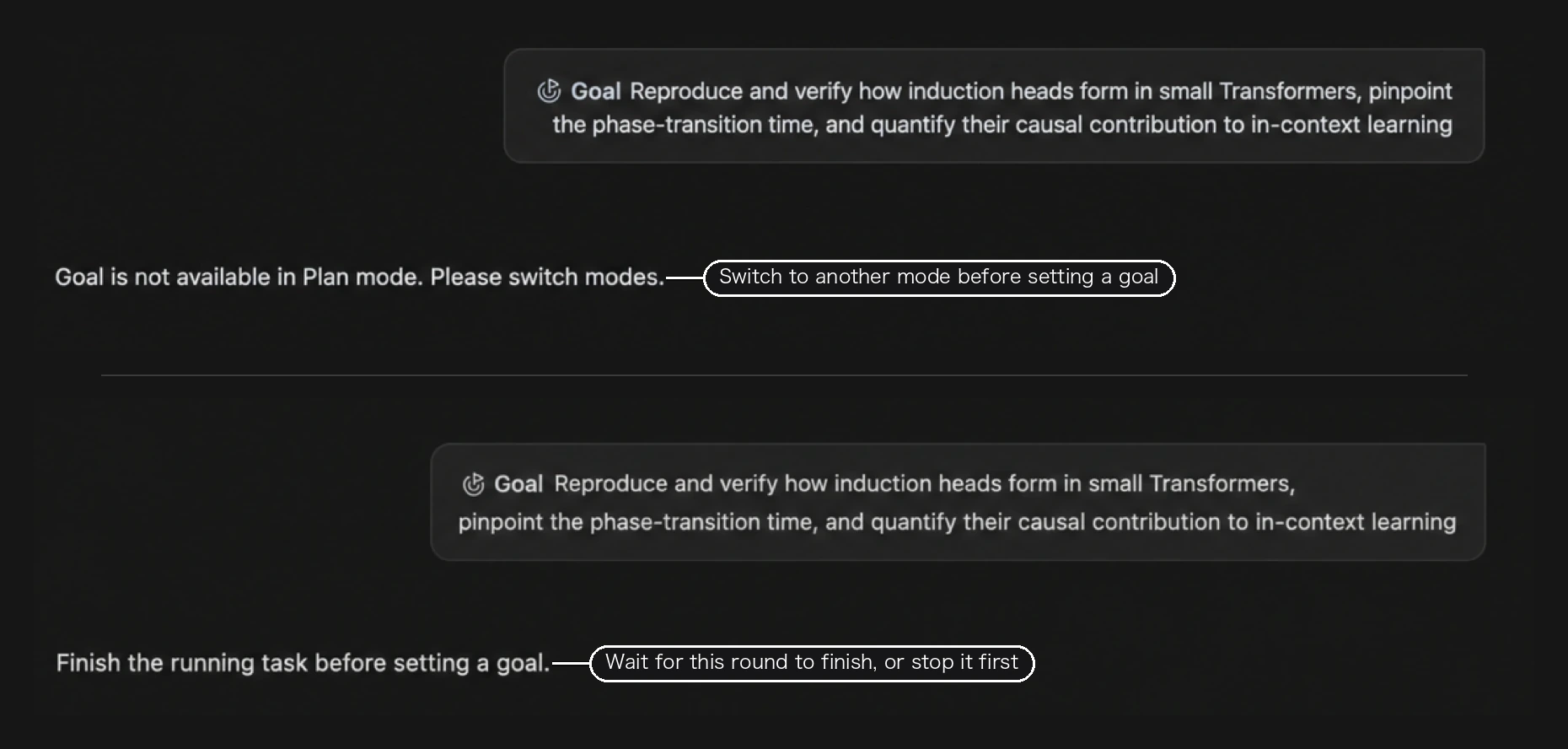
Plan mode is for working out an approach before anything runs, so it conflicts with a goal's automatic continuation — switch back to another execution mode first. You also can't set a goal while a task is running; wait for the round to finish, or stop it first.
Combine with execution modes
Goal Mode and execution modes cover two different things: the goal defines when the work counts as done, and the execution mode defines how many actions need your confirmation along the way.
For long goal-driven tasks, Full access or Edit automatically keeps interruptions down and iterations flowing. If the task touches files you care about, Ask before changes works too — it just means staying nearby to approve things.