
Output Style
Output Style controls how Claude CLI responds. You can prepare different response styles for different work, such as product documentation, code review, or release notes, then switch between them in ZCode.
Output Style currently supports Claude CLI only. ZCode Agent, Codex CLI, Gemini CLI, and OpenCode CLI are not affected by these settings yet.
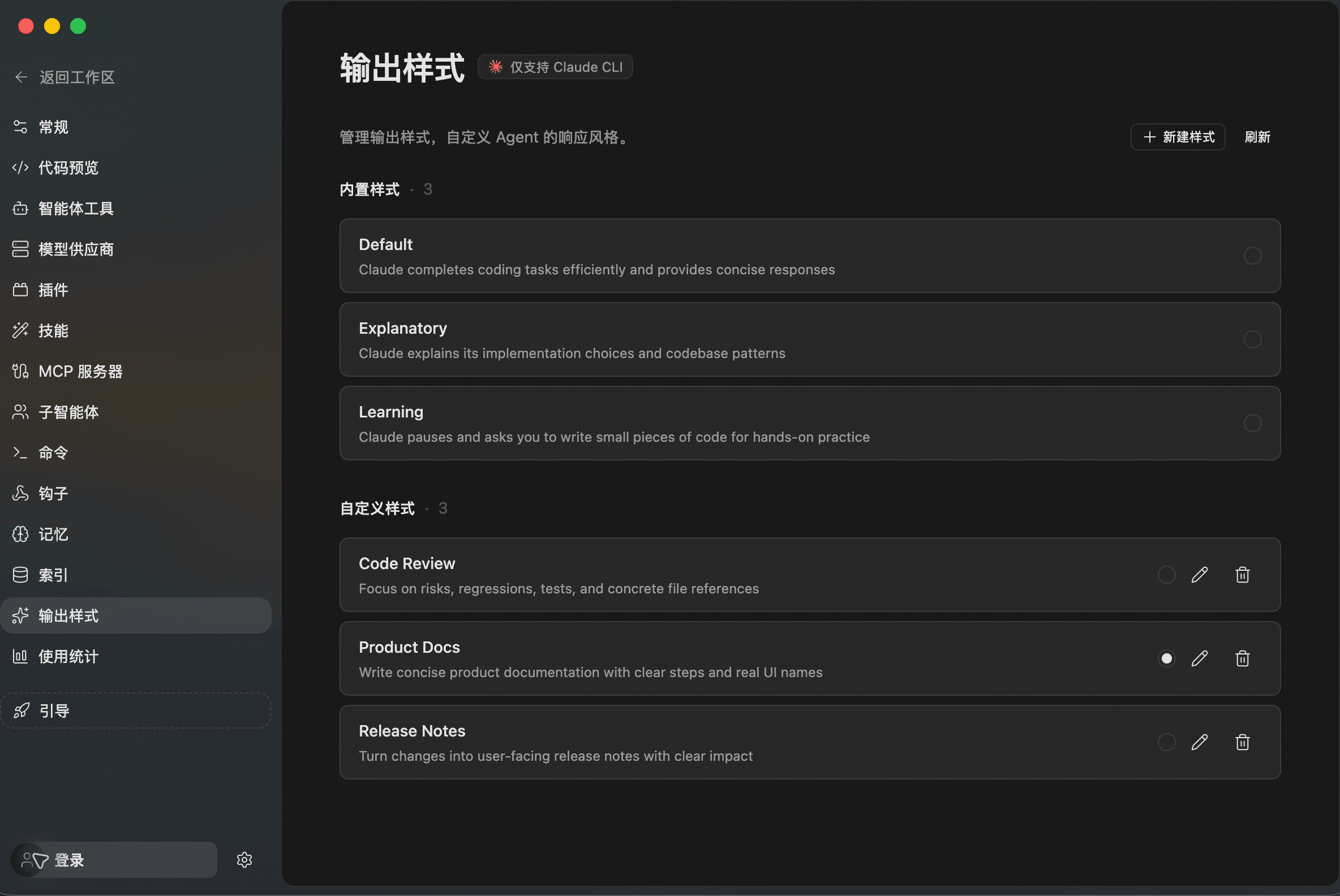
Manage Styles
Open Settings -> Output Style to view built-in and custom Claude CLI styles.
Built-in styles include:
- Default: Completes coding tasks efficiently with concise responses.
- Explanatory: Explains implementation choices and codebase patterns.
- Learning: Pauses for hands-on practice and guided learning.
Custom styles come from the Claude CLI output style configuration. Use the selector on the right to activate a style, or edit and delete custom styles. The example above adds Product Docs, Code Review, and Release Notes for documentation, review, and release-writing workflows.
Create A Style
Click New Style in the upper-right corner, then fill in name, description, and the style instructions.
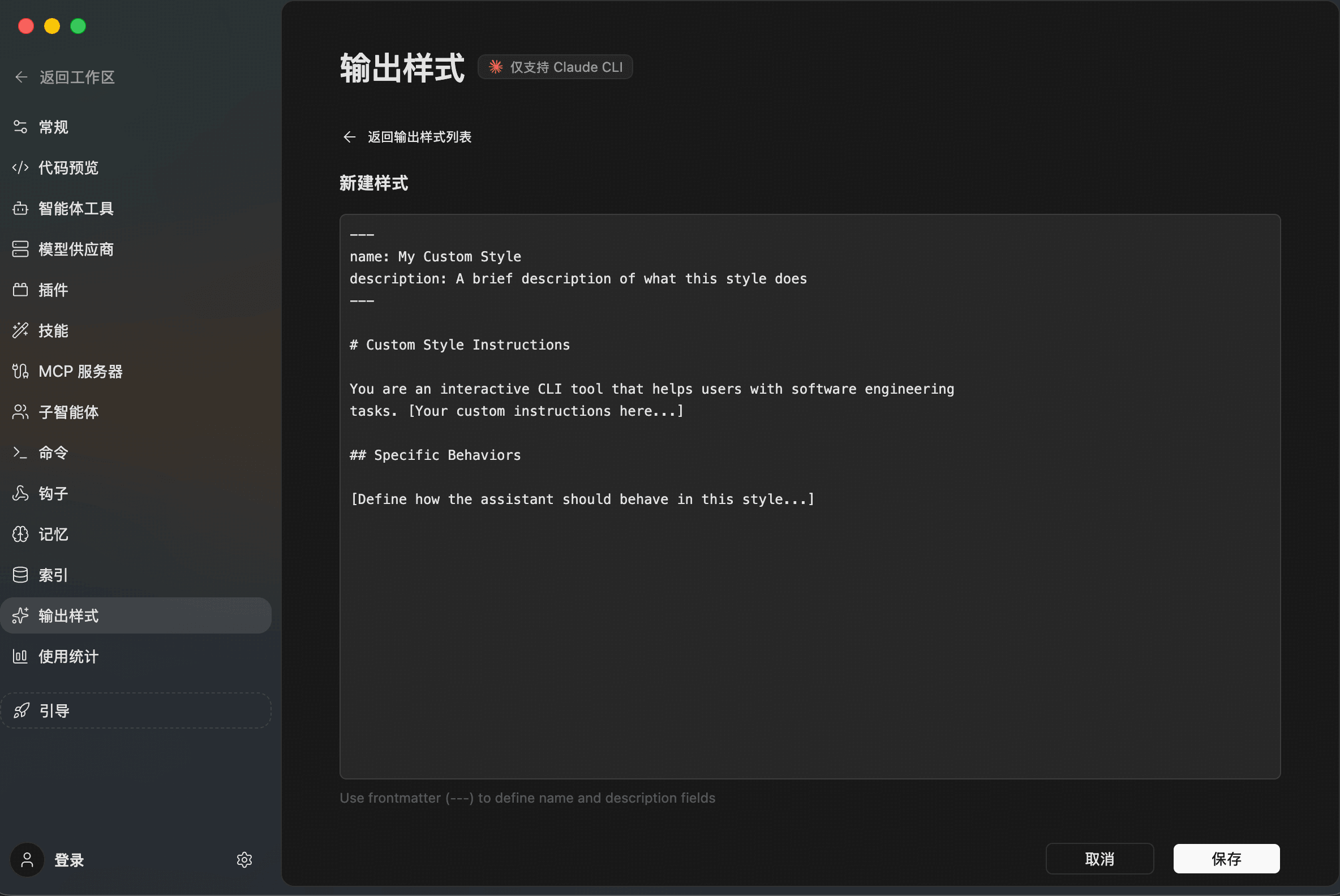
The style content is a Markdown instruction. Describe when the style should be used, how answers should be structured, and what the Agent should avoid.
Example:
name: Product Docs
description: Write concise product documentation with clear steps and real UI names

# Product Docs

Write in concise Chinese by default. Explain what the feature does,
when to use it, and how to operate it in ZCode. Prefer real interface
names and short step lists. Avoid long tutorial prose.
After saving, return to the list and click Refresh to confirm the style appears. Once selected, Claude CLI will use that response style for later answers.
Good Use Cases
- Product docs: Explain what a feature does, how to use it, and where it applies.
- Code review: Lead with risks, regressions, missing tests, and file references.
- Release notes: Turn changes into user-facing update notes.
- Debug reports: Structure answers around symptoms, cause, actions, and verification.
- Learning mode: Explain key ideas and include small practice prompts.
Use a one-off chat instruction for a single response. Create an output style when the same response format will be reused often.