
Skill
A Skill is a reusable working instruction. It is usually defined by a SKILL.md file that describes when the skill should be used, how the Agent should work, and what kind of output is expected.
In ZCode, this page focuses on two main sources:
- ZCode Agent: Recommended for ZCode's built-in Agent workflows, such as project development, documentation, testing, and team-specific operations.
- Claude CLI: Useful when you want to reuse Claude Code CLI skills or keep existing CLI workflows available in ZCode.
Manage Skills
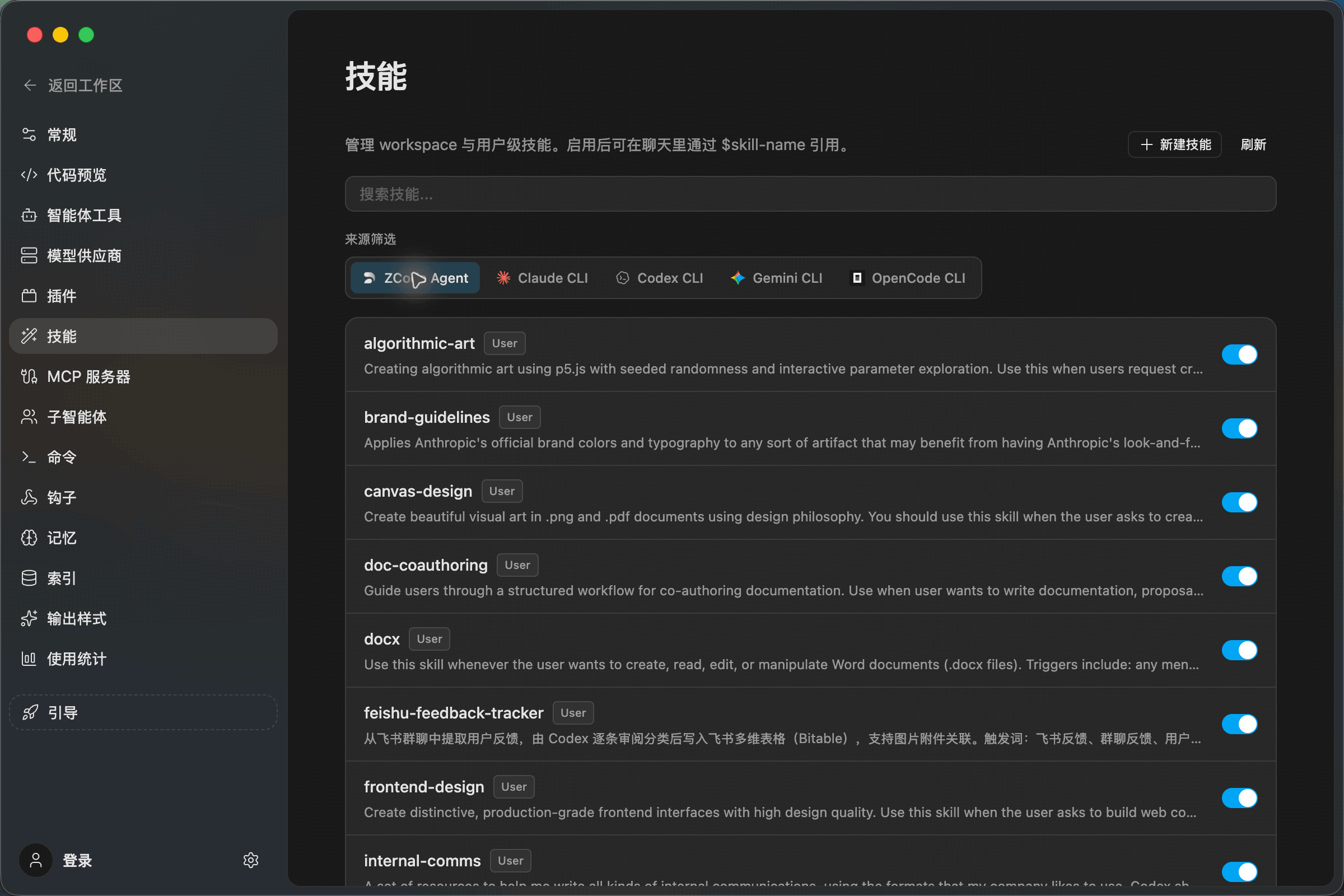
Open Settings -> Skills to view skills by source. Each row shows the skill name, source tag, description, and enable switch.
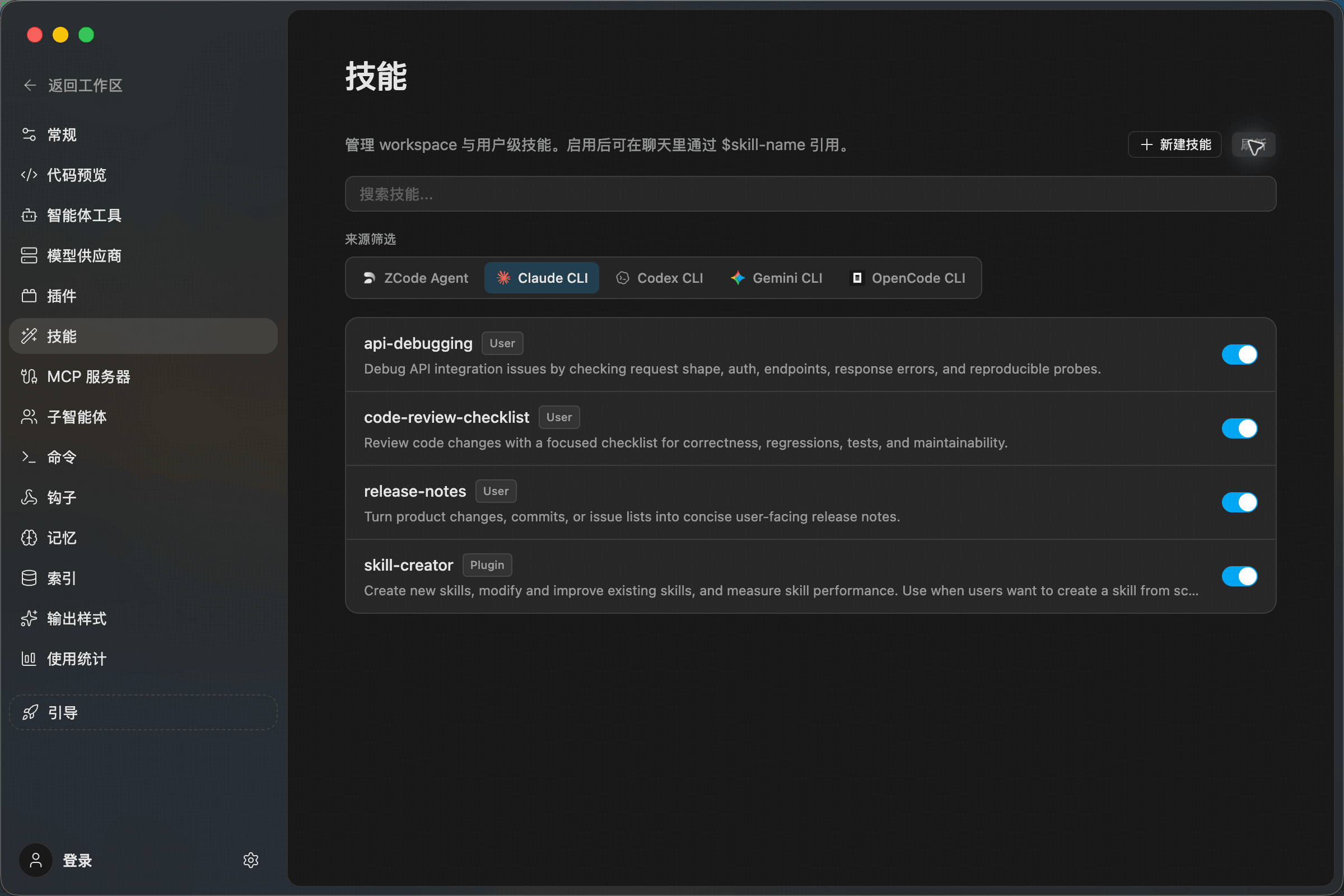
From this page, you can:
- Search skills by name.
- Switch between ZCode Agent and Claude CLI sources.
- Enable or disable a skill with the switch on the right.
- Click New Skill in the upper-right corner to create a new skill.
Create A Skill
A skill is a directory with a SKILL.md file inside. The directory name is the skill name, and that is the name you reference in chat.
User-level skills for ZCode Agent:
~/.agents/skills/<skill-name>/SKILL.md
User-level skills for Claude CLI:
~/.claude/skills/<skill-name>/SKILL.md
A minimal SKILL.md looks like this:
---
name: code-review-checklist
description: Review code changes with a focused checklist for correctness, regressions, tests, and maintainability.
---

# Code Review Checklist

Use this skill when reviewing a pull request, merge request, or local diff.

Focus on correctness, regressions, missing tests, risky API changes, and maintainability.
After creating or editing a skill, return to Settings -> Skills, click Refresh, and confirm the skill appears under the correct source with the switch enabled.
Use A Skill In Chat
Type $ in the chat input and select a skill. Once selected, the skill appears as a tag in the input, and you can continue typing the actual request.
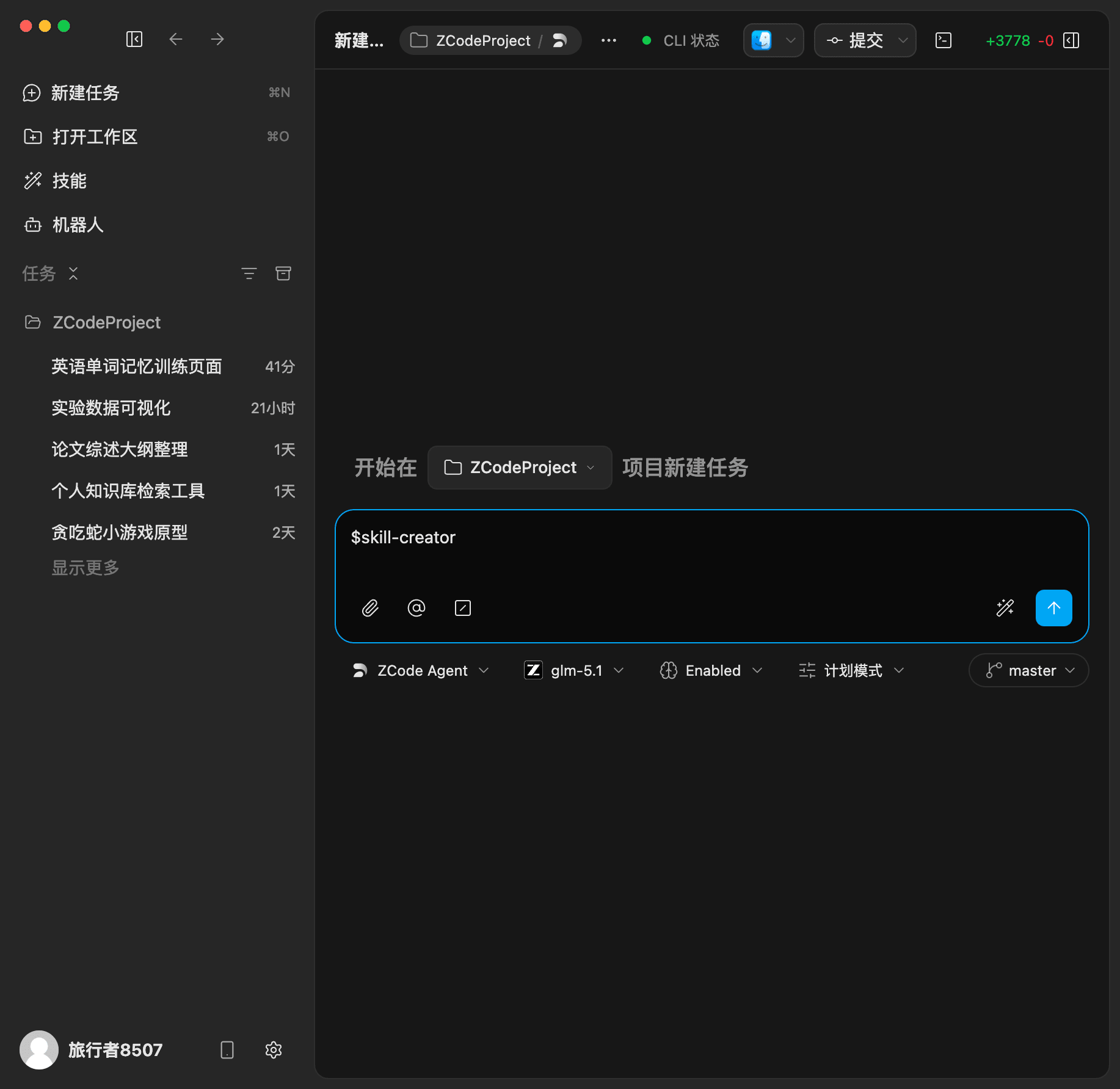
Examples:
$code-review-checklist review my current changes
$release-notes write release notes for this change set
ZCode passes the referenced skill to the active Agent so it follows the instructions in that skill.
What Should Become A Skill
- The task follows a repeated workflow, such as code review, API debugging, release notes, or test reports.
- The team expects a consistent output format.
- The workflow needs background knowledge, checklists, templates, or examples.
- The same capability will be reused across projects or conversations.
Use Command for a simple saved prompt. Use Skill when you need a complete working method.