
Hook
Hook runs commands when important Claude CLI events happen. It is useful for lightweight automation, such as writing task logs, checking before tool calls, cleaning up when a session ends, or connecting existing local scripts to the Agent workflow.
Hook currently supports Claude CLI only. ZCode Agent, Codex CLI, Gemini CLI, and OpenCode CLI do not read these Hook settings yet.
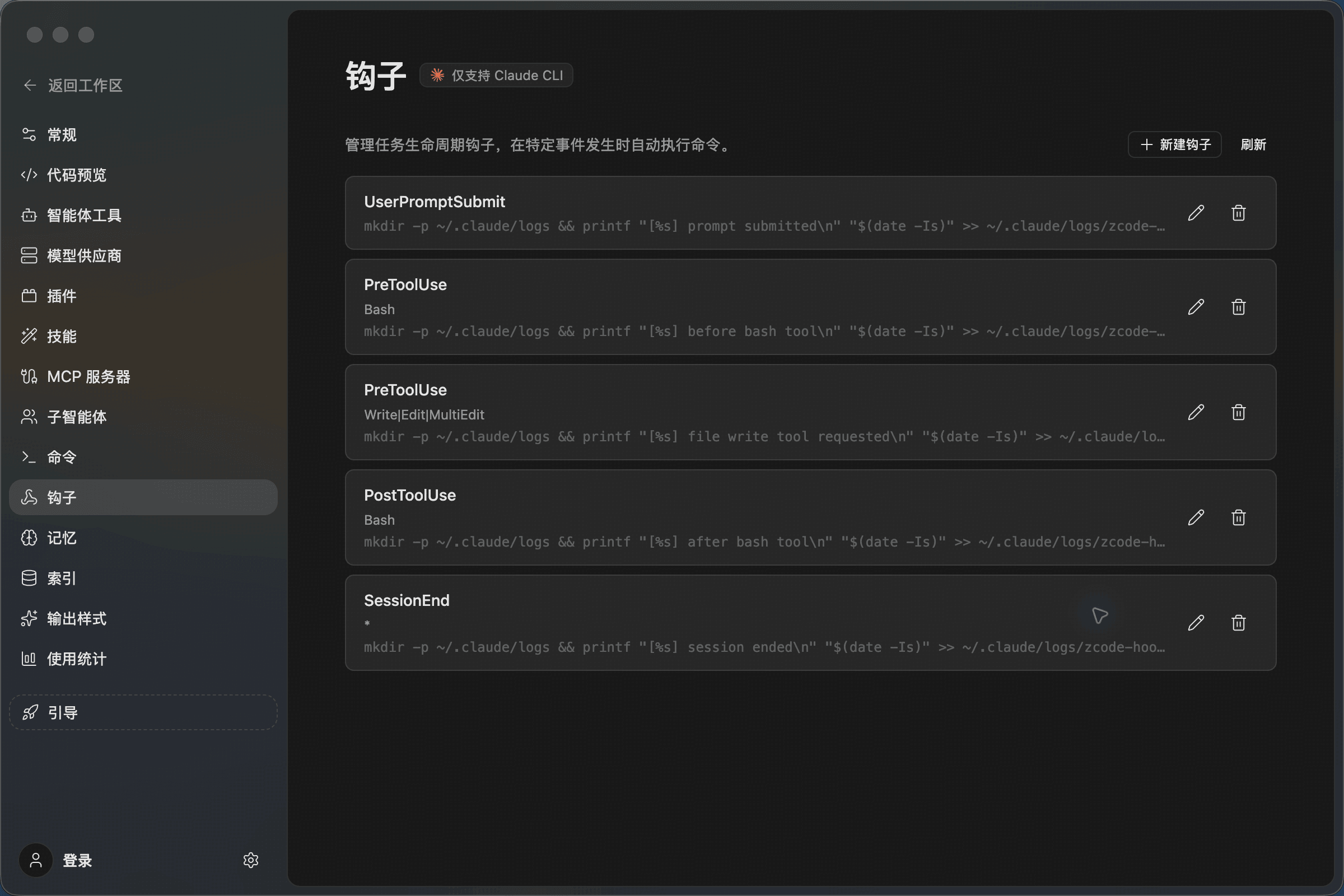
Manage Hooks
Open Settings -> Hook to view configured hooks. Each row shows the event, matcher, command, and edit/delete actions.
Common events include:
- UserPromptSubmit: Runs when the user submits a prompt.
- PreToolUse: Runs before a tool call, often used for logging, checks, or guardrails.
- PostToolUse: Runs after a tool call, often used to record results or sync state.
- SessionEnd: Runs when the session ends, useful for cleanup or final logs.
Keep hook commands short, repeatable, and bounded by a timeout. Avoid destructive commands, especially anything that deletes files, commits code, or changes production environments automatically.
Create A Hook
Click New Hook in the upper-right corner, then fill in the event, matcher, command, and timeout.
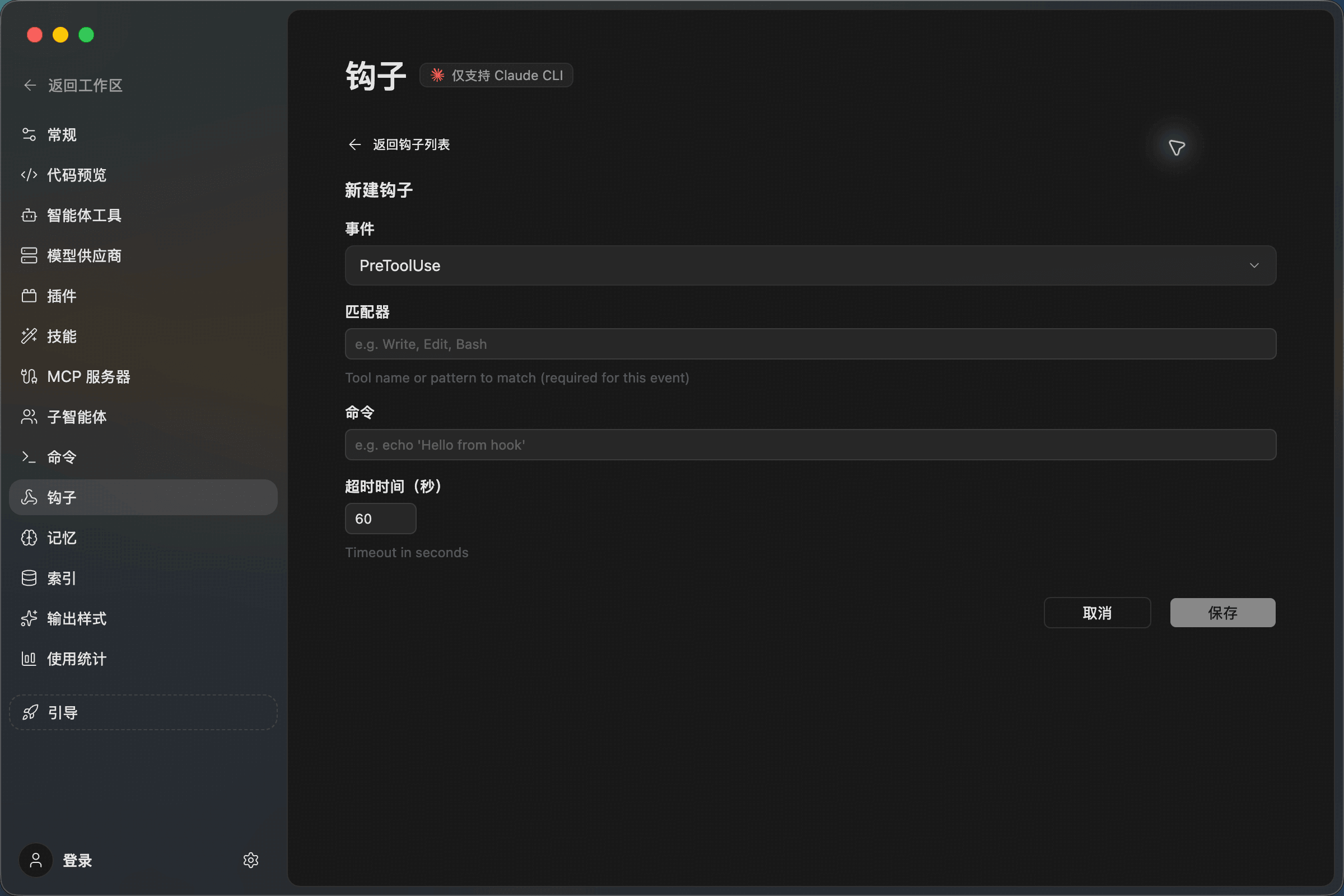
Field guidance:
- Event: Choose when the hook runs, such as
PreToolUseorSessionEnd. - Matcher: Limit the hook to a tool or pattern, such as
Bash,Write, orEdit. Some events do not require a matcher. - Command: The shell command to execute.
- Timeout: The maximum number of seconds the command may run.
After saving, return to the list and click Refresh to confirm the hook appears. Use the edit button on the right when you need to adjust it.
Good Use Cases
- Log every prompt submission and tool call.
- Write an audit entry before
Bashruns. - Run a lightweight check before file-write tools.
- Record session state when the conversation ends.
- Connect Claude CLI to an existing local script used by your team.
Use Command for a saved prompt. Use Skill for a reusable method or checklist. Use Hook when an action should happen automatically after a lifecycle event.