
Feedback & Support
To help the technical team diagnose and resolve issues more efficiently, it is recommended to include detailed usage context, the steps you took, and any related error logs when sending feedback. You can reach us through any of the following channels:
- Feedback Form (Feishu): fill out the feedback form for a one-shot submission with all the details.
- In-app feedback: enter from the avatar menu, an error banner, or the task More menu. See In-app Feedback Entrypoints below.
- GitHub Issues: open an issue at zcode-feedback — best for issues you want to track over time or discuss with the team in public.
In-app Feedback Entrypoints
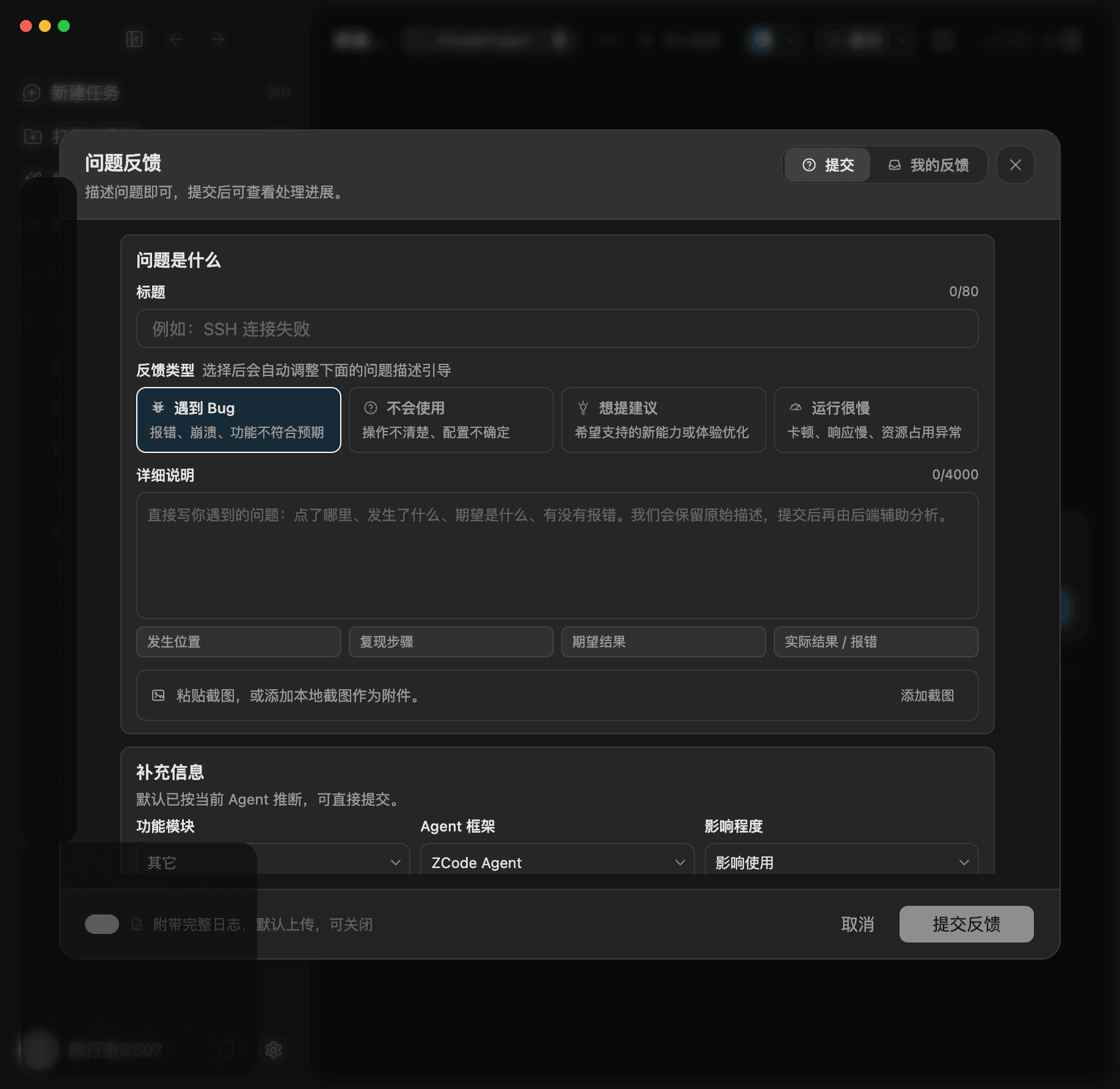
ZCode uses one unified Feedback panel. You can add the feedback type, feature module, Agent framework, severity, description, screenshots, and full logs when needed.
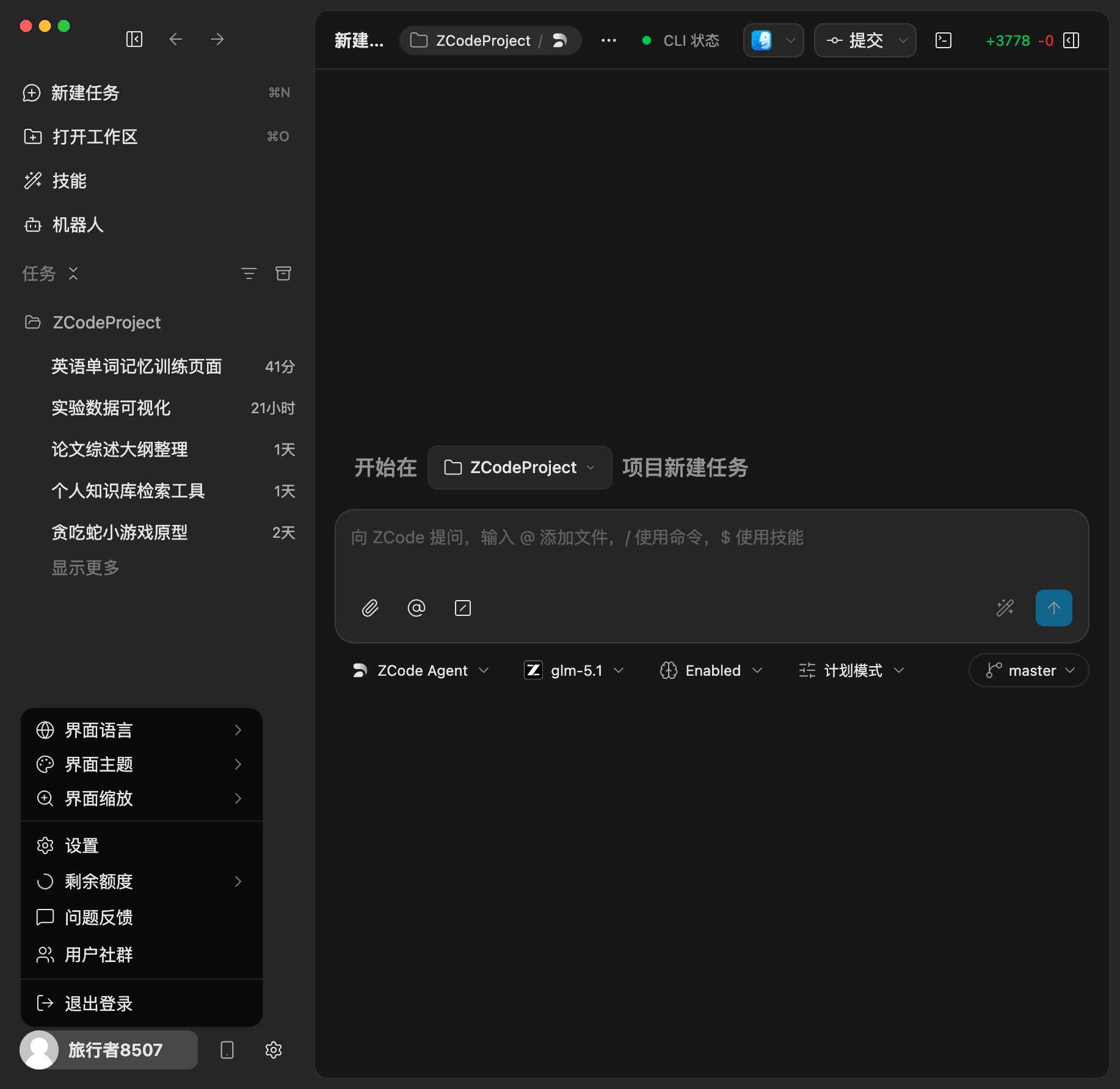
Avatar Menu
Click the avatar in the lower-left corner, then choose Feedback. This is best for general usage questions, suggestions, and experience issues.
The entry opens the shared feedback panel, where you can fill in the title, details, and additional context.
Error Banner
When an error banner appears, click Feedback directly in the banner. This entry automatically carries the error summary, recent error details, screenshot attachment, and current Agent context, which is useful for initialization failures and runtime errors.
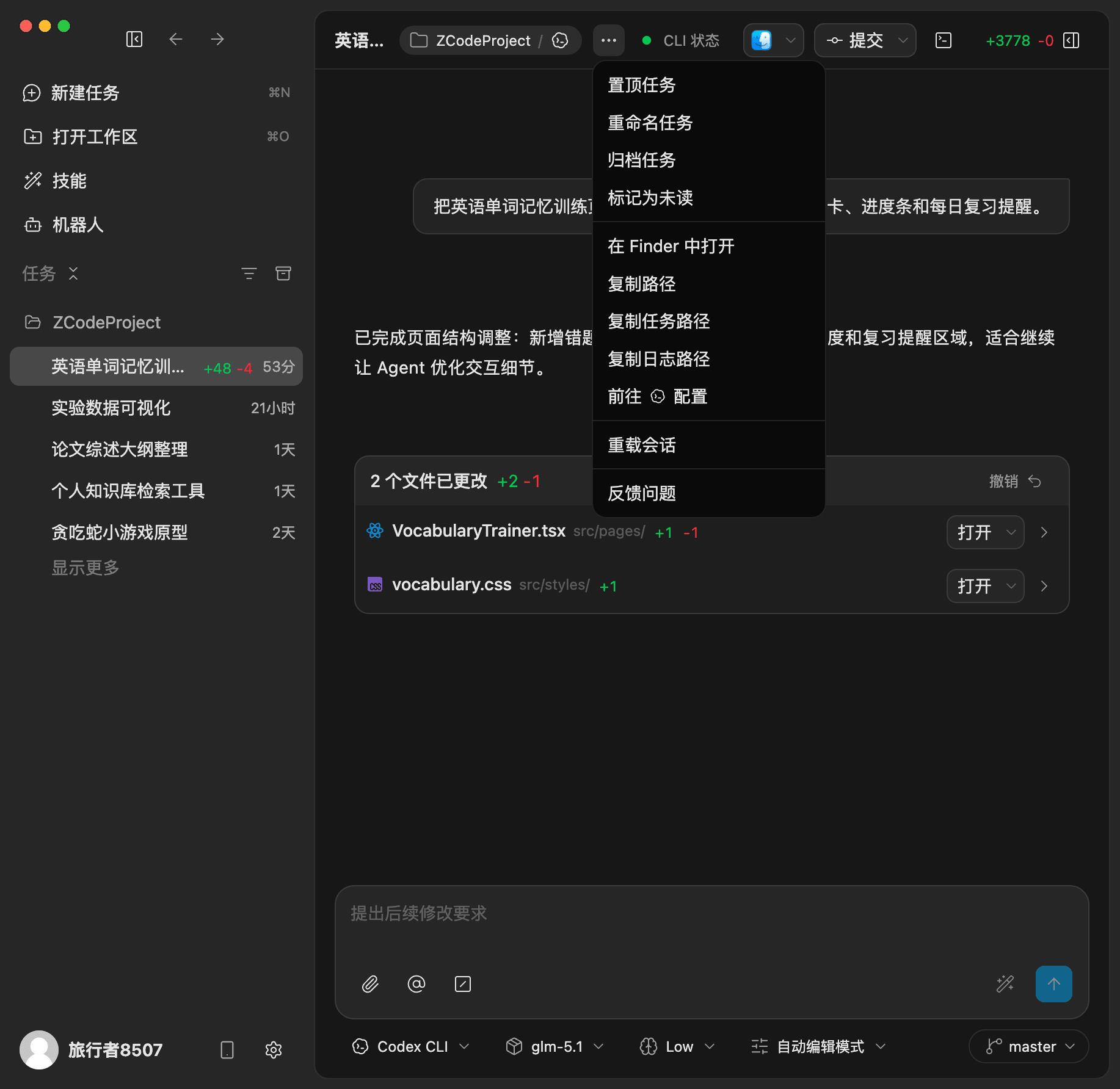
Task More Menu
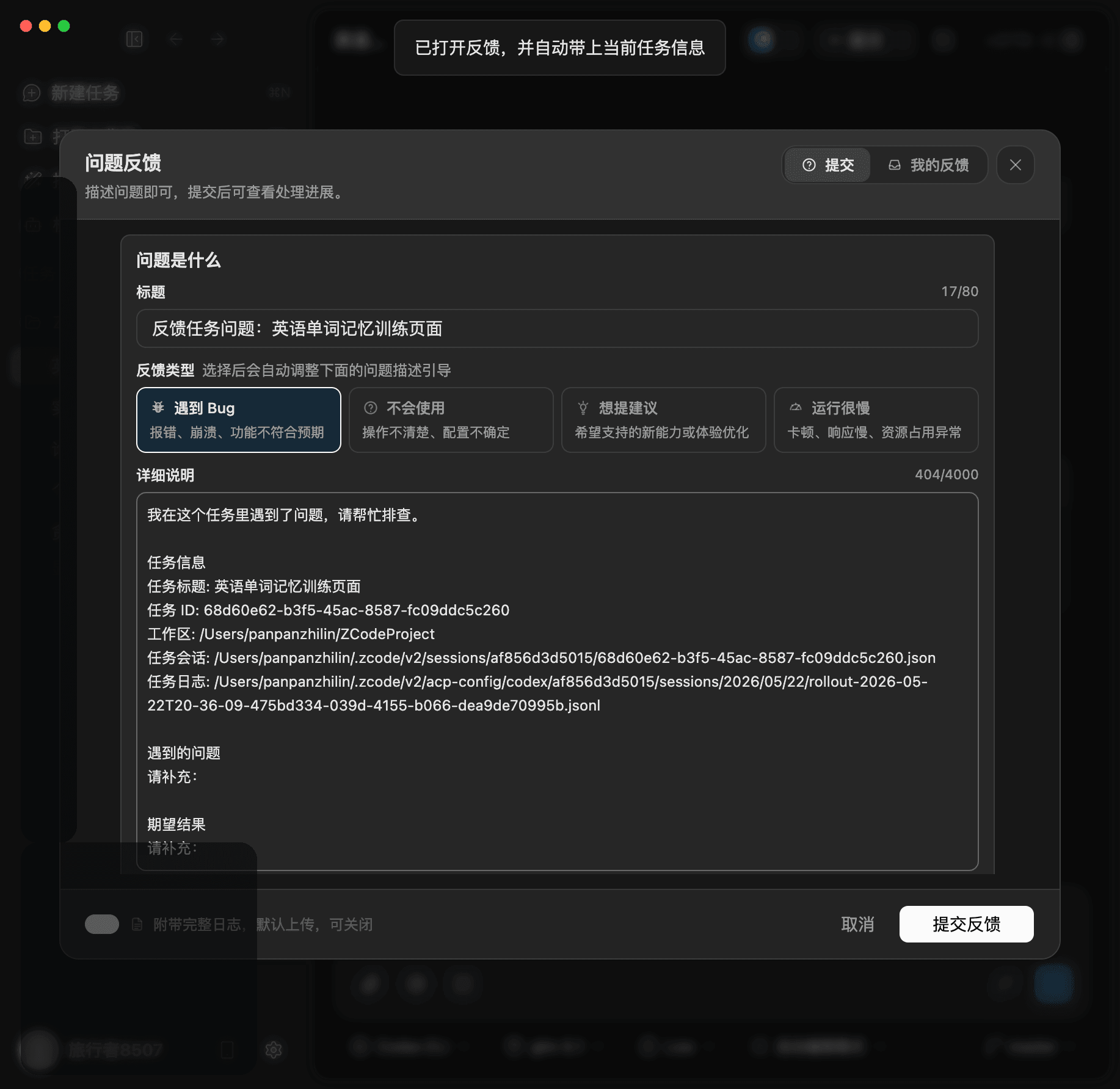
Open a task, click the ... More menu in the title bar, then choose Feedback. This entry automatically carries the current task title, task ID, workspace, and session file path, which is useful when the issue is tied to one task.
GitHub Issue Format
To help us reproduce and triage issues quickly, please follow this format when opening an issue at zcode-feedback:
- Title: a one-sentence summary of the problem, e.g. "Blank screen on macOS launch" or "Bot @ trigger has no response".
- Environment: OS and version, ZCode version, and the model / service you are using (Z AI, Anthropic, custom provider, etc.).
- Steps to reproduce: numbered steps the team can follow to hit the problem reliably.
- Expected vs. actual behavior: what you expected to happen versus what actually happened.
- Logs & screenshots: attach a log archive following How Do I Package Logs?, and include screenshots or screen recordings whenever possible.
If you aren't sure whether something is a bug or a usage question, feel free to submit anyway — we will help categorize and follow up.
How Do I Package Logs?
It is recommended to use the built-in Export Logs feature first. If export fails, you can manually locate the logs directory as described below.
macOS
- Open the application menu in ZCode.
- Click Export Logs and save the generated compressed archive.
- Upload the archive to the feedback form.
- If export fails, open Finder, choose Go -> Go to Folder..., enter
~/.zcode, and manually compress thelogsfolder.
Windows
- Open the application menu in ZCode.
- Click Export Logs and save the generated compressed archive.
- Upload the archive to the feedback form.
- If export fails, open File Explorer, enter
%USERPROFILE%\\.zcodein the address bar, and press Enter. - Select the
logsfolder, then right-click and choose Send to -> Compressed (zipped) folder.