
Bot Channel
Bot Channel connects external chat tools to ZCode. After setup, you can open the current workspace from WeChat, Feishu, or Telegram, check task progress, and keep sending instructions to the Agent.
Remote Control vs Bot Channel
Remote Control is best for quick QR-code access. Bot Channel is better when you want the entry point to live inside a chat tool that you can revisit over a longer period.
- Remote Control: scan from phone and open the current workspace quickly.
- Bot Channel: enter the workspace from a WeChat, Feishu, or Telegram conversation.
Create A Bot Channel
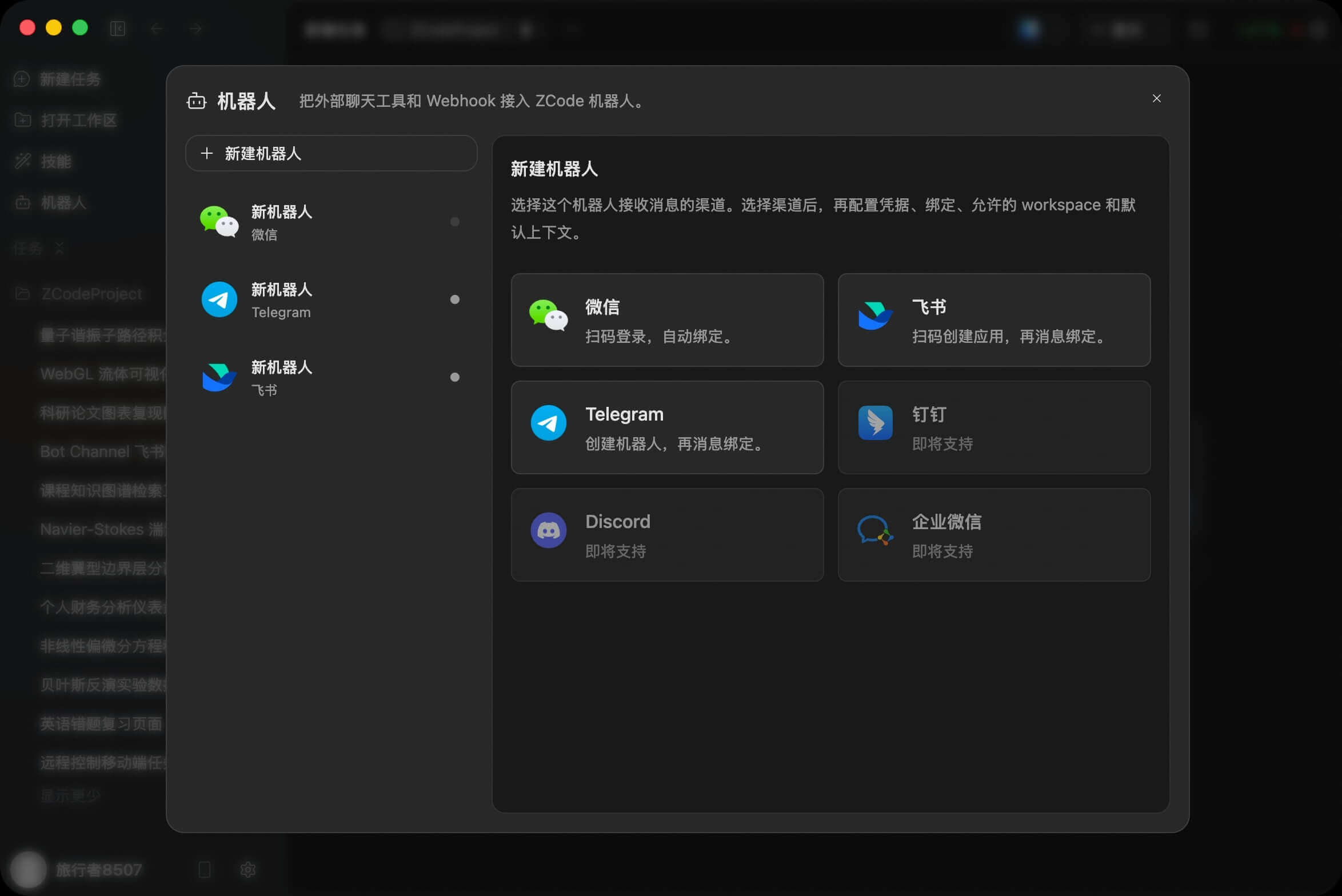
Open Bots settings from the left sidebar, click Create Bot, then select the channel you want to connect.
Available channels include:
- WeChat: scan to sign in and bind automatically.
- Feishu: scan to create an app, then bind through messages.
- Telegram: create a bot, then bind through messages.
DingTalk, Discord, and WeCom support will be completed in later versions.
Feishu Pairing
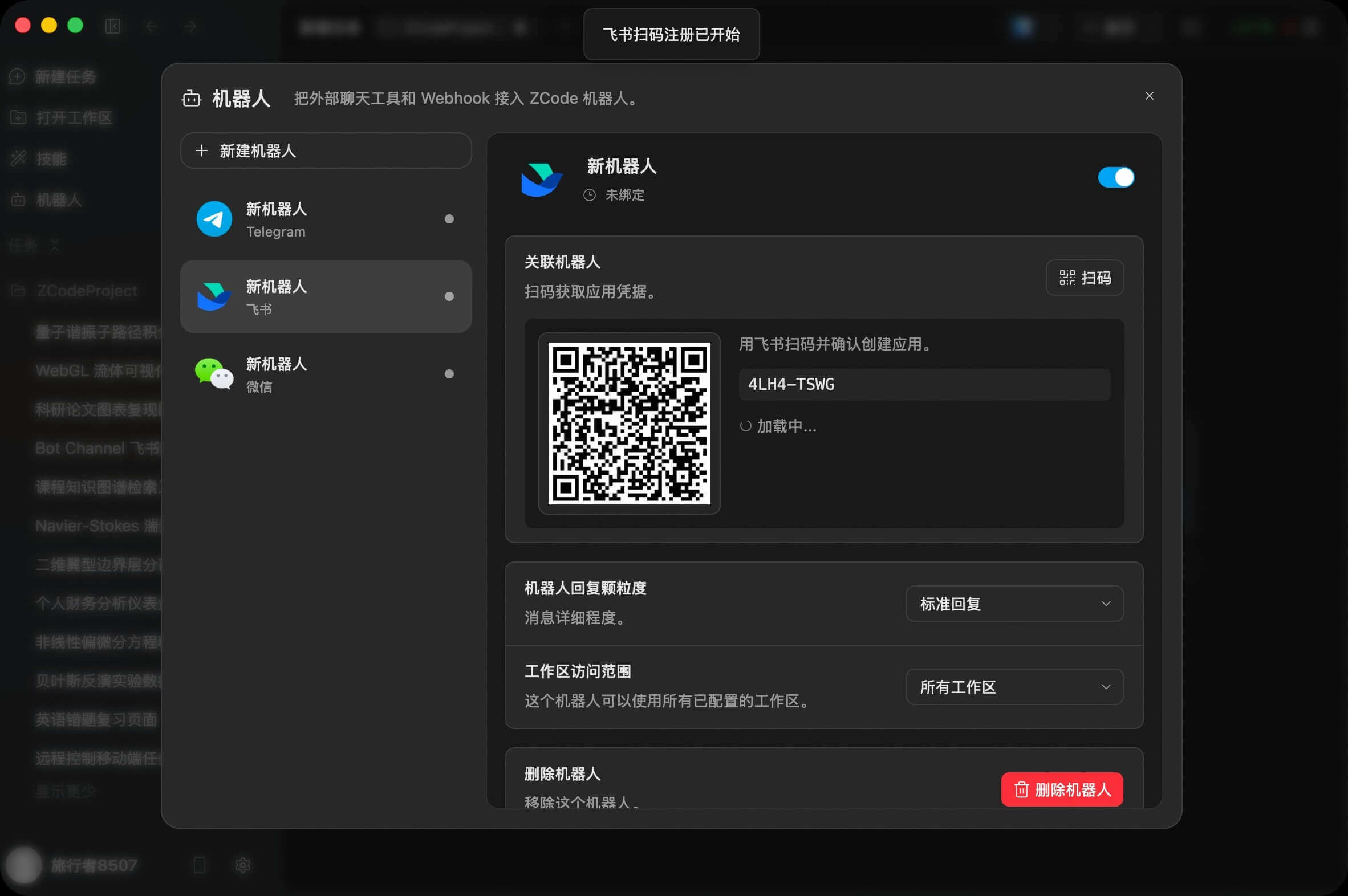
Feishu setup is intentionally lightweight. Choose Feishu in ZCode, then scan the QR code shown by the UI. ZCode creates the Feishu app automatically and generates a pairing code. In the Feishu conversation, send /bind pairing-code; after confirmation, the Bot is ready to use.
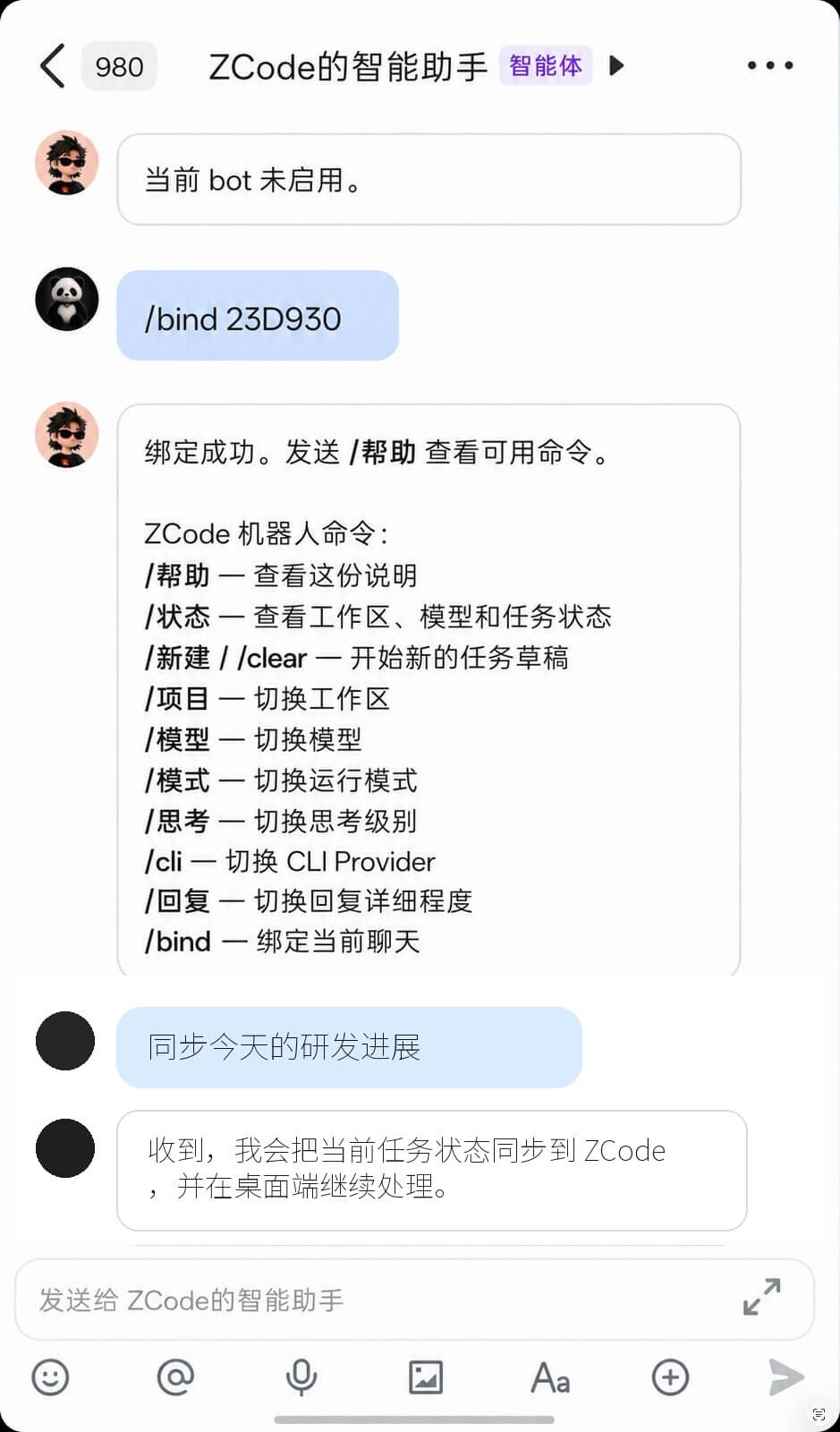
After binding succeeds, the Feishu Bot returns the available commands. You can check status, create tasks, switch projects, switch models, change run mode, and adjust reply detail. After that, you can keep messaging ZCode Agent directly from Feishu, which is useful for following long-running tasks on mobile.
Manage Bots
After creation, Bots appear in the left list. You can enable or disable them, bind credentials, set reply granularity, and limit which workspaces they can access.
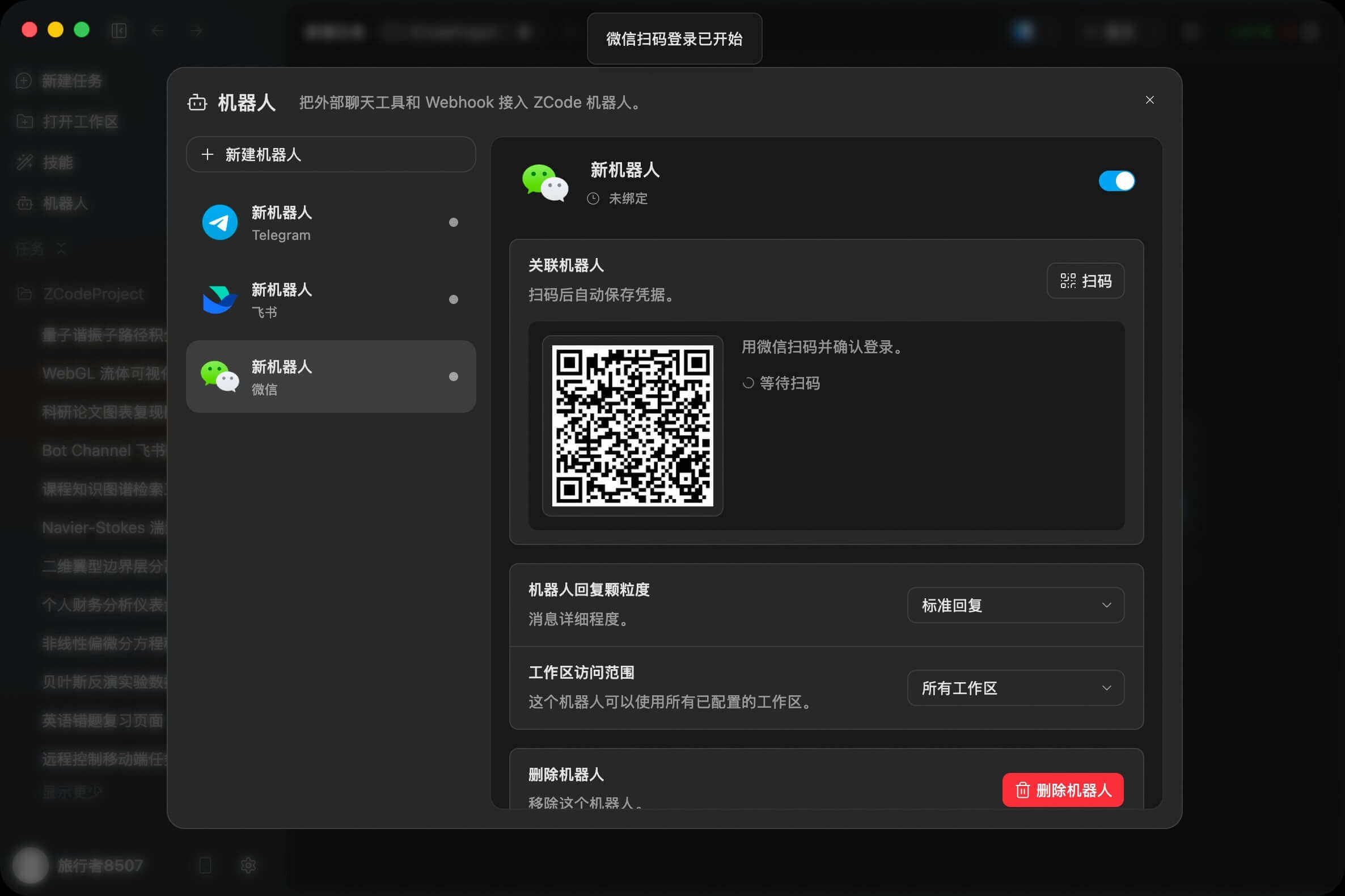
Common settings include:
- Bind Bot: scan or follow the UI prompts to bind credentials.
- Reply granularity: control how much detail the Bot sends back.
- Workspace access scope: limit which workspaces the Bot can open.
- Delete Bot: remove a channel you no longer use.
Enter From Chat Tools
After Bot Channel is configured, send a message to the Bot in the chat tool. The Bot forwards the request to ZCode Agent and returns task progress or a workspace entry.
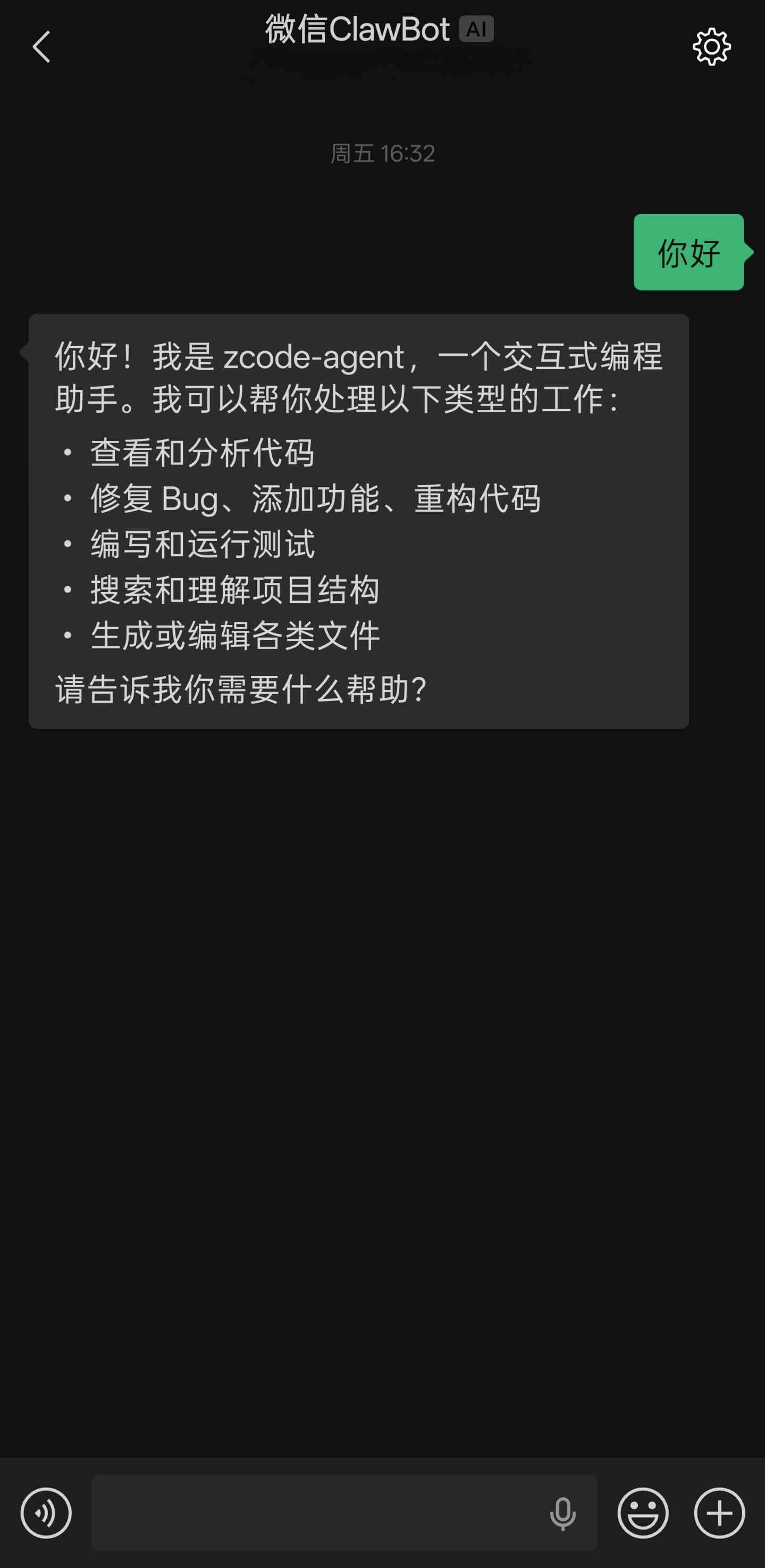
This is useful for long-running mobile follow-up: you can keep messaging the Bot from WeChat, Feishu, or Telegram, then open the workspace whenever you need the full session.