
Memory
Memory manages long-term Claude CLI context. You can store durable team preferences, project conventions, documentation rules, and output formats in MEMORY.md so the Agent can keep using them across tasks.
Memory currently supports Claude CLI only. The content is saved to Claude CLI's memory file.
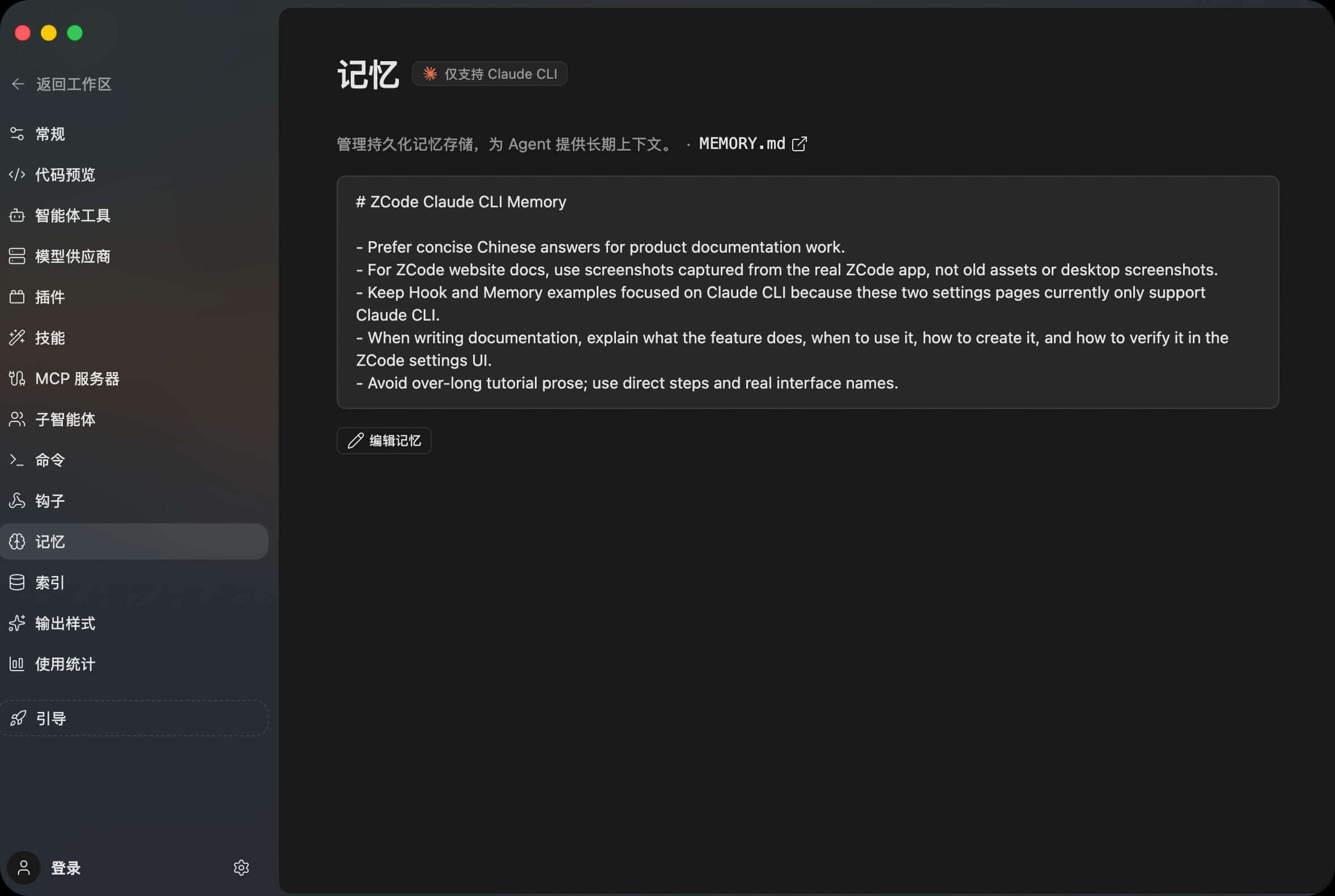
Why Use Memory
Memory is for information that stays useful over time, not one-off task instructions. Good examples include:
- Documentation should use real ZCode app screenshots.
- Product docs should stay concise and avoid overly long tutorials.
- A repository uses a specific branch, command, or verification flow.
- The team has a fixed report format, review checklist, or release-note style.
Do not store passwords, tokens, temporary task notes, or sensitive customer data in Memory.
Edit Memory
Open Settings -> Memory and click Edit Memory. ZCode opens the MEMORY.md editor, where you can update the Markdown content directly.
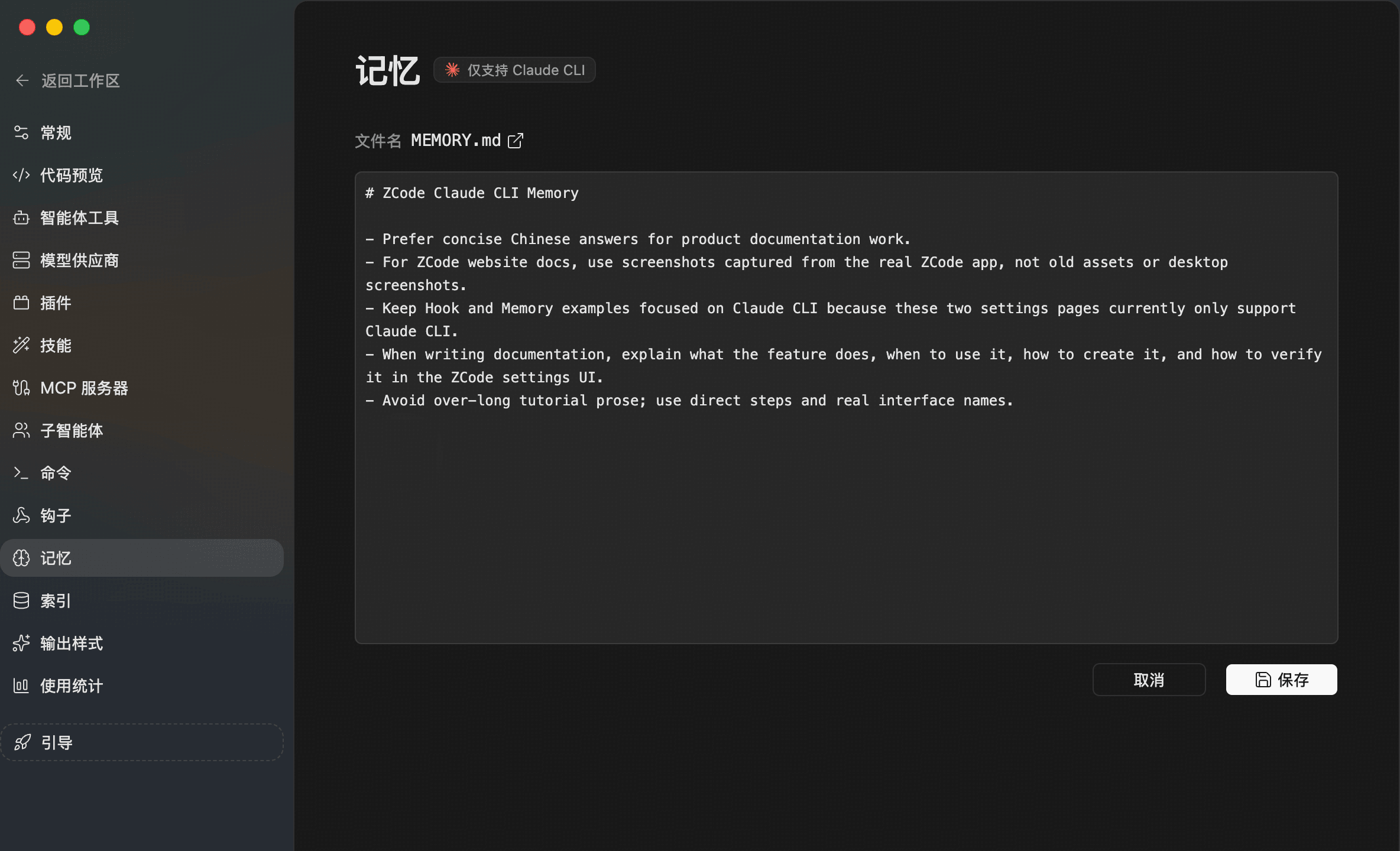
Writing guidance:
- Use short sentences or lists.
- Keep only long-lived information.
- Put one rule in each bullet when possible.
- Remove outdated rules so they do not affect later tasks.
After saving, return to the Memory page and confirm the content is displayed. Claude CLI can then use this long-term context in future work.
What To Write
You can start with rules like:
- For ZCode website docs, use screenshots captured from the real ZCode app.
- Keep product documentation concise and avoid overly long tutorial prose.
- When changing docs, verify the local page and image loading before reporting done.
If something only applies to the current task, keep it in chat. If it should apply across many tasks, put it in Memory.