
ZCode Agent
ZCode Agent is the default self-developed agent in ZCode and the primary entry point when creating a new task. You can describe the goal, add context, reference files, run commands, and choose the model and execution mode that fit the current task.
As ZCode's core agent capability, ZCode Agent is deeply adapted for the GLM-5.1 model family. It performs especially well on complex project understanding, long-task planning, multi-turn context retention, and continuous code changes. For Long Horizon Tasks that need sustained progress, ZCode Agent can combine workspace state, file references, execution mode, and Git branch context to move from requirement understanding to concrete implementation.
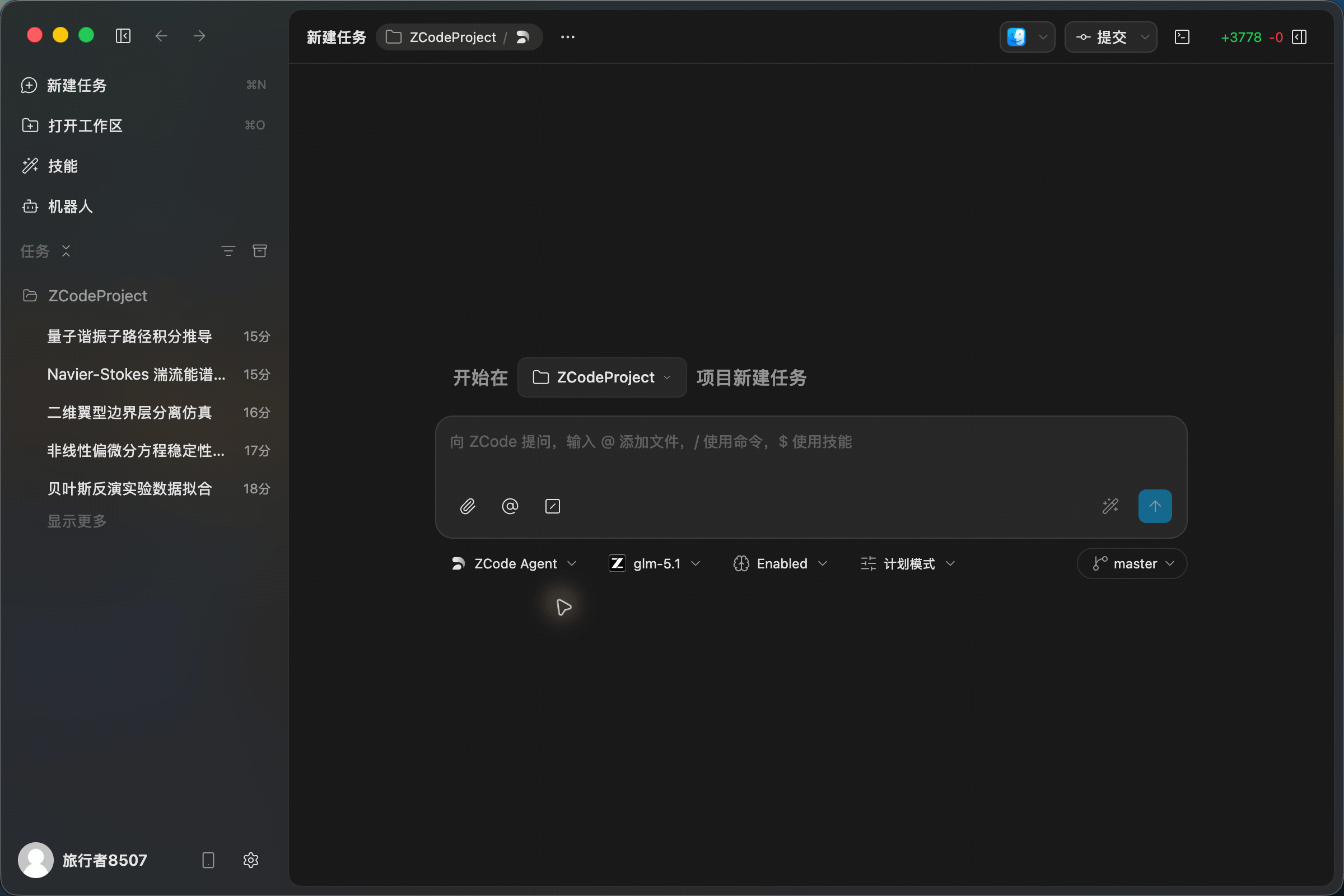
Workspace Entry
ZCode Agent understands the ZCode workspace, task list, file references, model picker, execution modes, and Git branch state directly, making it a strong fit for the full development loop from understanding a request to editing code and checking changes before commit.
With ZCode Agent, you can @ reference files in the input box, use / commands, call $ skills, and switch models, execution modes, and branches inside the same task. For everyday development work, it is usually the most stable starting point.
Execution Modes
Execution modes control whether ZCode Agent plans first, follows the default strategy, or proceeds more automatically. You can switch modes based on task risk, complexity, and how much hands-on involvement you want.
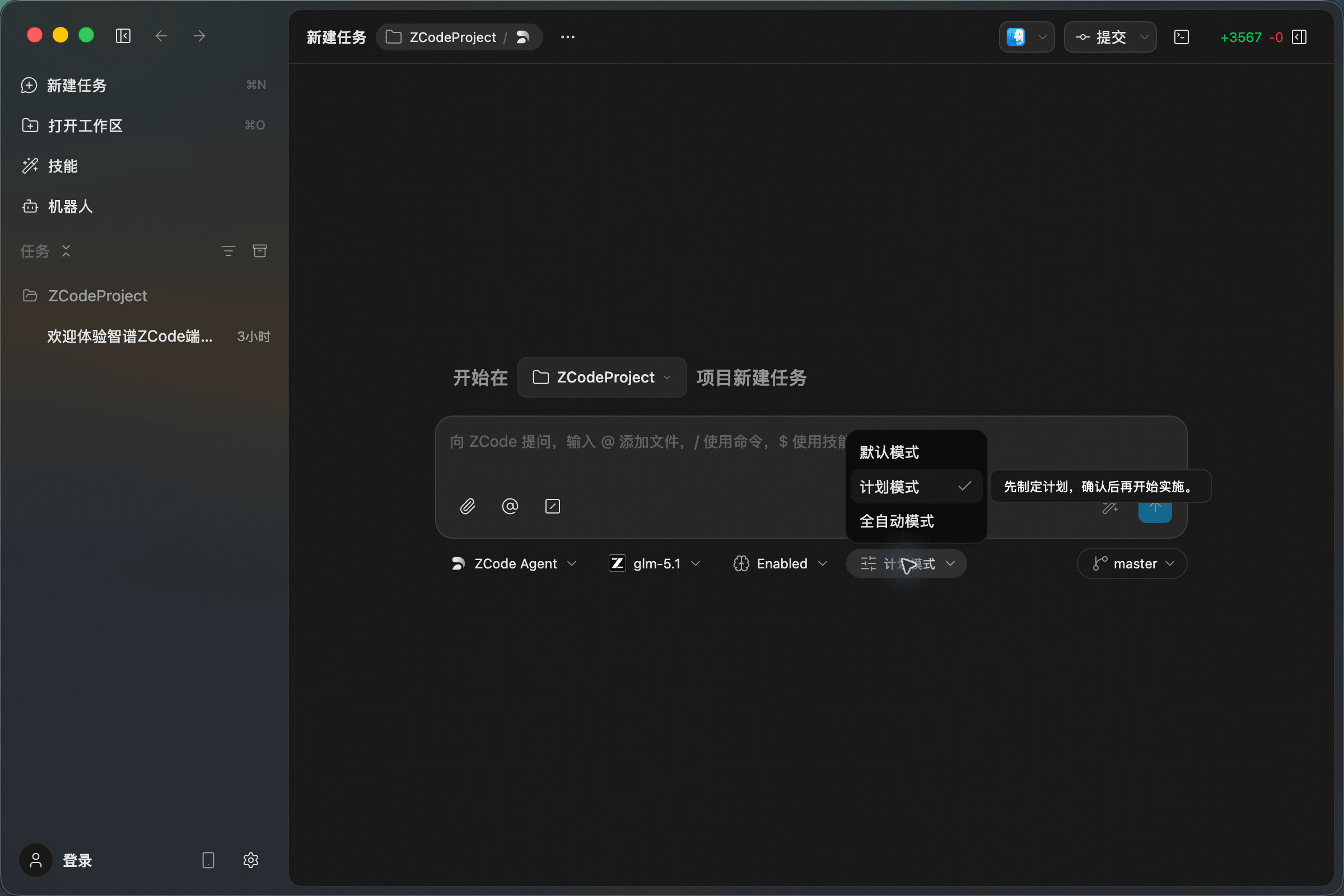
Available Modes
The screenshot shows the current ZCode Agent execution mode menu:
| Execution Mode | How It Works | Best For |
|---|---|---|
| Default Mode | Uses the standard task strategy and balances progress with necessary confirmations | Everyday development, normal Q&A, routine code edits |
| Plan Mode | Creates a plan first, then starts implementation after confirmation | Complex or multi-step tasks where you want to align on the approach first |
| Full Auto Mode | Reduces interruptions and lets the Agent proceed more continuously | Clear, lower-risk tasks where you want faster progress |
Tip: For critical files, shell commands, or broad changes, start with Plan Mode. For routine edits or clearly scoped tasks, Default Mode or Full Auto Mode can reduce interruptions.
Workflow Suggestions
- Start by describing the goal: tell ZCode Agent what you want to implement, fix, or analyze so it can establish the task objective.
- Add context next: use
@to reference key files, or attach screenshots, documents, and requirement material. - Use commands and skills for repeatable work: use
/for commands and$for reusable skills when the task follows a known process. - Choose execution mode based on risk: use a faster mode for routine edits, and use Plan Mode first for critical files, shell commands, or pre-commit checks.
- Keep the task continuous: continue asking follow-up questions, adding constraints, reviewing changes, and confirming the final result in the same task.