
Command
Commands invoke built-in ZCode Agent capabilities and can also save prompts you use often. After saving prompts for code review, commit messages, release checks, file explanation, or similar repeatable work, you can invoke them from the input box with /.
Commands currently apply mainly to ZCode Agent and Claude CLI. For daily work inside ZCode, start with ZCode Agent. If your team already maintains .claude/commands/ for Claude CLI, you can keep using that workflow.
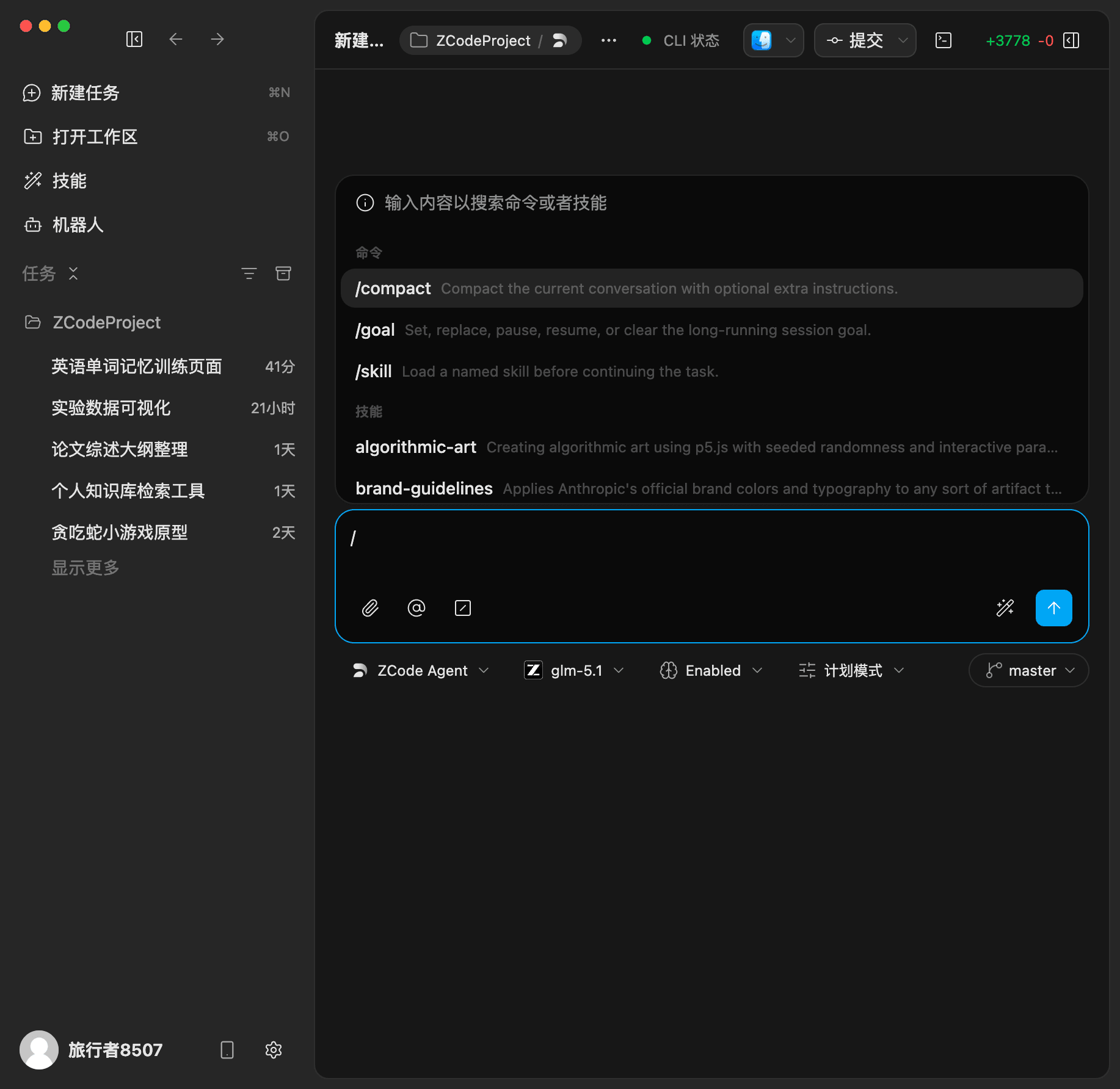
Use In ZCode Agent
- Choose ZCode Agent when creating a task.
- Type
/in the input box to open the command list. - Select a command, or keep typing to filter by command name.
- If the command expects arguments, add a path, module name, or extra instruction after it.
ZCode Agent currently includes three built-in commands:
| Command | Purpose |
|---|---|
/compact | Compact the current conversation context while preserving key information, useful for continuing long conversations |
/goal | Set, pause, resume, or clear a long-running session goal |
/skill | Load a named Skill before the agent continues the task |
For example, use /compact to clean up context in a long task, or /skill when the agent should follow a specific workflow before continuing.
Create A Command
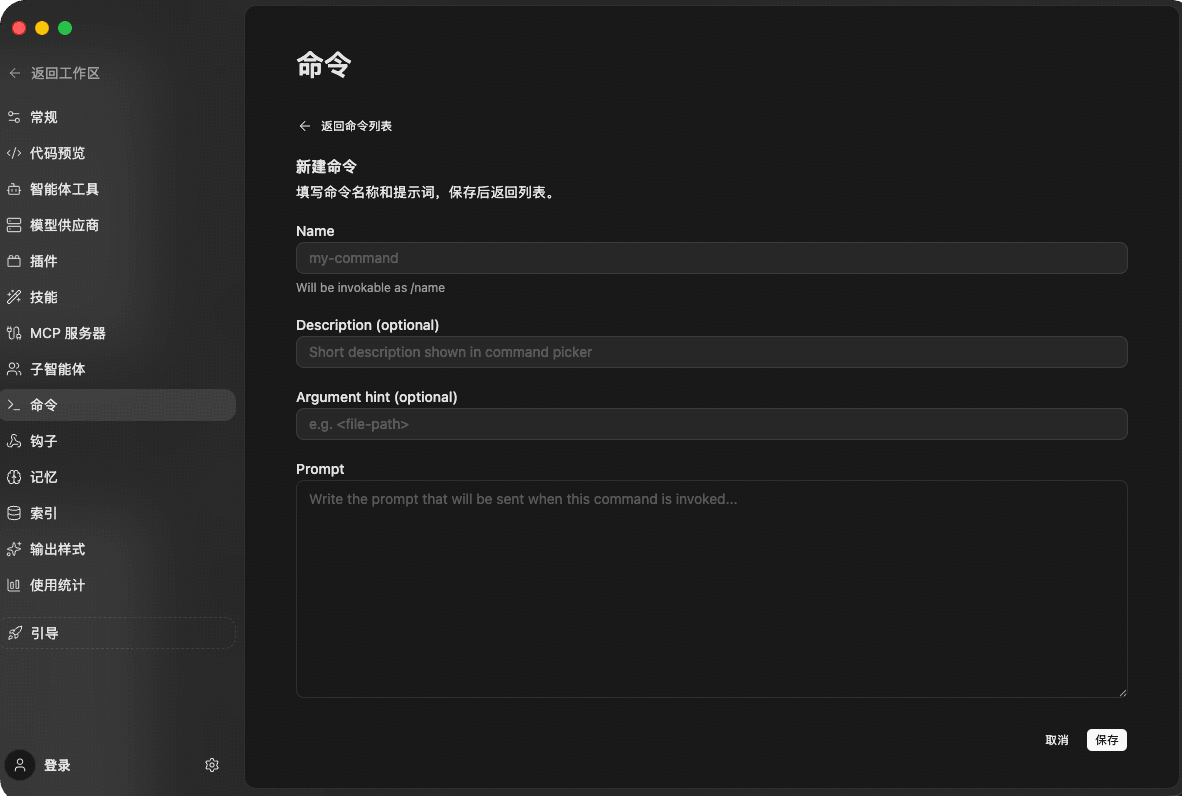
Open Commands in ZCode settings, then create a new command and fill in the fields:
| Field | Description |
|---|---|
| Name | Command name, invoked as /name after saving |
| Description | Optional short text shown in the command picker |
| Argument hint | Optional parameter hint, such as <file-path> |
| Prompt | The prompt content sent to the agent when the command runs |
After saving, return to the task input box and type / to find and invoke the command.
Claude CLI Notes
Claude CLI supports a similar custom command workflow. Project commands usually live in .claude/commands/, while personal commands usually live in ~/.claude/commands/.
Use a command when you only need to save a simple prompt. If the workflow needs scripts, templates, or example files, consider using Claude's skill mechanism instead.