
Safety Confirmation
ZCode brings Agent permission control into the task UI. Different frameworks expose different mode systems: ZCode Agent, Claude CLI, Codex CLI, Gemini CLI, and OpenCode CLI each show their own mode switcher below the composer.
The goal is simple: before allowing execution, review what the Agent is about to do. Commands, file changes, network calls, and script execution are surfaced in the task. When a high-permission or fully automatic mode is active, ZCode keeps the risk state visible in the toolbar.
Framework Permission Modes
ZCode Agent
ZCode Agent is ZCode's first-party Agent. It is tuned closely for the GLM 5.1 model family and is a good default for long-running, multi-step development work.
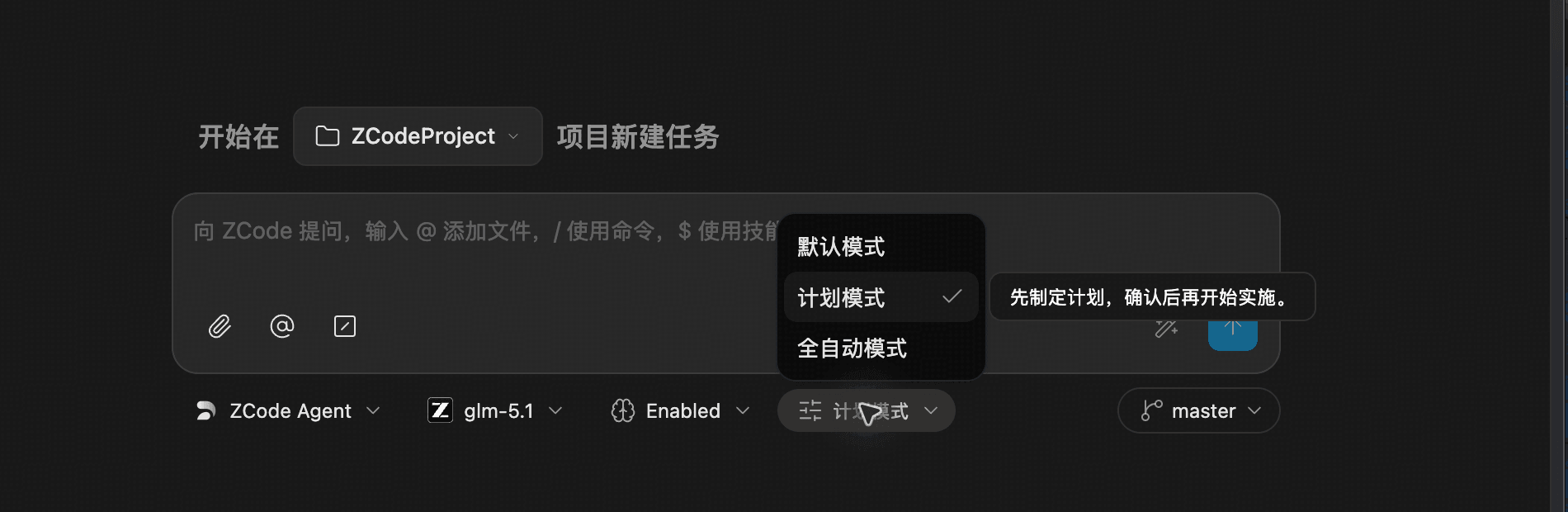
| Mode | Description | Best For |
|---|---|---|
| Default | Use ZCode Agent's default confirmation behavior. | Everyday development and normal Q&A. |
| Plan | Plan first, then wait for confirmation before implementation. | Refactors, migrations, and long-horizon work. |
| Yolo | Run with fewer confirmations. | Trusted contexts where continuous execution is preferred. |
Claude CLI
Claude CLI has the most granular permission system, including auto, default, accept edits, plan, don't ask, and bypass permissions.
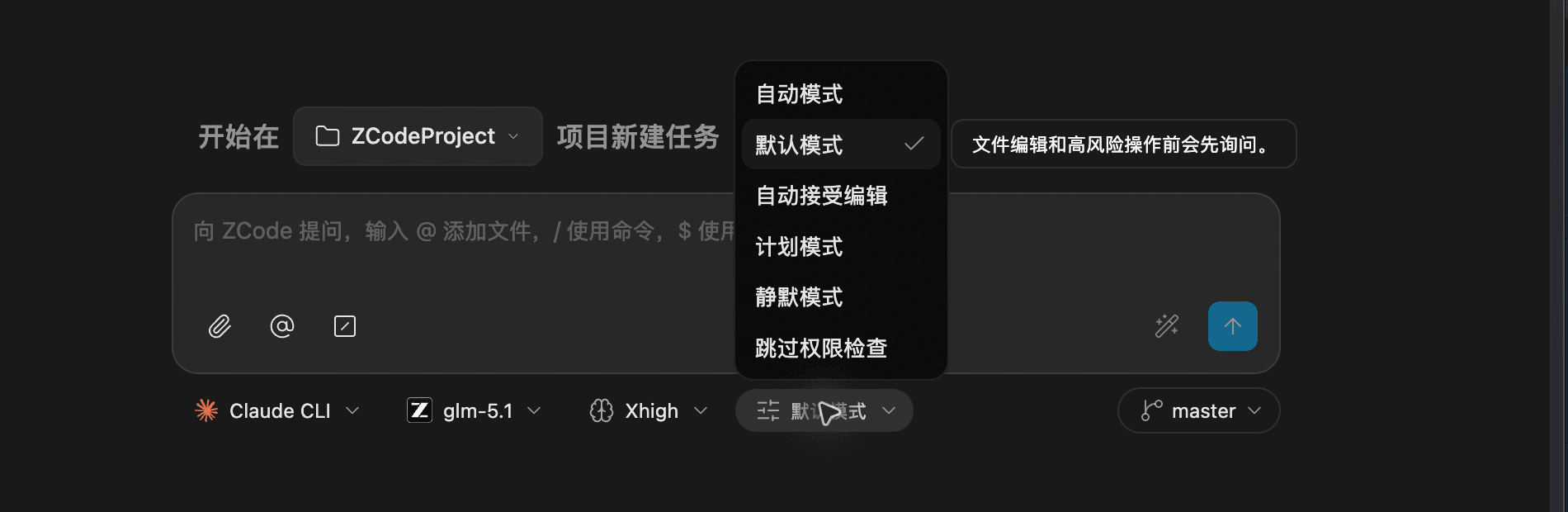
| Mode | Description | Best For |
|---|---|---|
| Auto | Claude chooses an appropriate permission mode for the task. | When you are not sure which mode to use. |
| Default | Ask before file edits and risky operations. | Everyday development with manual control. |
| Accept Edits | Automatically accept file edits, while other confirmations still follow the normal flow. | Code-heavy tasks where edits are expected. |
| Plan | Plan first, then wait for confirmation before implementation. | Refactors, migrations, and long-horizon work. |
| Don't Ask | Skip routine permission prompts for this session. | Trusted contexts where fewer interruptions are preferred. |
| Bypass Permissions | Run with higher permissions and keep a yellow risk indicator in the toolbar. | Temporary use only when you understand the risk. |
Codex CLI
Codex CLI focuses on file and command access boundaries. The common modes are read only, auto edit, and full access.
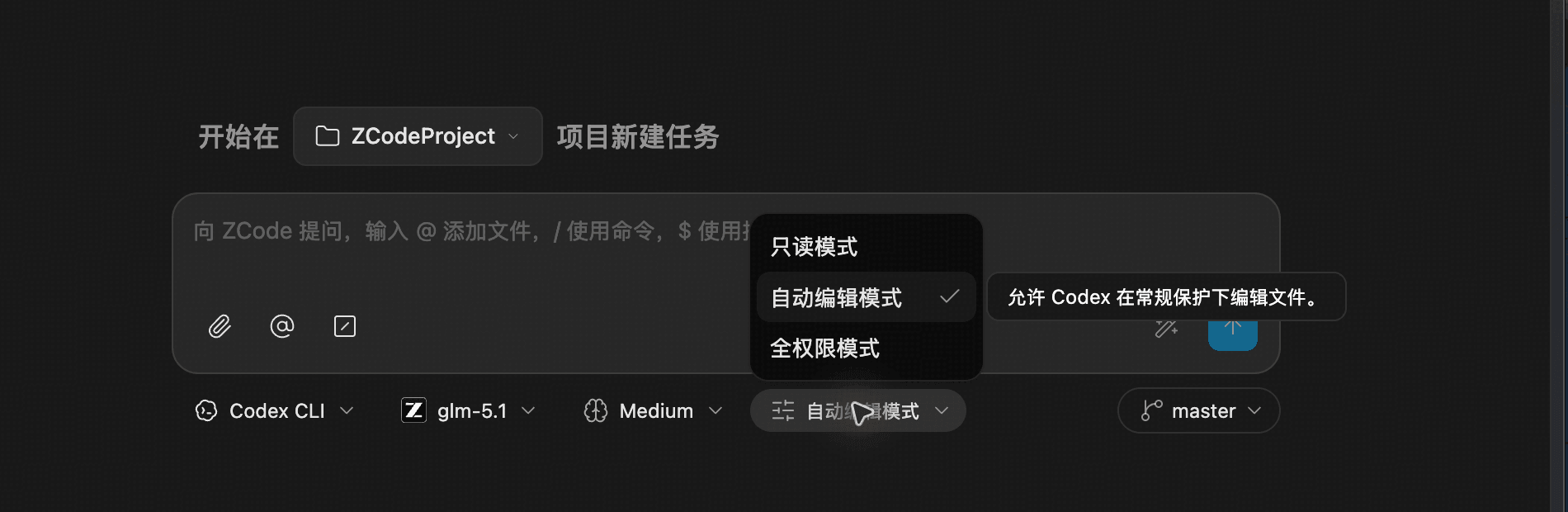
| Mode | Description | Best For |
|---|---|---|
| Read Only | Read and analyze code without making edits. | Code review, debugging, and project understanding. |
| Auto Edit | Allow Codex to edit files with normal safeguards. | Code changes where guardrails should remain on. |
| Full Access | Allow higher file and command access. | Trusted tasks that need continuous execution. |
Gemini CLI
Gemini CLI offers default, auto edit, yolo, and plan modes, letting you balance confirmation strength with execution continuity.
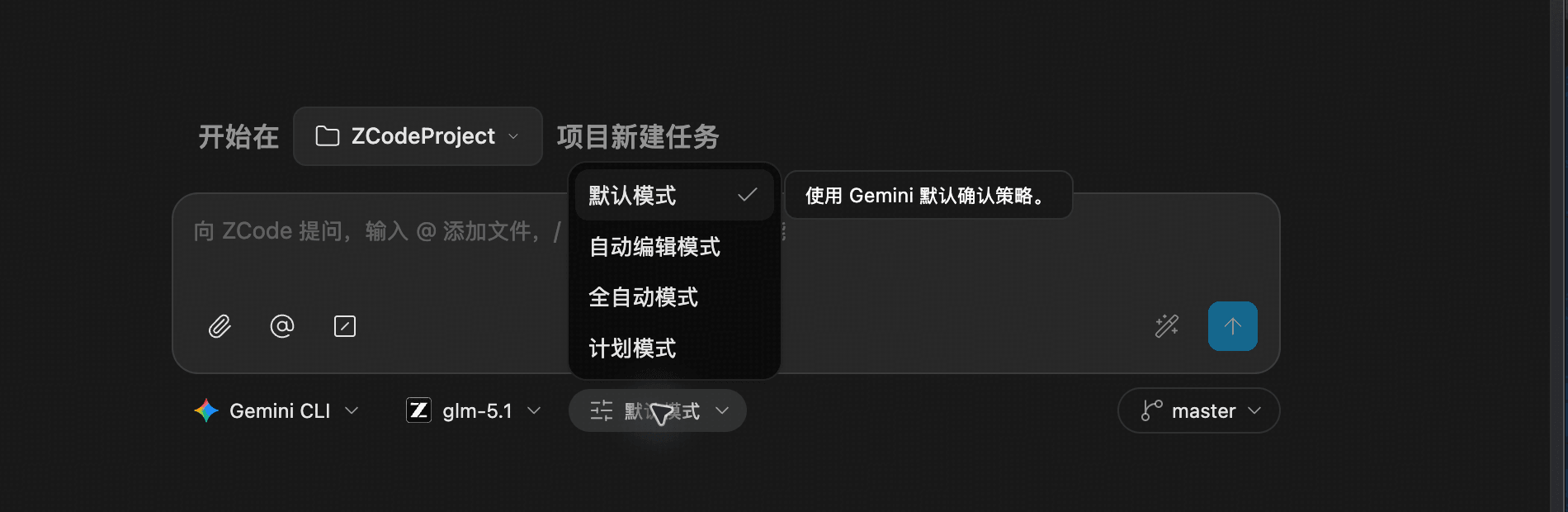
| Mode | Description | Best For |
|---|---|---|
| Default | Use Gemini's default confirmation behavior. | Normal tasks. |
| Auto Edit | Allow Gemini to apply edits automatically. | Code-heavy work. |
| Yolo | Run automatically with minimal confirmations. | Trusted continuous tasks. |
| Plan | Plan first, then wait for confirmation before implementation. | Large changes that need plan review first. |
OpenCode CLI
OpenCode CLI is centered on build and plan modes. If OpenCode subagents or plugins are installed, their agent entries can also appear in the mode list.
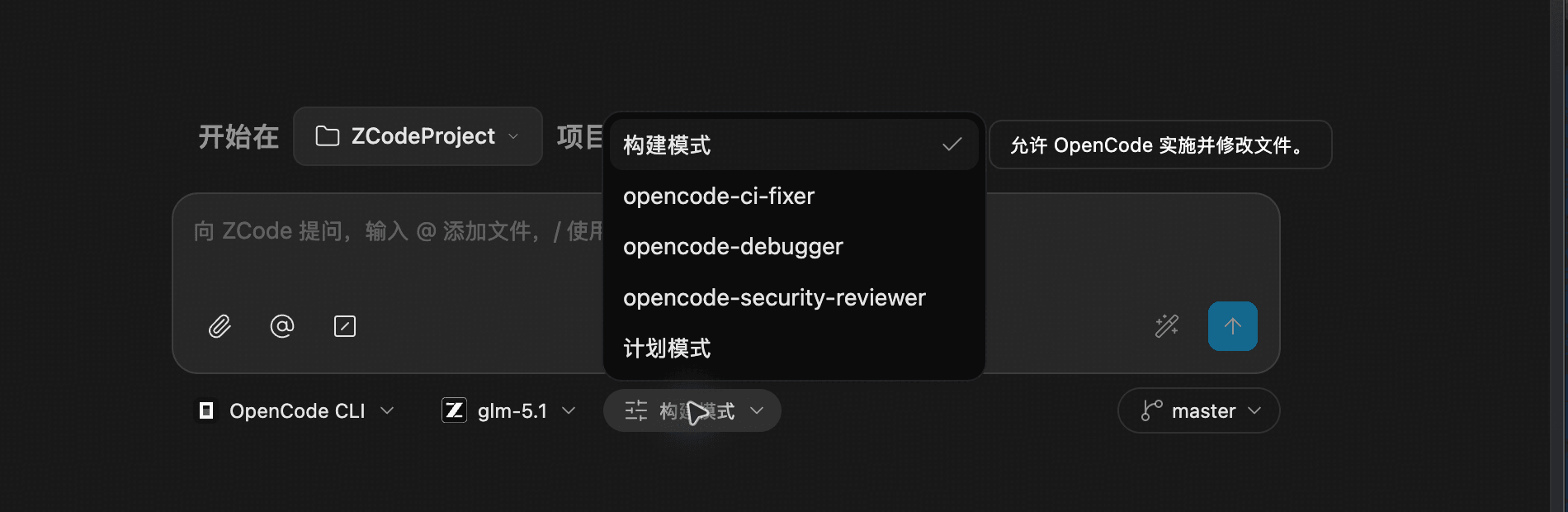
| Mode | Description | Best For |
|---|---|---|
| Build | Allow OpenCode to implement and modify files. | Direct implementation work. |
| Plan | Plan first, then wait for confirmation before implementation. | Work that needs plan review first. |
| Custom agent entries | Provided by OpenCode subagents or plugins, such as opencode-ci-fixer, opencode-debugger, and opencode-security-reviewer. | Specialized CI, debugging, or security-review tasks. |
Workflow
- Trigger confirmation: when an Agent sends a permission-gated request, the current task pauses and the composer is blocked so the next action cannot be queued accidentally.
- Show the request: ZCode displays the exact command, file change, or tool action the Agent plans to run.
- User decision: the Agent continues only after you approve the request; rejecting it stops the current operation or returns the task to an adjustable state.
- Sync task state: permission requests are scoped to the task. If you switch away and come back, the pending request is still there, and the sidebar can show the task as waiting for confirmation.
Decision Options
| Option | Description | Recommended Scenario |
|---|---|---|
| Allow | Authorize only this one action. | Temporary or uncertain one-off tasks. |
| Reject | Prevent the Agent from running the current action. | The command, path, or risk does not match expectations. |
| Always Allow | Authorize this and future actions of the same type without asking again. | Trusted repeated operations, such as routine builds. |
Typical Scenarios
- Running third-party scripts: Python, Shell, or Node.js scripts inside your project.
- Network requests: external API access through
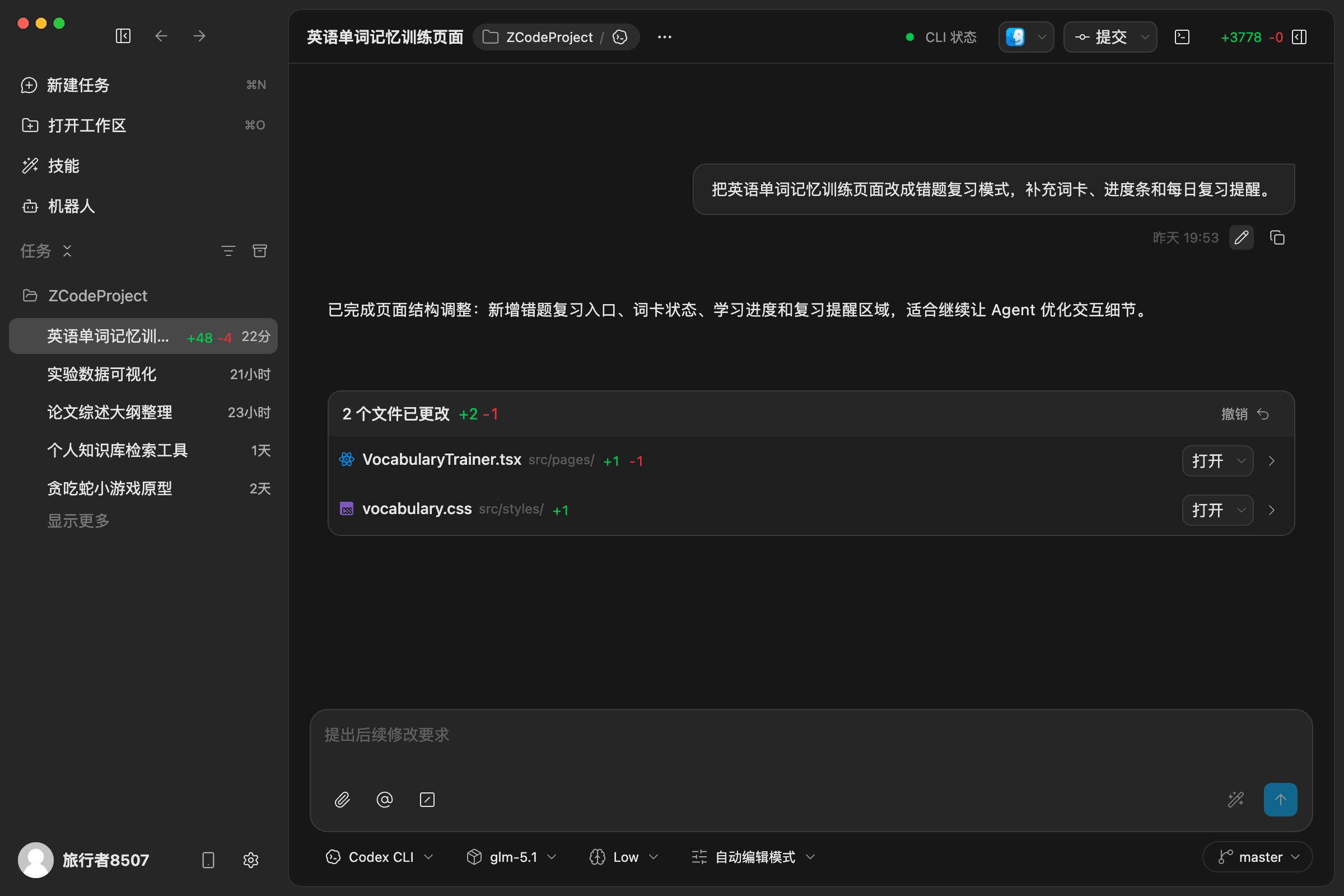
curlor similar tools. - File changes: creating, editing, deleting, or renaming files. ZCode shows a file-change summary with open and undo actions.
- System-level commands: commands that may change system configuration, install dependencies, or delete files.
Best Practices
- Review the command, path, and file names before allowing execution.
- Use Allow when you are unsure; avoid jumping straight to Always Allow.
- Always Allow, fully automatic modes, full-access modes, and Bypass Permissions all reduce future prompts, so use them only when the operation is trusted.
- For large changes, use Plan first, confirm the plan, then implement.