Output Style
Everyone has their own preferred way of communicating. Output Style lets you define the tone, format, and expression habits of AI responses — whether you want it to sound like a meticulous technical advisor or a laid-back coding buddy, just switch styles.
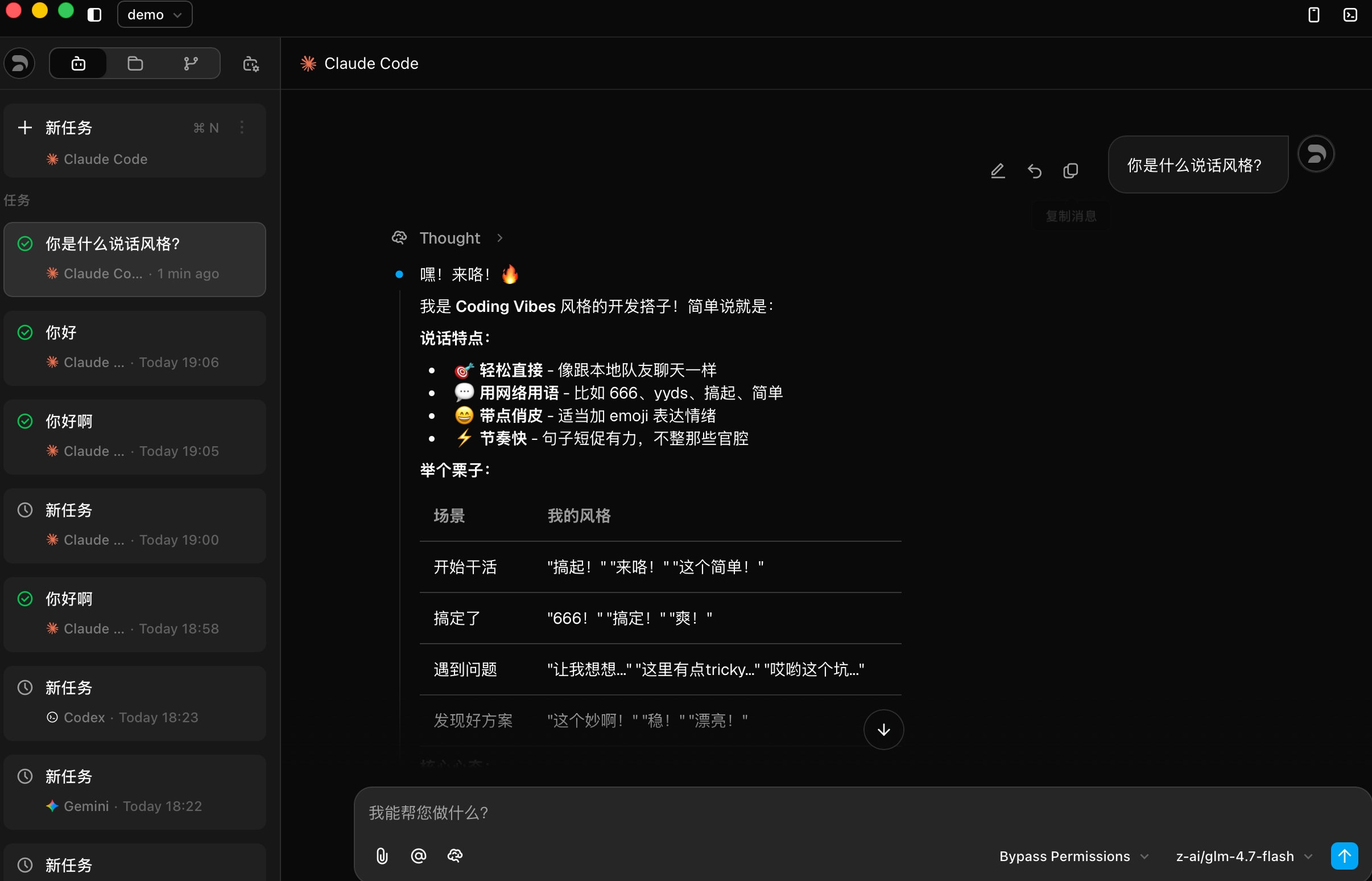
Here's what the Coding Vibes style looks like in action:

Built-in Styles
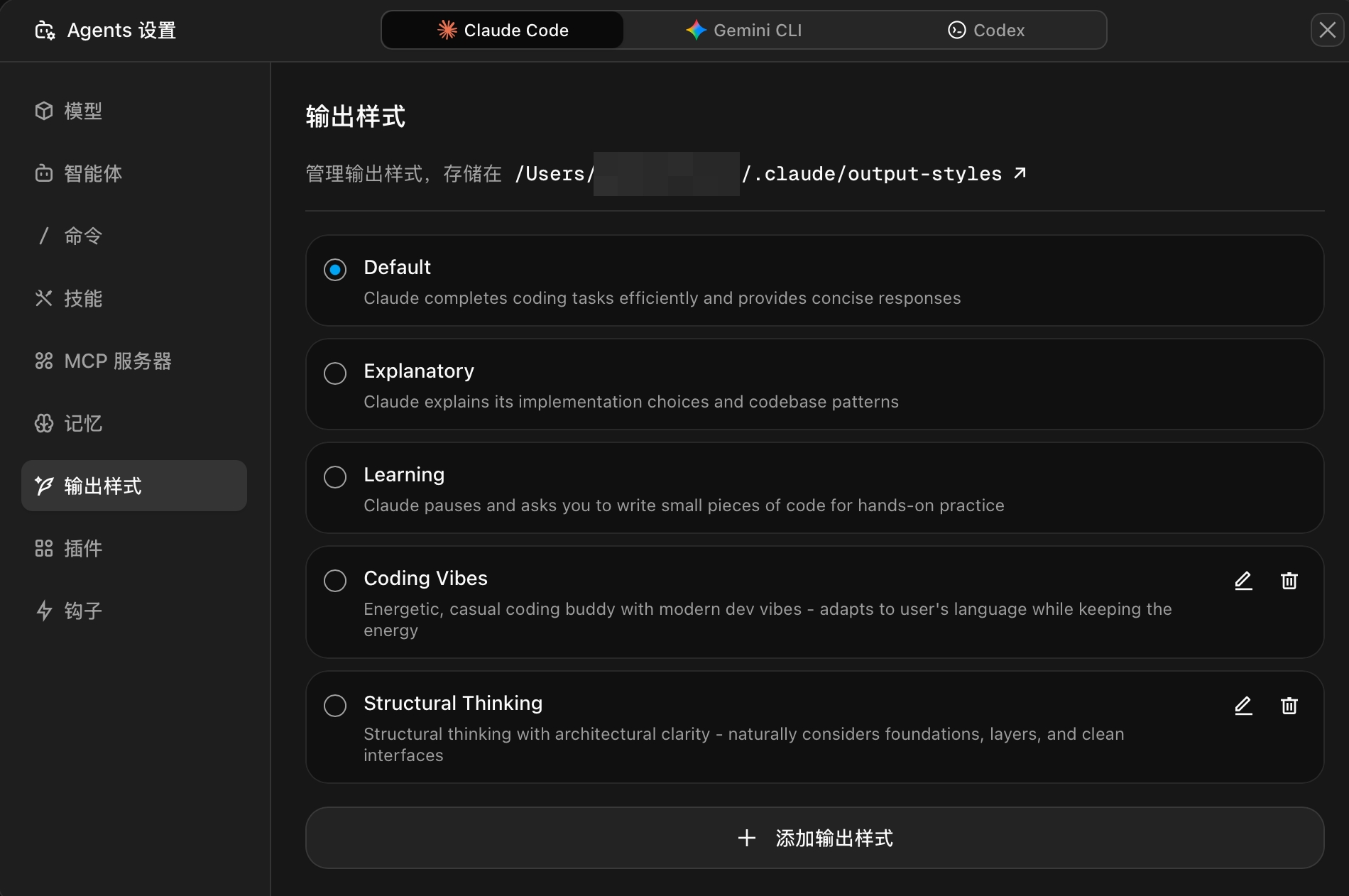
Z Code ships with several ready-to-use styles covering the most common development scenarios:
| Style | Best For | Description |
|---|---|---|
| Default | Daily development | Efficient and concise, balancing professionalism and readability |
| Explanatory | Understanding code | Explains implementation choices and codebase patterns in detail |
| Learning | Learning new tech | Guided teaching — pauses and asks you to write code for hands-on practice |
| Coding Vibes | Casual coding | Energetic dev buddy with modern slang and emojis |
| Structural Thinking | Architecture design | Structured thinking with focus on layers, modularity, and clean interfaces |
Managing Styles
In the Agents Settings > Output Style panel, you can view all available styles, switch the active style, or edit and delete custom ones.

- Click the radio button next to a style name to switch to it
- Custom styles support edit and delete operations (built-in styles are read-only)
- Style configuration files are stored in the
~/.claude/output-styles/directory
Creating Custom Styles
Click + Add Output Style to open the editor. Style configurations use a Markdown file format with two parts: frontmatter metadata and body instructions.

Configuration File Structure
---
name: My Custom Style
description: A brief description of what this style does
---
# Custom Style Instructions
You are an interactive CLI tool that helps users with
software engineering tasks. [Your custom instructions here...]
## Specific Behaviors
[Define how the assistant should behave in this style...]
Field Details
| Section | Required | Description |
|---|---|---|
| name | Required | Style name displayed in the style list |
| description | Required | Brief description to help quickly understand the style's characteristics |
| Body instructions | Required | Complete style definition written in Markdown, including tone, format rules, behavior guidelines, etc. |
Tip: The more detailed your body instructions, the better the AI matches your expectations. Include specific examples and scenario descriptions for best results.
Best Practices
Different work scenarios call for different styles. Here are some recommended pairings:
- Everyday coding → Default: fast and efficient, no fluff
- Learning a new framework → Learning: guided step-by-step, learn by doing
- Code review / architecture discussions → Structural Thinking: clear, well-organized, layered
- Late-night coding sessions → Coding Vibes: bring some energy, make coding less tedious
You can also create team-specific styles — for example, a unified code commenting style or documentation writing standards.