Integration

Agentic Development Environment

Built on the Multi-Agent Framework, Z Code provides a comprehensive Agentic Development Environment (ADE) toolset. These tools are designed to provide a seamless, efficient workspace, allowing you to complete the entire development lifecycle—from task management, file management, and coding to CLI operations, version control, and project previews—without leaving the application.


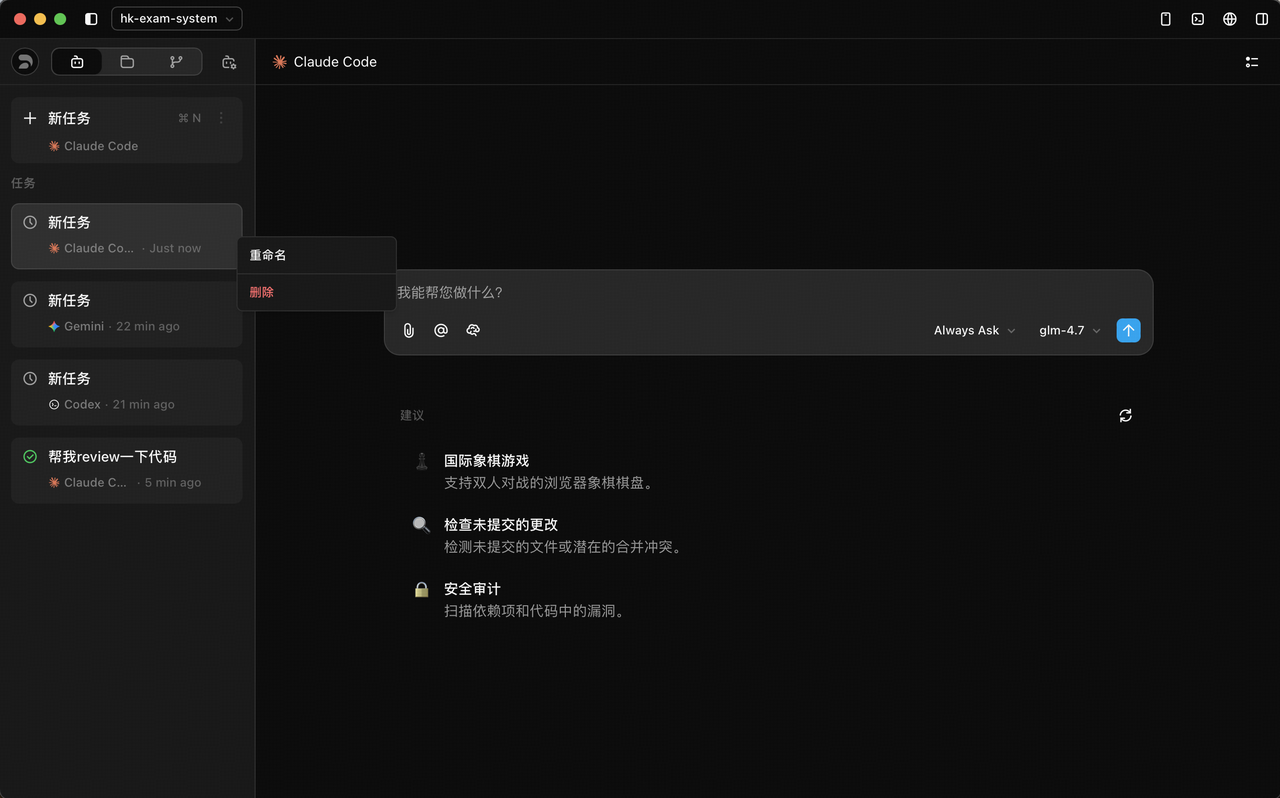
Task Manager

Historical conversations within the same project are preserved as tasks. You can rename and delete tasks for easy management.

Task Manager


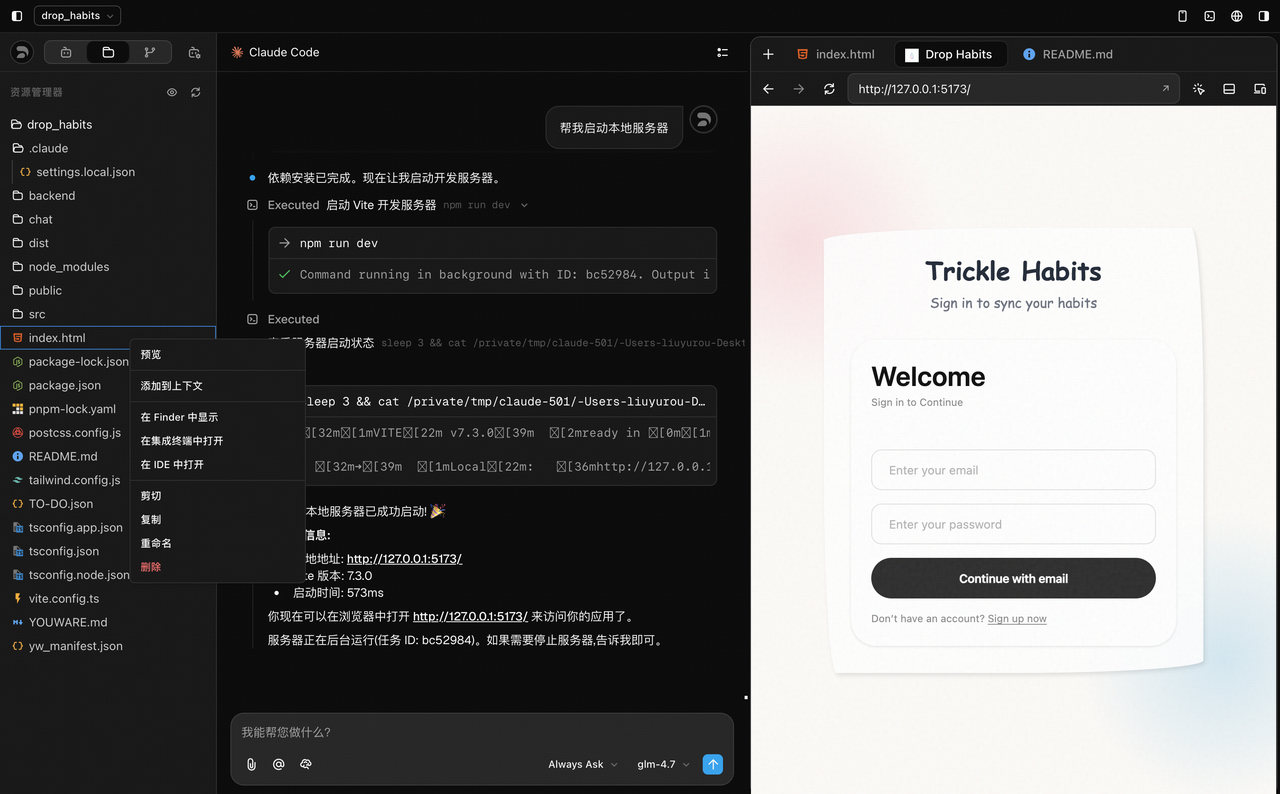
File Manager

Provides complete visual management of files and directory structures within your project, supporting:

  • Preview: Quickly preview file contents
  • Add to Context: Add files as context for Agent conversations
  • Multi-platform Navigation: Open target files in Finder, the integrated terminal, or other external IDEs
  • Basic Operations: Support for Cut/Copy, Rename, and Delete

File Manager


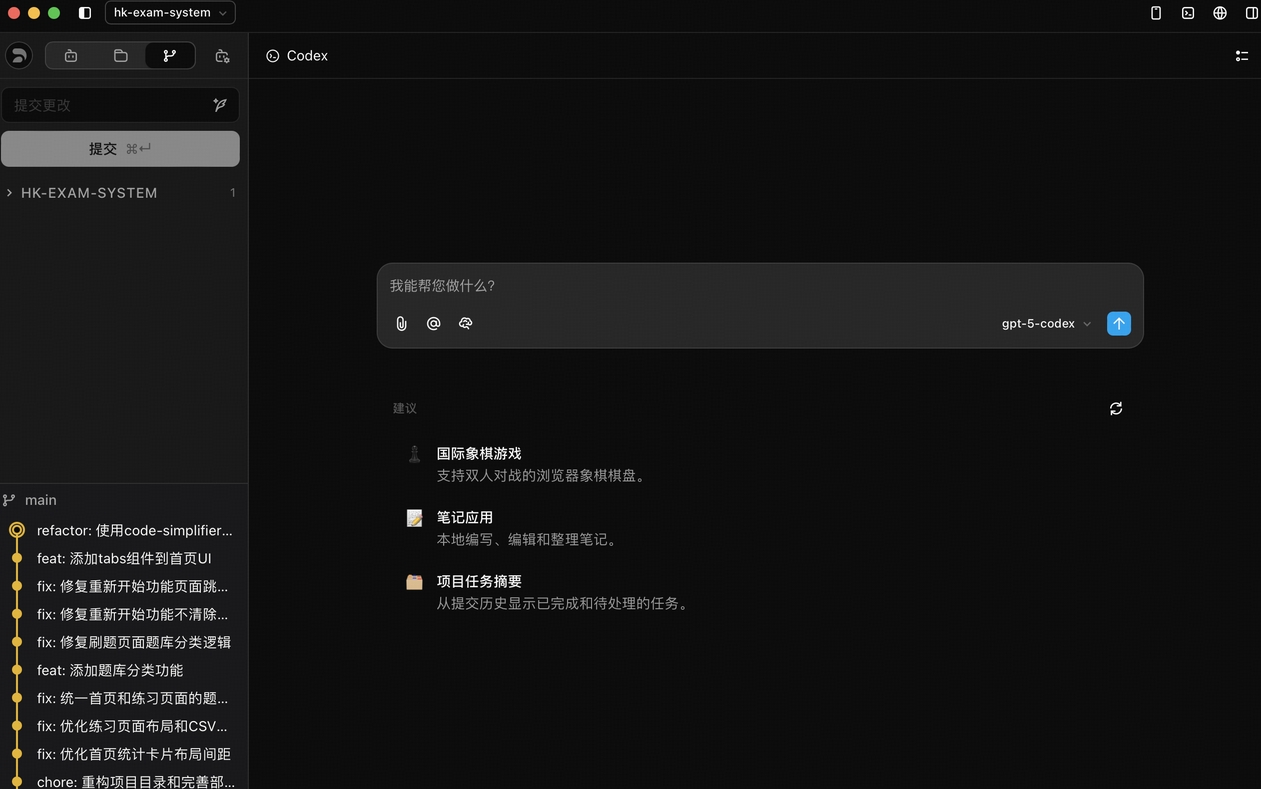
Git Commit

Provides a clean Graphical User Interface (GUI) to handle common Git version control operations, making the code submission process more intuitive and efficient.

Git Commit


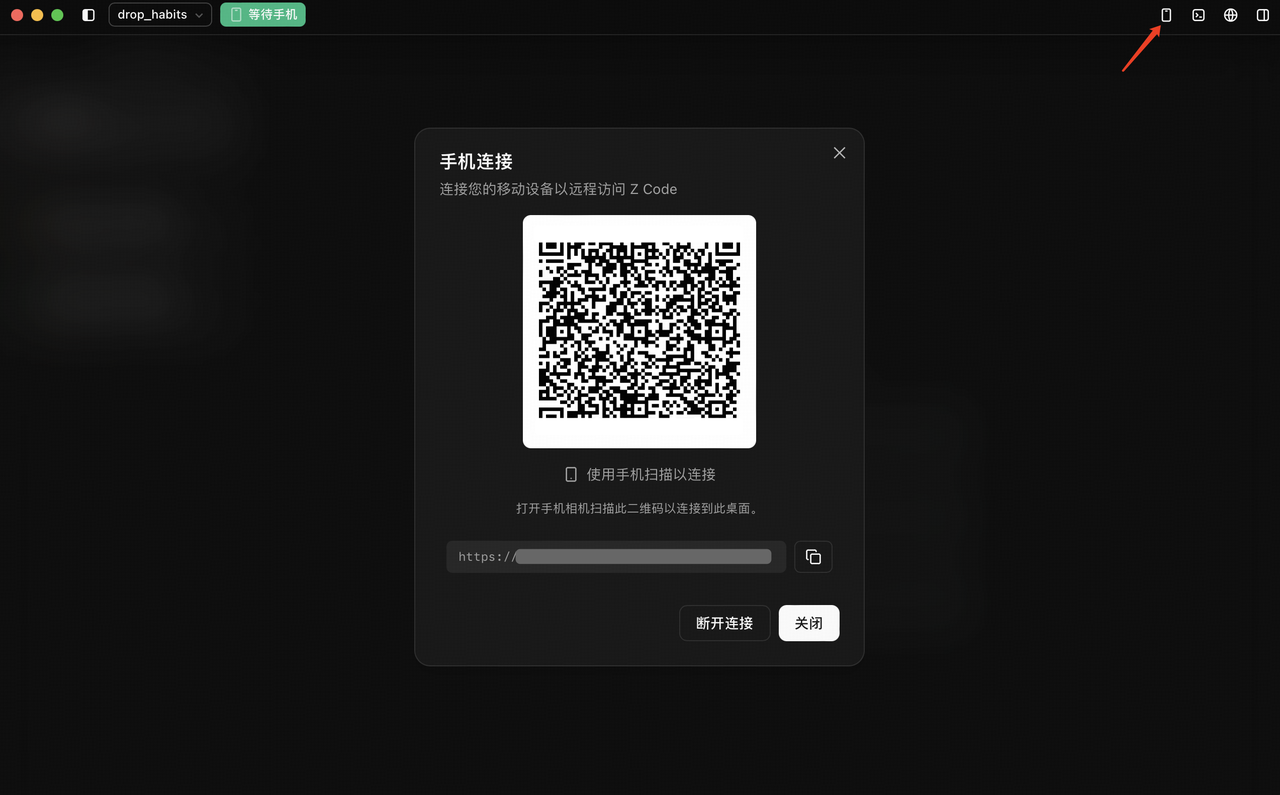
Remote Development

After starting the remote service in Z Code on your desktop, a connection QR code or address is generated. Scan or enter it on a mobile device to establish a connection. Control your desktop development session from a mobile device—respond to urgent issues anytime without carrying your laptop.

Remote Development


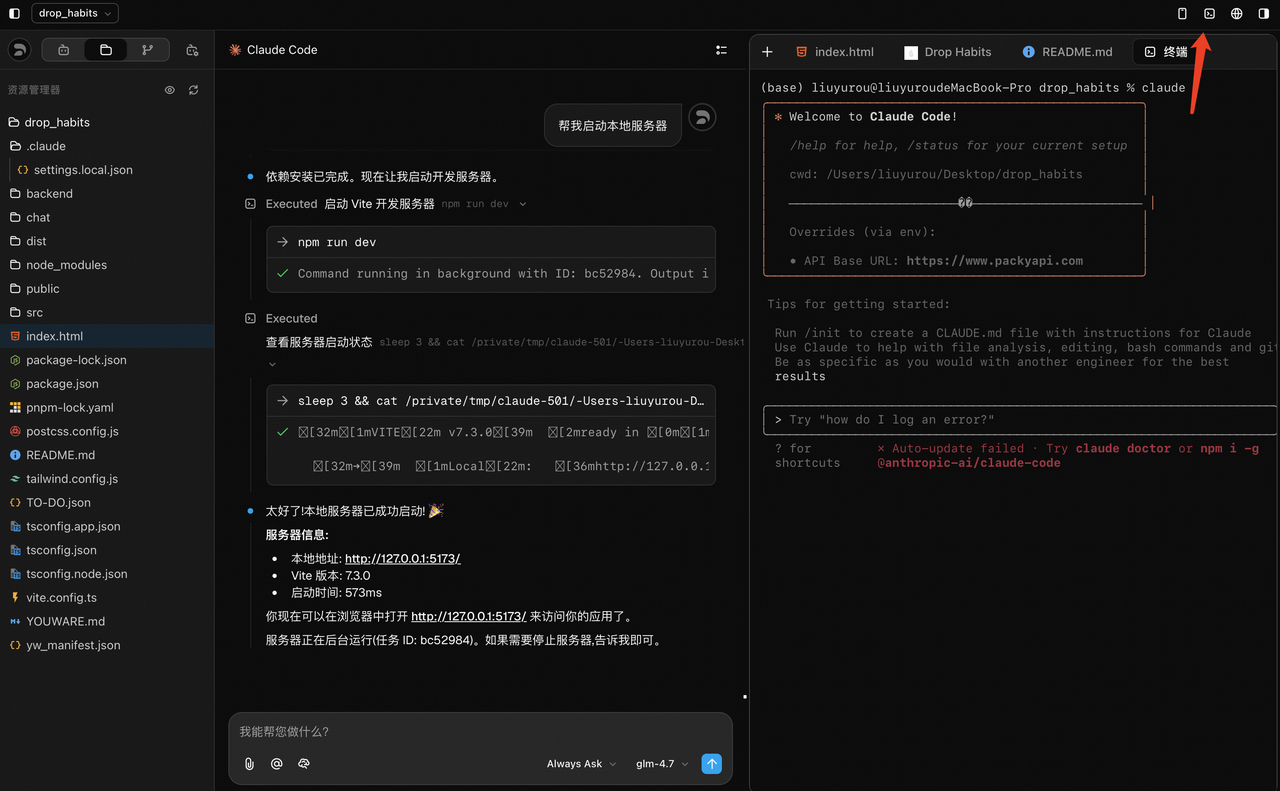
CLI Panel

Toggle the CLI panel from the top right corner. For developers accustomed to CLI, you can directly execute compilation, debugging, deployment, and other commands for flexible project control.

CLI Panel


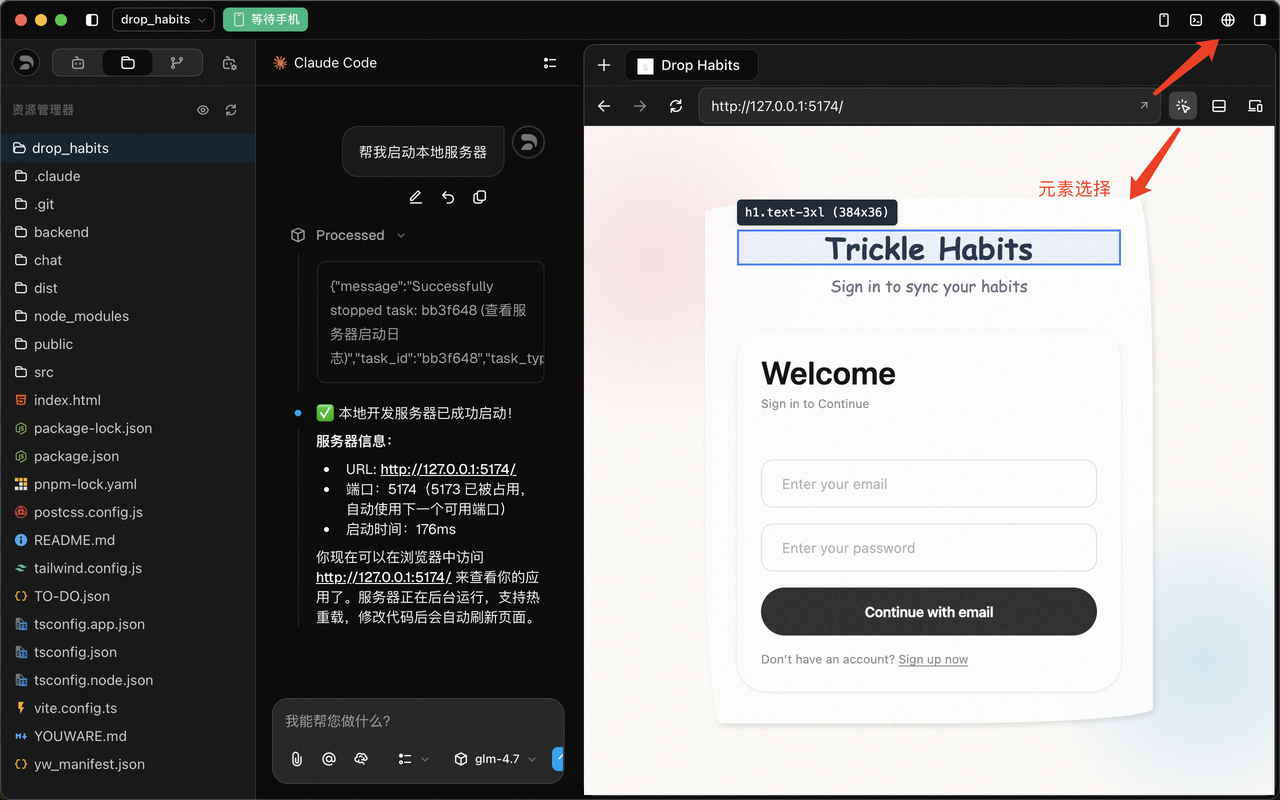
Web Browser

Built-in web browser designed specifically for real-time previews of front-end projects:

  • Live Preview: Render your front-end projects directly within Z Code without switching to an external browser.
  • Element Selection: Quickly locate page elements by clicking or hovering. The system displays element tag names, Tailwind CSS classes, and precise pixel dimensions in real-time.
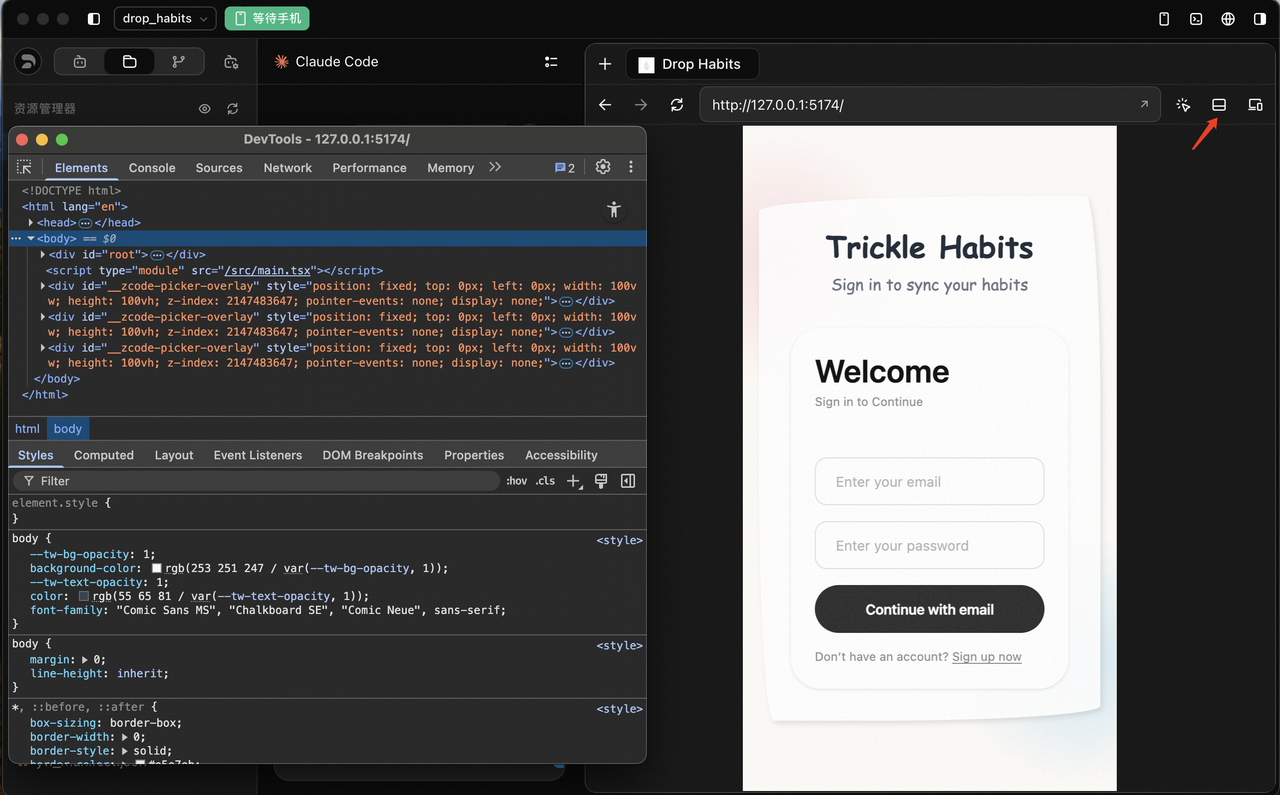
  • Developer Tools: Built-in full Web debugging panel with Elements, Console, Sources, and more—just like a browser. Inspect the DOM tree, modify CSS styles live, and see feedback directly in the editor.
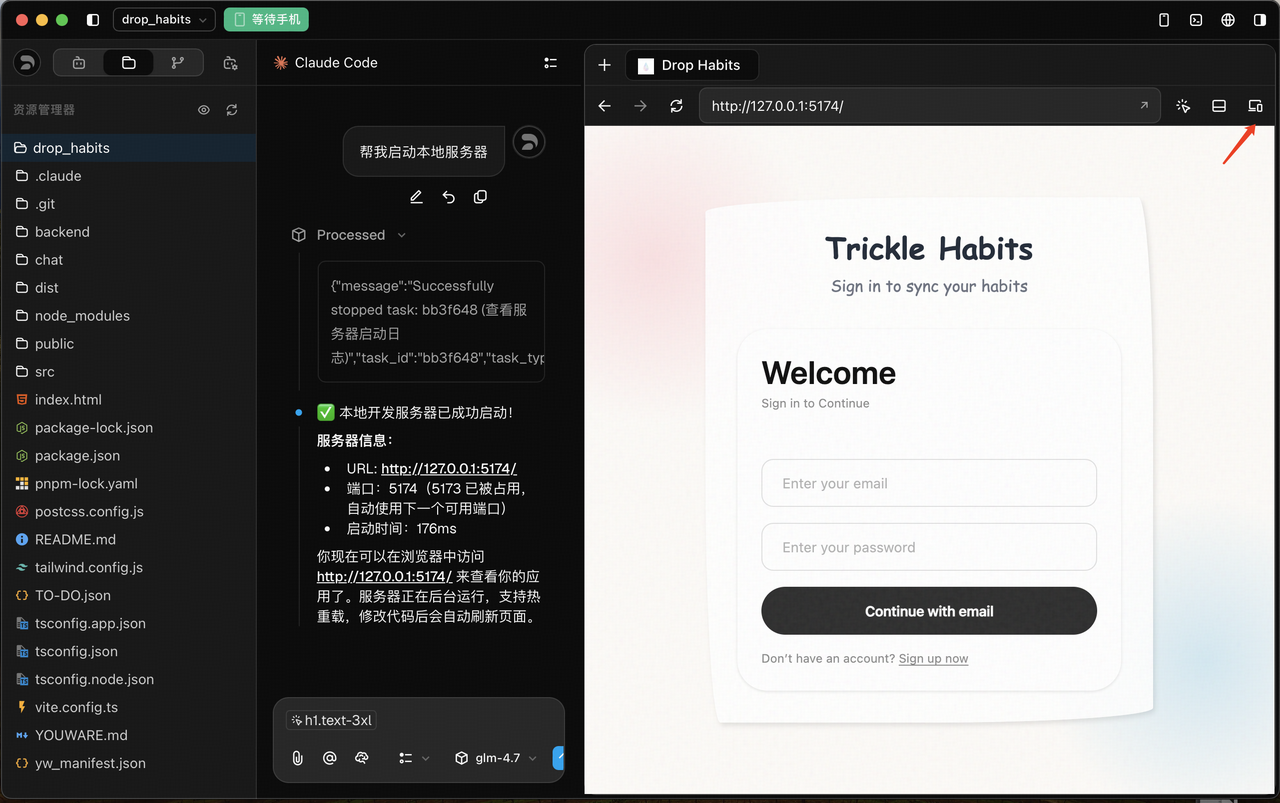
  • Device Viewport: Support responsive layout testing with one-click switching between preset device sizes (e.g., Mobile 375x667) for easy cross-screen debugging.

Element Selection

Developer Tools Device Viewport


  • Code Diff: Integrated intuitive Diff view to clearly see code differences between versions or before/after AI modifications, with precise control over every line change.
  • HTML Preview: Built-in browser engine for one-click web preview without leaving the editor.
  • Markdown Preview: High-performance Markdown rendering for instant document preview, making README and technical documentation editing more intuitive.
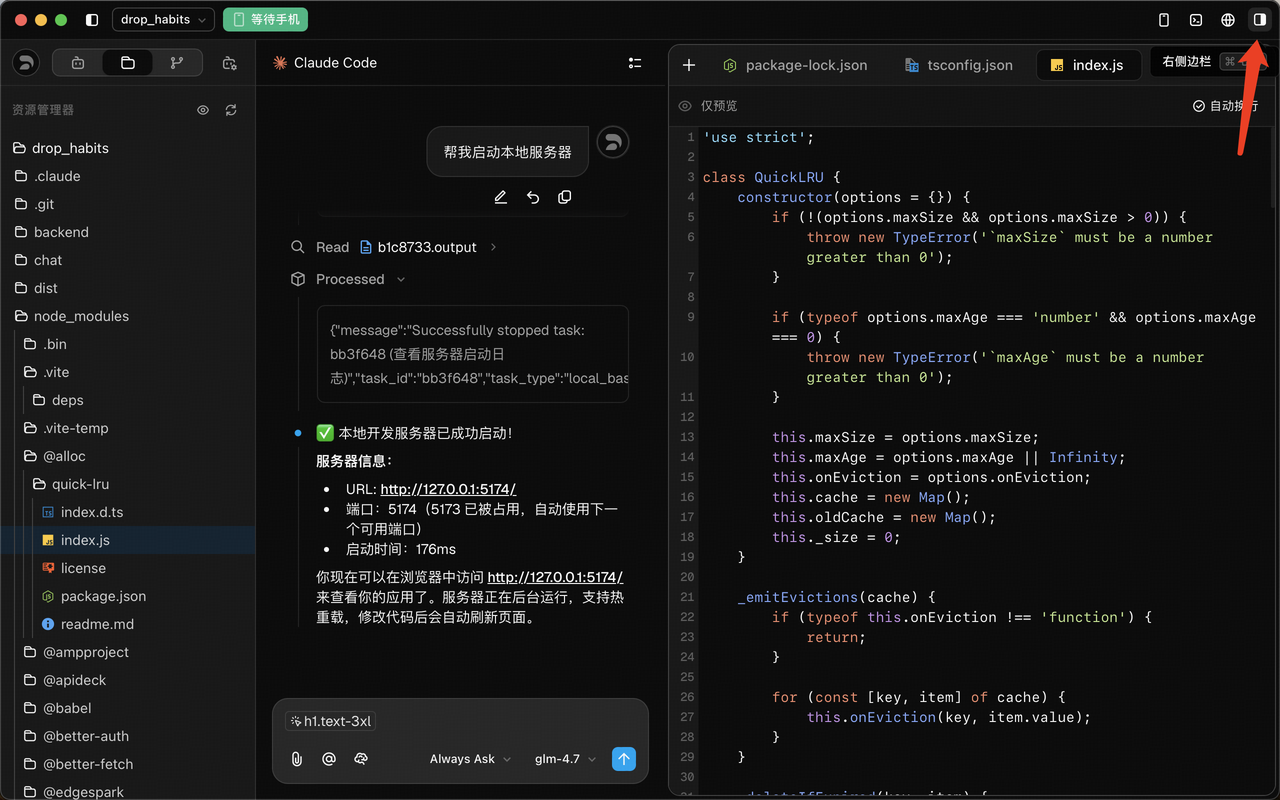
  • Flexible Layout: Use the layout control button in the top right to quickly toggle the sidebar based on your current workflow, maximizing screen space.

Right Sidebar


Next Steps