Core Features

Memory Support

Z Code can remember project conventions, code standards, and workflows through project Memory files, ensuring every conversation follows unified standards.


When to Use

In the following scenarios, project Memory can make Claude consistently work according to project standards:

  • When team members need unified code style: Define indentation, naming, comments, and other standards in project Memory, shared by everyone
  • When the project has specific architecture conventions: Record project directory structure, module organization, common API call patterns to help Claude understand the project
  • When new members join the project: Quickly communicate project conventions through Memory files, no need for repeated verbal explanations

How It Works

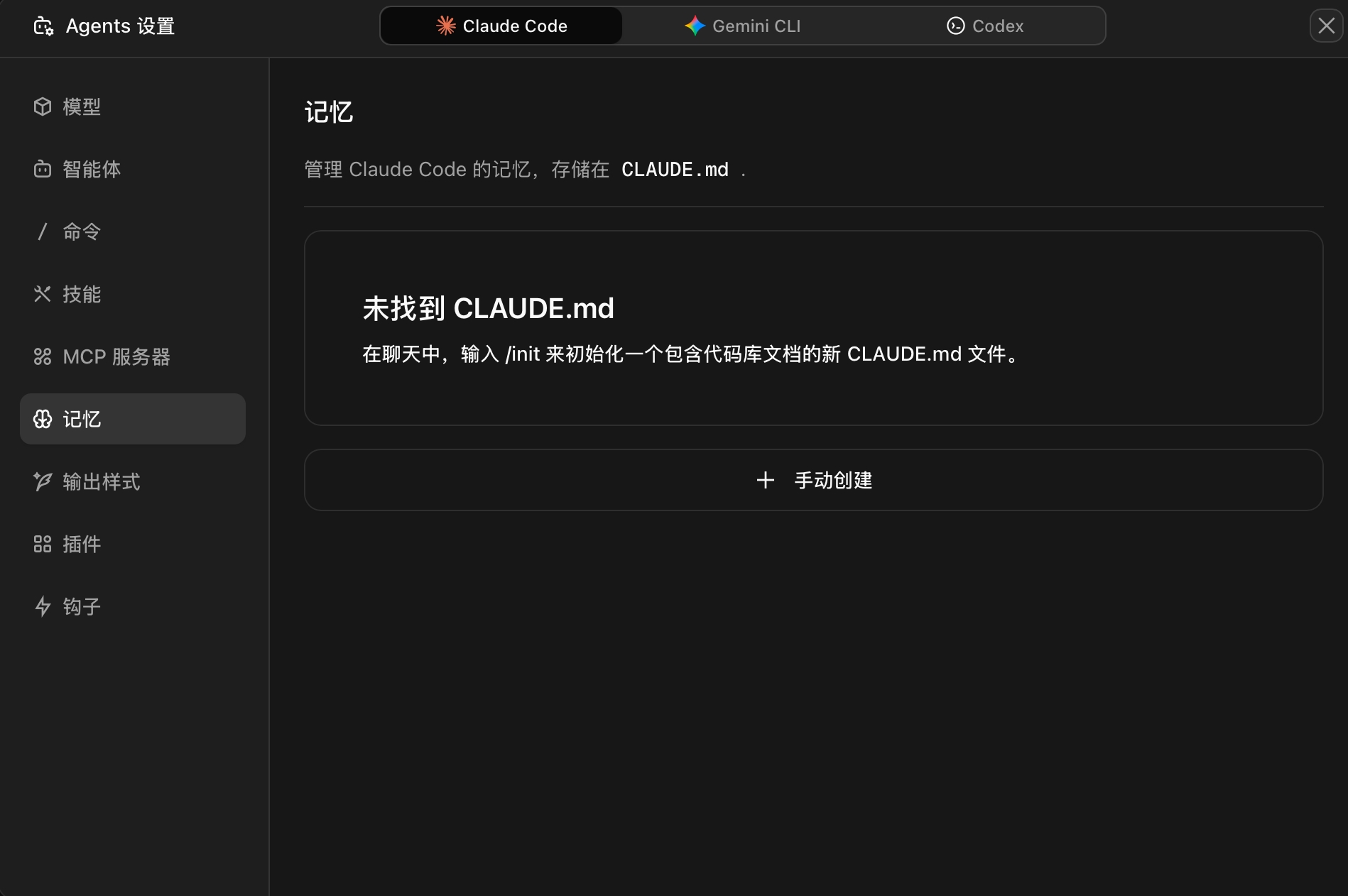
Project Memory is a CLAUDE.md file saved in the project root directory. Z Code automatically loads it into the conversation context on startup.

Memory Main Interface

Trigger Methods

MethodDescription
Auto-loadingAutomatically reads CLAUDE.md from the project when Z Code starts
Team sharingAutomatically shared with all team members through the code repository

Memory File Example

# Project Overview

See @README.md for project overview
Test commands in @package.json

Capability Boundaries

What Memory DoesWhat Memory Doesn't Do
Provides project context and standard guidanceWon't automatically execute operations
Auto-loads into every conversationWon't forcibly modify code
Supports importing other documents from projectWon't affect conversations not using Memory

Quick Start

Create Project Memory

  1. Open your project in Z Code
  2. Enter the /init command in the conversation
  3. Z Code will call an agent to automatically create the CLAUDE.md file for you

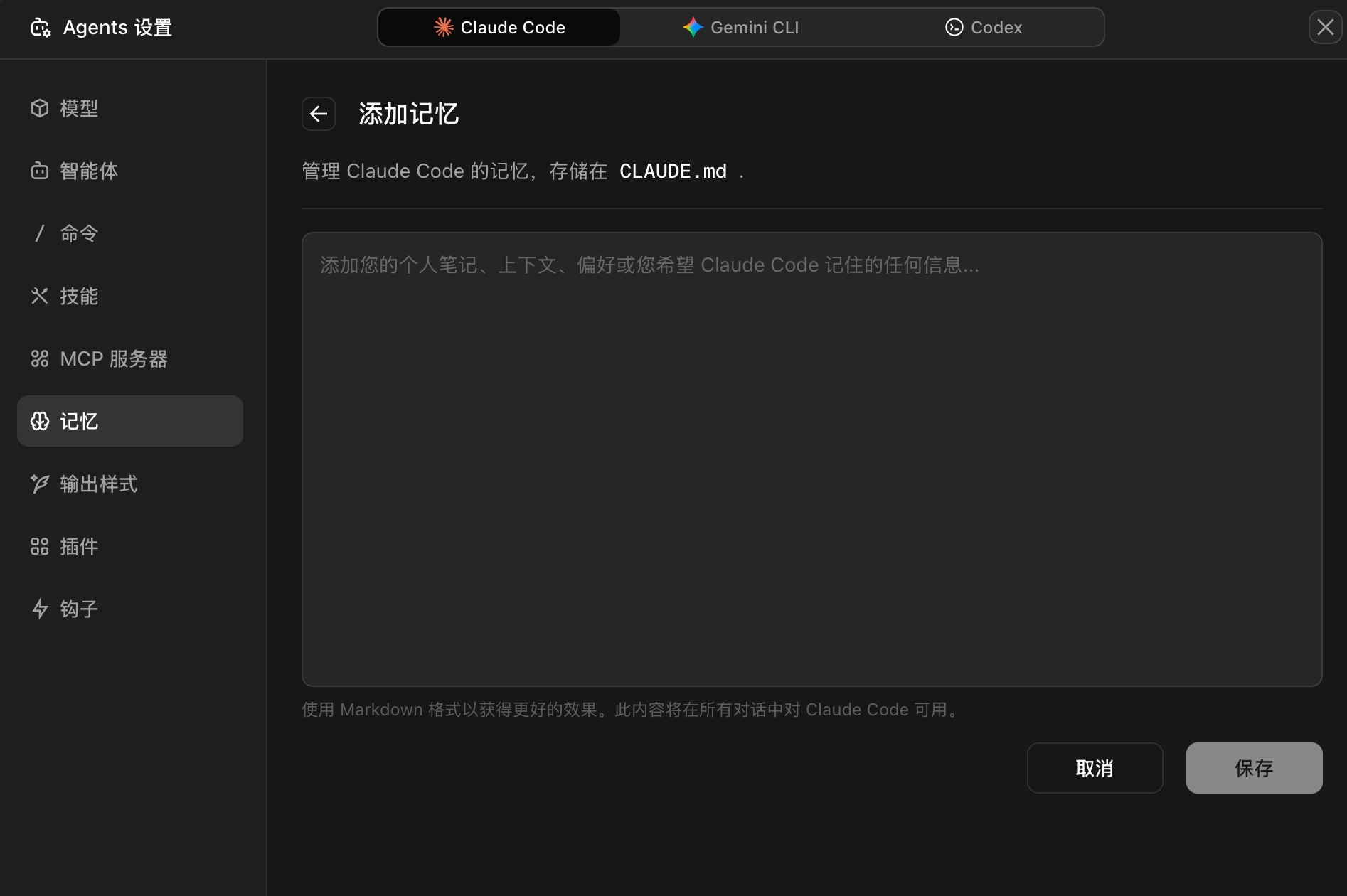
Edit Existing Memory

  1. Open the Memory configuration interface in Z Code
  2. Find the project Memory (CLAUDE.md)
  3. Click the edit button to modify the content
  4. After saving, updates take effect immediately in the next conversation

Add Memory


Typical Examples

Example 1: Project Architecture Description

# Project Architecture

This project uses a layered architecture:

- `src/api/`: API route definitions
- `src/services/`: Business logic layer
- `src/models/`: Data models
- `src/utils/`: Utility functions

## Development Conventions

- API routes use RESTful style
- All database operations go through services layer
- Error handling uses the unified errorHandler utility

## Common Tasks

Adding a new API:
1. Create a route file in `src/api/`
2. Add corresponding service in `src/services/`
3. Define data model in `src/models/`

Effect: When you ask to "add a user management API", Claude will create files following this architecture.

Example 2: Code Style Standards

# Code Style

## Naming Conventions
- Variables use camelCase: `userName`
- Constants use UPPER_CASE: `MAX_RETRIES`
- File names use kebab-case: `user-service.ts`

## Formatting Standards
- Use 2-space indentation
- Keep trailing commas in objects and arrays
- Use single quotes

## Comment Standards
- All public functions must have JSDoc comments
- Complex logic must have explanatory comments
- TODO format: `// TODO: [author] description`

Effect: Claude will automatically follow these standards when generating or modifying code.


FAQ

How long should the Memory file be?

Keep it concise. Put high-priority information first, organize with headings and lists. Recommended not to exceed 200 lines.

Will Memory affect performance?

Memory files are typically only a few KB and won't affect performance.

Can team members see my Memory?

Project Memory (CLAUDE.md) is shared through the code repository, visible to all team members. Make sure not to include sensitive information (like passwords, keys) in Memory.

How do I verify if Memory is working?

Ask Claude in the conversation: "What project standards do you see?" Claude will list the content from Memory. You can also observe whether Claude's code generation follows the standards you defined.

Must the Memory file be named CLAUDE.md?

Recommended to use CLAUDE.md (project root) or .claude/CLAUDE.md. Z Code automatically recognizes both locations.

Can I use images or links in Memory?

Markdown syntax is supported.

What formats does Memory support?

Only Markdown format (.md files). Uses standard Markdown syntax, supporting headings, lists, code blocks, tables, etc.