Core Features

Custom Commands

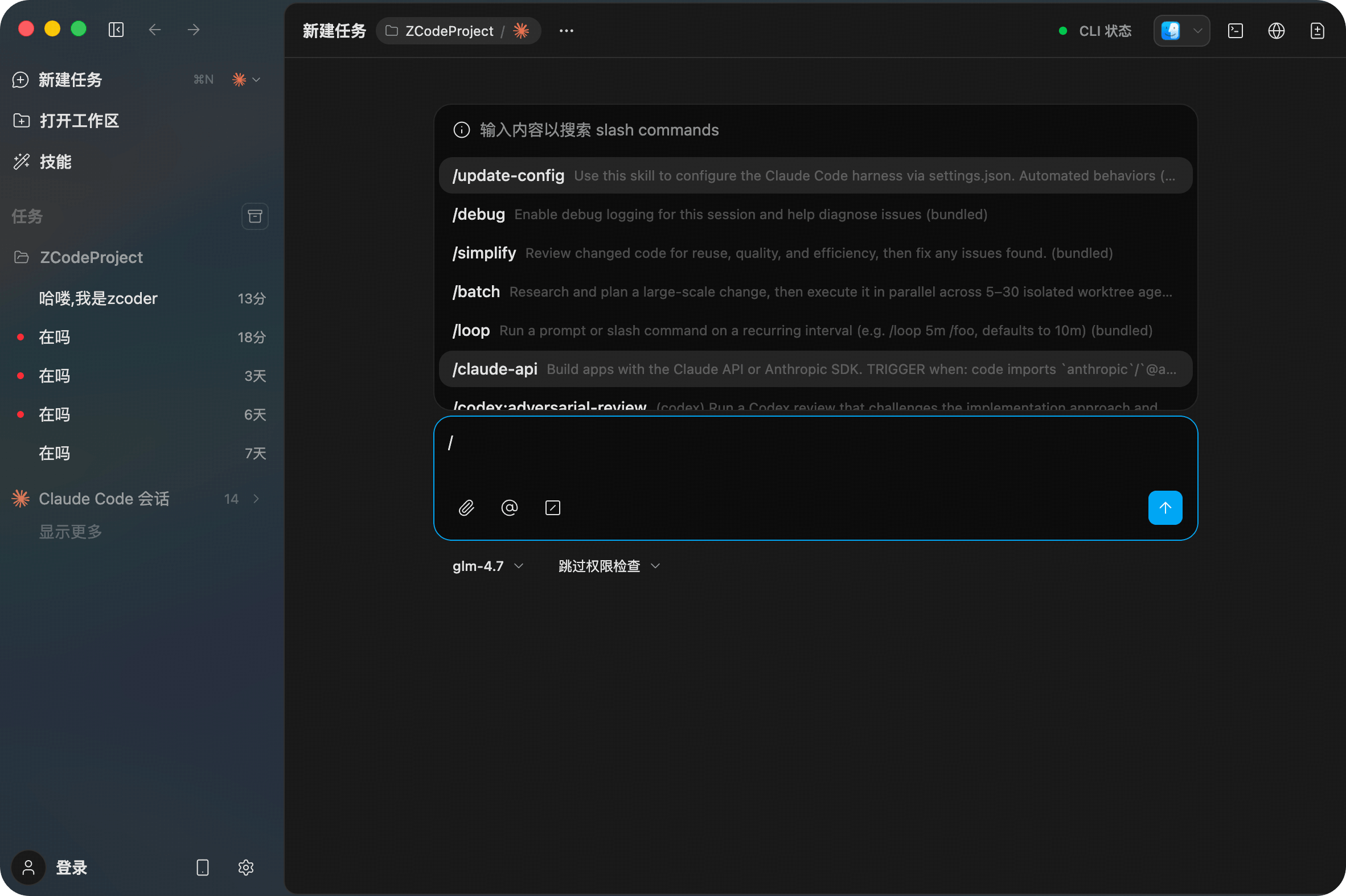
/Commands are Z Code's custom shortcuts that allow you to save complex or frequently used prompts as reusable commands. Type / in the chat input to bring up the command list, then select or type a command name to invoke it instantly, significantly improving efficiency for repetitive tasks.

Invoke Commands


Command Types

Z Code supports three types of commands:

TypeDescription
User CommandsUser-defined custom commands, stored in the ~/.claude/commands/ directory
Plugin CommandsCommands provided by installed plugins, invoked as plugin-name:command-name
Built-inSystem built-in commands (e.g., /init, /compact, /pr-comments)

In the Agents Settings > Commands panel, you can view and manage all registered commands:

Commands List


Creating Custom Commands

Click + Add New Command in the commands panel to open the command editor. Each command consists of the following fields:

Command Configuration Fields

Field Details

FieldRequiredDescription
NameRequiredUnique identifier for the command, invoked by typing /name (e.g., /commit)
DescriptionOptionalBrief description shown in the command list to help quickly understand the command's purpose
HintOptionalDefines supported parameter formats and options (e.g., [--no-verify] [--style=simple|full])
PromptRequiredFull instructions sent to the AI when the command is executed, supports Markdown format

Command Configuration File

Commands are stored as .md files in the ~/.claude/commands/ directory, where the filename serves as the command name. Each file uses YAML frontmatter for metadata, with the body containing the prompt content:

---
argument-hint: [--no-verify] [--style=simple|full]
description: Create well-formatted commits with conventional commit messages
---

# Claude Command: Commit

This command helps you create well-formatted commits
following the Conventional Commits specification.

## Usage

Basic usage: /commit
With options: /commit --style=full feat

Frontmatter Field Mapping

File FieldUI FieldDescription
Filename (without .md)Namee.g., commit.md maps to command /commit
descriptionDescriptionBrief description of the command
argument-hintHintParameter format hints
Body contentPromptFull instructions sent to the AI

Built-in Commands

CommandDescription
/initInitialize CLAUDE.md file with codebase documentation
/compactClear conversation history while preserving summary context. Optional: /compact [summarization instructions]
/pr-commentsFetch comments from GitHub Pull Requests

Tips

  • Type / in the chat input to bring up the command list with fuzzy search support
  • Commands support parameter passing — parameters are appended to the prompt and sent to the AI together
  • Encapsulate frequently used complex prompts as commands to avoid repetitive typing
  • Click Open Folder to directly open the commands directory for manual editing

Next Steps