
深度集成
多智能体框架
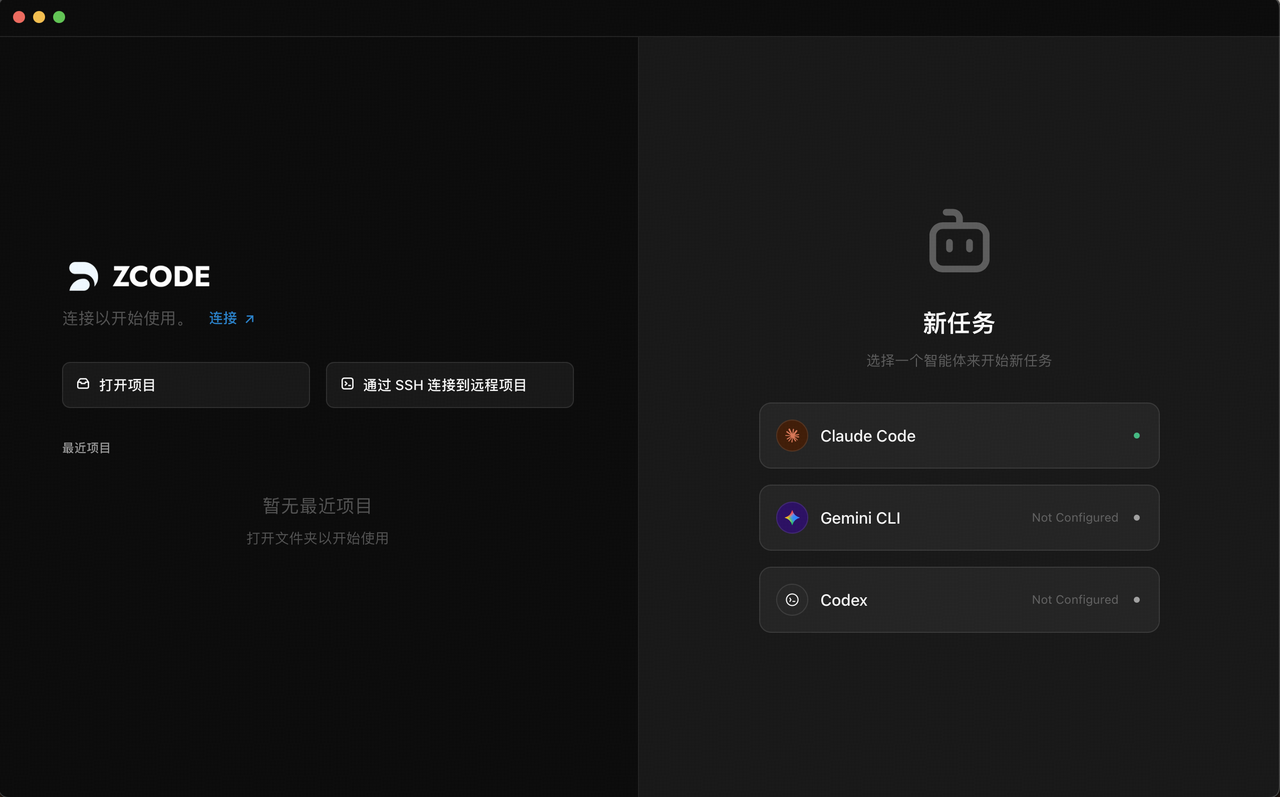
ZCode 采用多智能体框架架构,集成了多款业界领先的命令行 AI 智能体,为用户提供了丰富的 AI 编码能力选择。您可以在应用内直接配置并使用这些强大的智能体服务,无需在不同工具之间切换,实现真正的"一站式"AI 辅助开发。
目前已集成 Claude Code、Gemini CLI、Codex 和 OpenCode 四大智能体框架。
如何选择合适的智能体框架
创建任务时,可根据任务难度和场景,选择最适合的智能体框架。每个框架都有独特的优势领域:
| 智能体框架 | 提供方 | 核心优势 | 推荐模型 | 适用场景 |
|---|---|---|---|---|
| Claude Code | Anthropic | 跨文件推理能力强,擅长复杂项目的多步骤自主执行,代码整洁可维护 | Sonnet 4.5、Opus 4.6 | 架构重构、遗留系统升级、复杂多文件变更 |
| Gemini CLI | 擅长前端开发,超大上下文窗口,原生多模态,内置联网搜索 | Gemini 3 Pro、Gemini 3 Flash | 前端页面开发、图片/设计稿转代码、Google 生态项目 | |
| Codex | OpenAI | 擅长修复 Bug 和处理深度问题,深度代码分析与诊断能力突出 | GPT-Codex-5.3、GPT-5.2 系列 | Bug 修复、深度问题排查、代码诊断与优化 |
| OpenCode | 开源社区 | 轻量灵活的开源 AI 编码智能体,支持多种 LLM 后端,社区驱动持续迭代 | 支持多种模型 | 开源项目开发、自定义模型集成、灵活的工作流定制 |
切换智能体框架
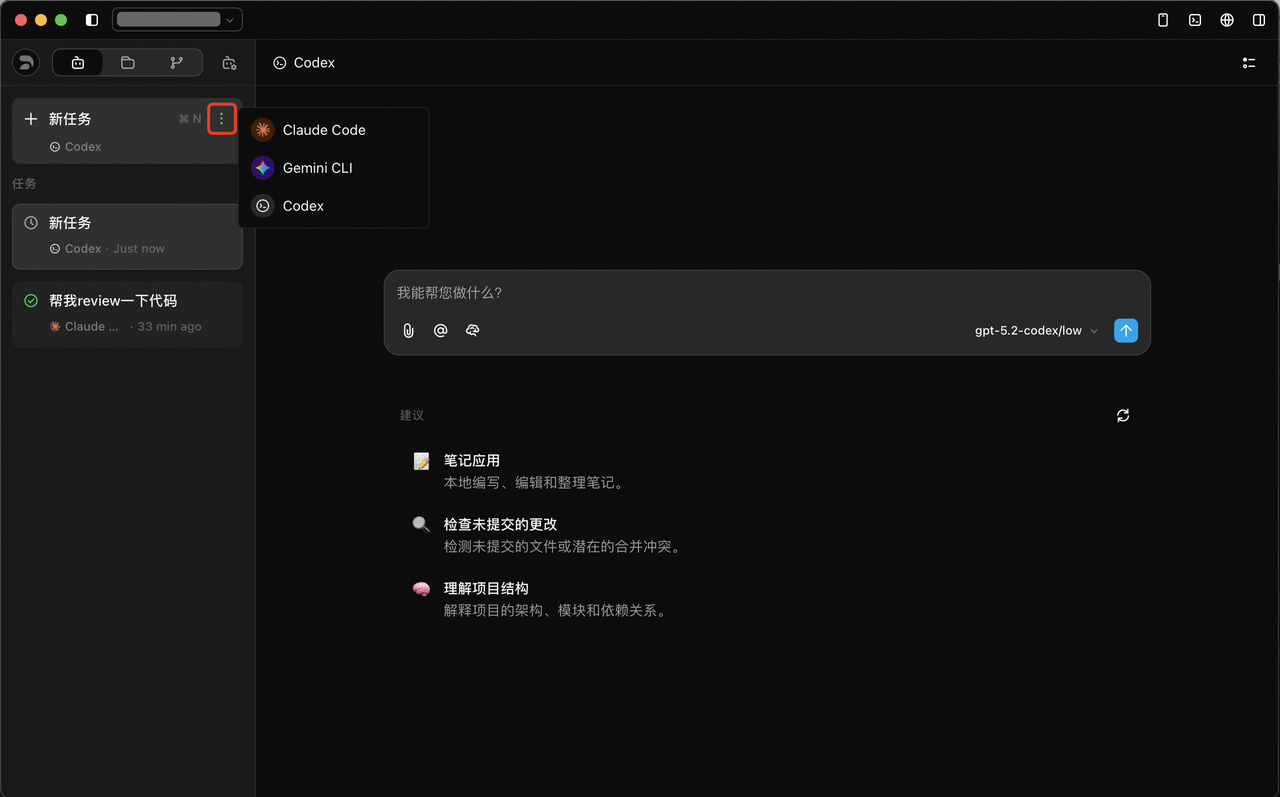
在对话过程中,可以随时通过顶部菜单切换不同的智能体框架,无需重新创建任务。不同框架各有所长,灵活切换可以让您在同一个工作流中获得最佳的 AI 辅助效果。
工作流建议
- 复杂项目 — 使用 Claude Code(Sonnet 4.5 / Opus 4.6)处理架构设计、重构等深度任务
- 前端开发 — 切换到 Gemini CLI(Gemini 3 Pro / Flash)高效完成页面开发与 UI 实现
- Bug 修复 — 使用 Codex(GPT-Codex-5.3 / GPT-5.2)精准定位和修复代码问题
- 开源与自定义 — 使用 OpenCode 接入自定义模型,灵活适配特定工作流需求