Core Features

Version Control

Z Code provides comprehensive version management capabilities, including conversation-level version rollback and built-in Git version management, keeping you in full control of every code change throughout your Agent-driven development workflow.


Version Rollback

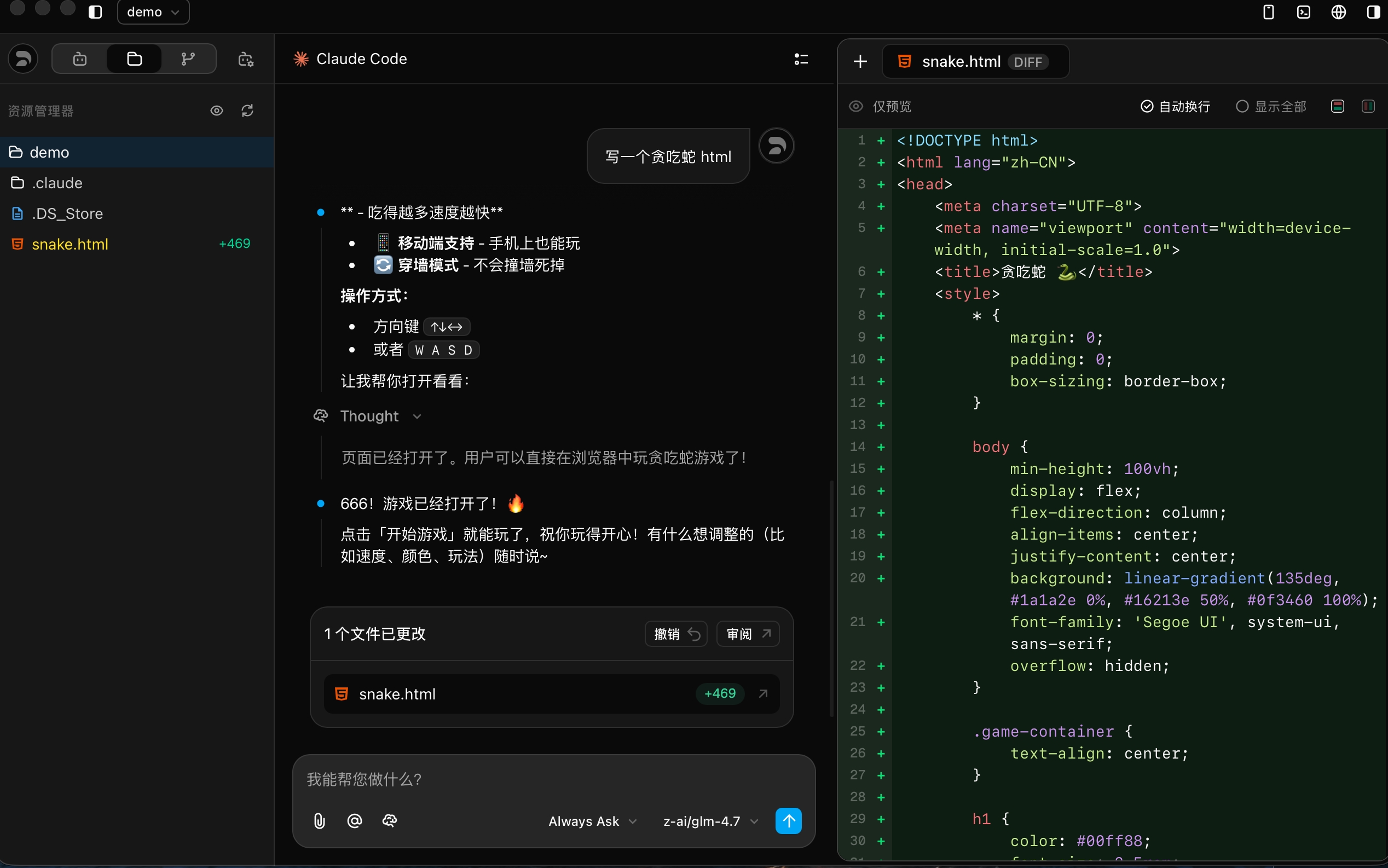
Z Code automatically tracks all file modifications made by the Agent, treating your conversation history as a version control timeline. You can locate any specific dialogue, review changes, or roll back your code to the state after any given interaction.

Version Rollback & Diff View

Core Mechanisms

  1. Automatic Checkpoint Creation: After you send a message, any file changes generated by the Agent are automatically captured and saved as an independent checkpoint.
  2. Review Changes: After each interaction, click the Review button to clearly preview all file modifications in a multi-file Diff view.
  3. Undo Recent Changes: Click the Undo button to revert only the file changes from the last interaction, returning the code to the state before that message.
  4. Restore Checkpoint: By locating a specific node in your chat history, you can accurately restore all project files to their state immediately following that message.

Git Version Management

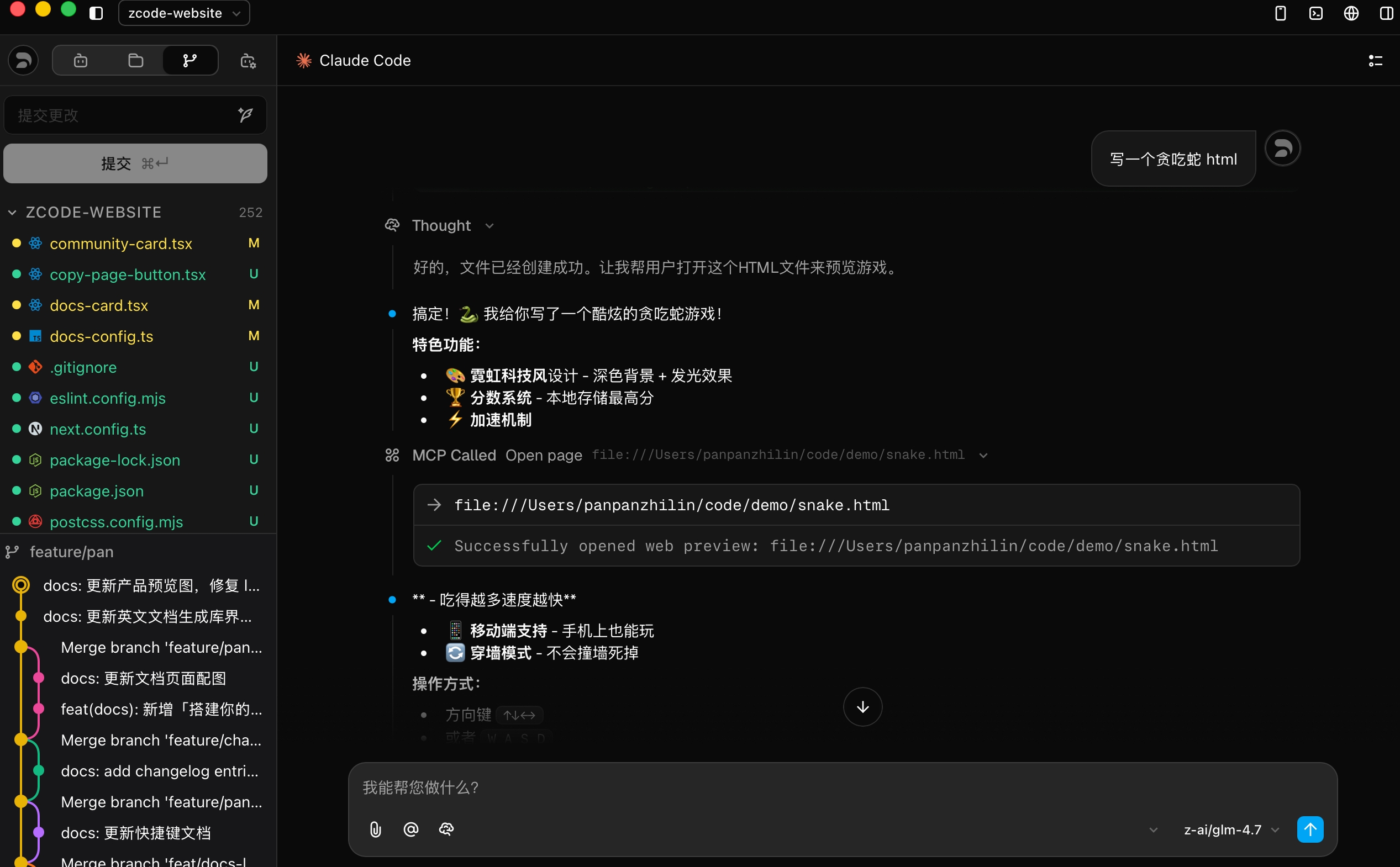
Z Code includes a fully integrated Git management panel, allowing you to commit code changes directly from the interface without switching to the terminal.

Git Version Management

Key Features

  • Commit Changes: View all modified files in the left Git panel, enter a commit message, and commit with one click.
  • File Status Tracking: Clearly marks file modification status (M for modified, U for untracked, etc.) at a glance.
  • Branch Management: View and switch branches from the bottom status bar.
  • Commit History: Browse the complete Git commit log to understand the project's evolution.

Typical Scenarios

ScenarioDescription
Step-by-Step IterationFor complex tasks, review code via Review after each small step to ensure steady progress with automatic versioning.
Quick CorrectionIf the Agent's latest modification isn't what you expected, use Undo immediately, fine-tune your instructions, and re-send.
Pivot StrategyWhen you realize the current implementation path is wrong, find the critical message in the timeline and restore to that node to start over.
Milestone CommitsAfter the Agent completes a feature module, commit the code via the Git panel to preserve clear project milestones.

Advantages

  • Chat as Versioning: No more manual operations; your chat history is the most intuitive evolution map of your project.
  • Zero-Cost Experimentation: Use Undo and Restore to boldly try different implementation paths.
  • Precise Traceability: Every line of code change maps back to specific conversation context, ending the "why did I change this?" confusion.
  • Seamless Git Integration: Version rollback and Git commits complement each other — fine-grained conversation-level rollback plus standard Git version management.

Next Steps