Plugin
Plugin is Z Code's extension mechanism — through plugin marketplaces, you can add new capabilities to your Agent, such as connecting GitHub for repo management, installing LSP for code intelligence, or bringing in team-shared workflows.
Browse & Install
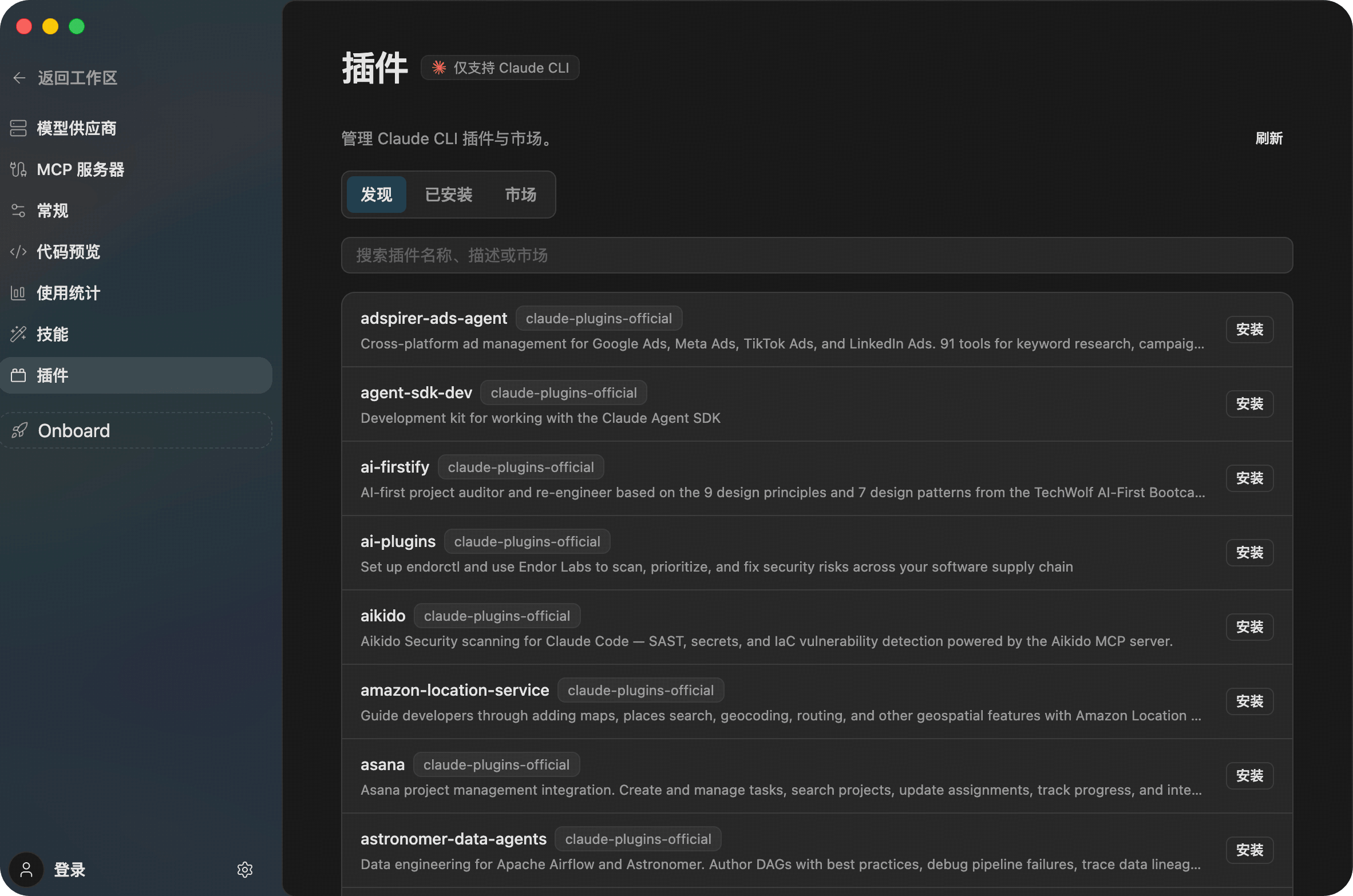
In the Agents Settings > Plugins > Discover tab, you can browse all available plugins. Z Code ships with the Claude Code official marketplace (claude-plugins-official), ready to use out of the box.

Each plugin card shows its name, type tags (Agent / Command / MCP / LSP / Skill / Hook, etc.) and a brief description. Click the Install button on the right to install with one click.
Plugin Types
| Type Tag | Description | Example Plugins |
|---|---|---|
| Agent | Specialized Agent with complete domain-specific workflows | feature-dev |
| Command | Custom commands extending / shortcuts | ralph-loop |
| MCP | MCP service integration, connecting external tools and data sources | context7, github |
| LSP | Language server providing code navigation, type checking, etc. | typescript-lsp, pyright-lsp |
| Skill | Skill definitions guiding Agent's work patterns | frontend-design |
| Hook | Hooks that auto-execute on specific events | ralph-loop |
Managing Installed Plugins
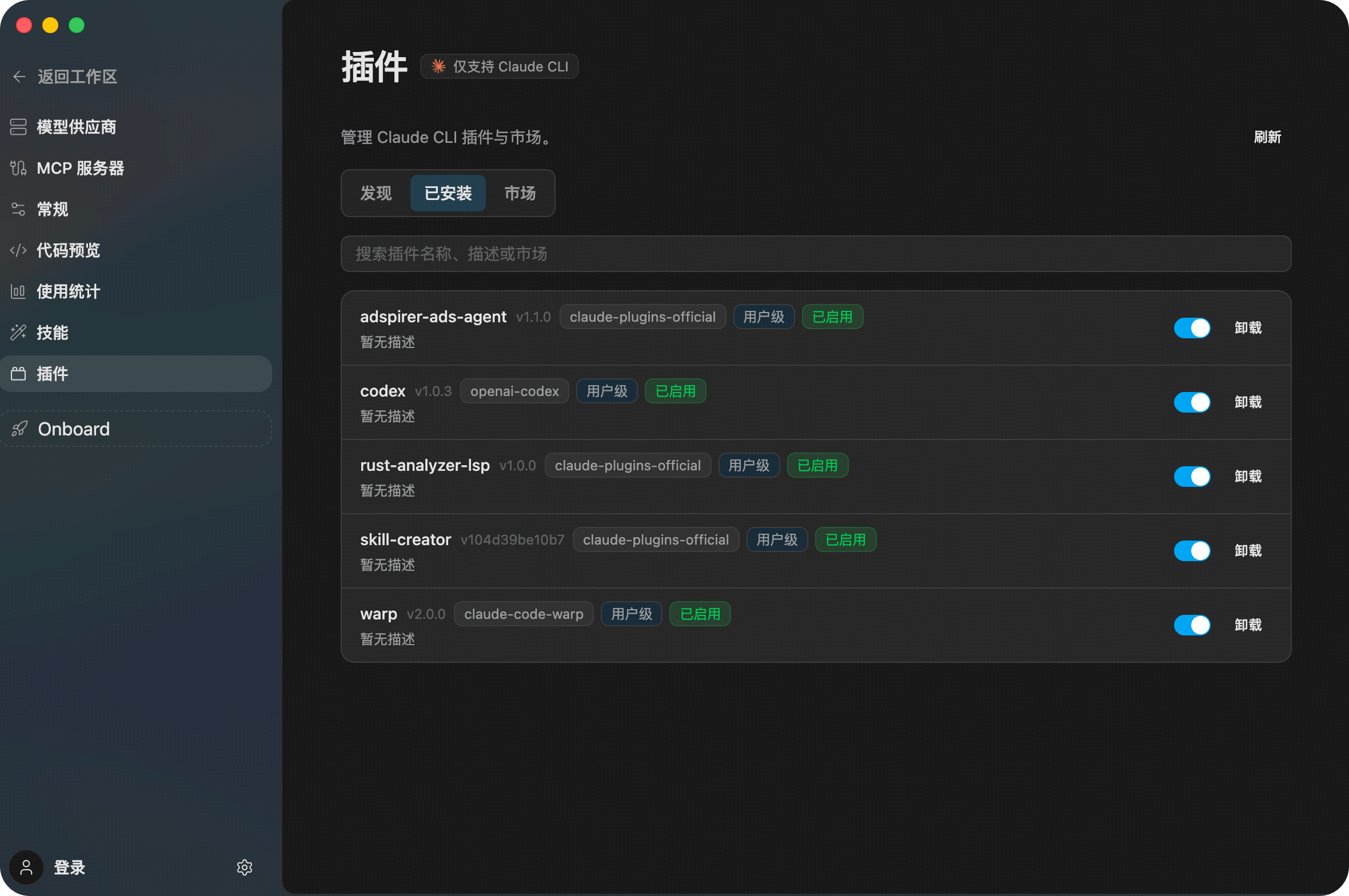
Switch to the Installed tab to view all currently installed plugins.

- Use the toggle switch to enable or disable plugins (disabled plugins won't load but retain their configuration)
- Click the delete icon to uninstall a plugin
- Plugins are grouped by their source marketplace
Managing Marketplaces
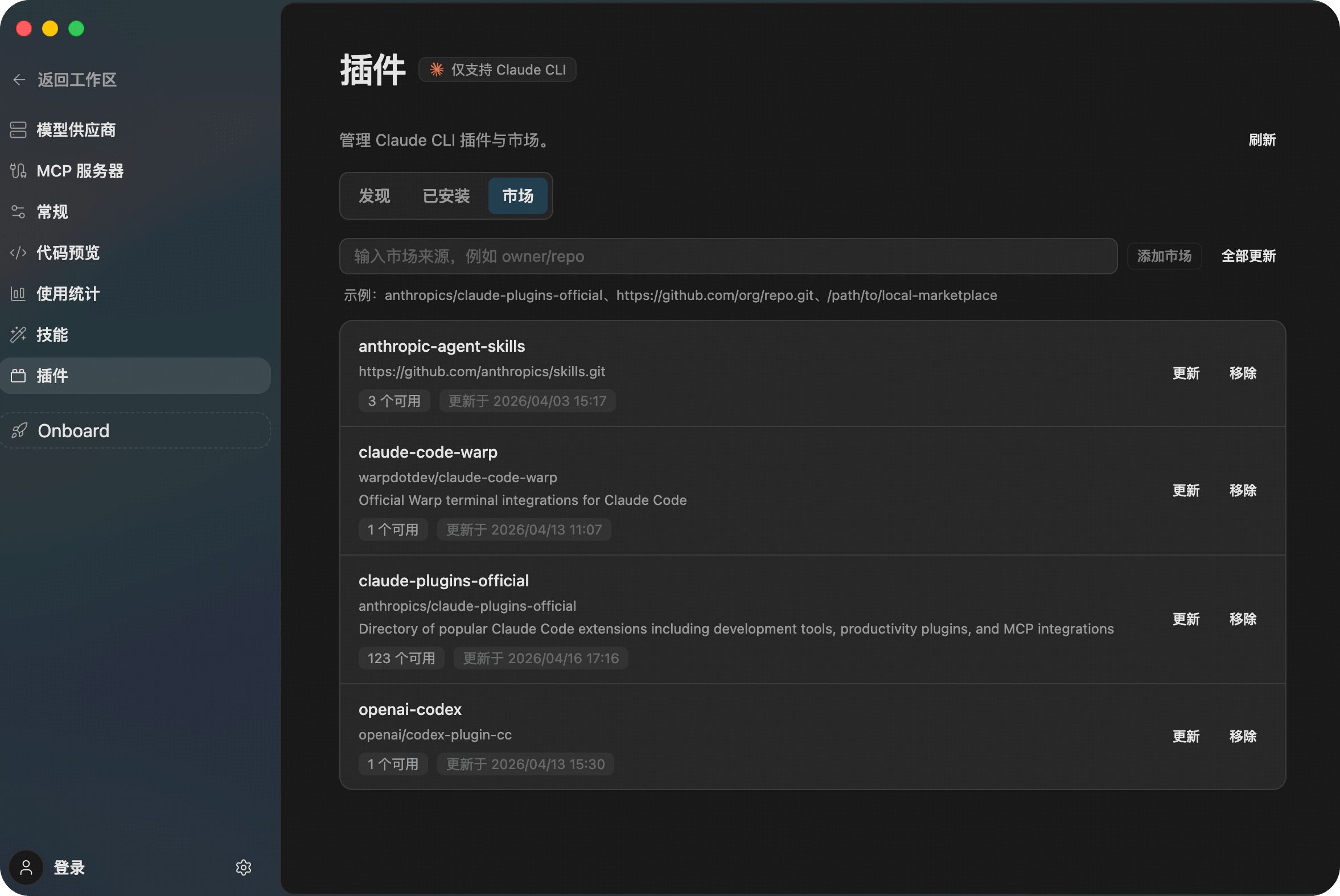
Switch to the Marketplace tab to manage your plugin sources. Beyond the built-in official marketplace, you can add third-party or team-private marketplaces.

Adding a Custom Marketplace
Click + Add Marketplace and enter the marketplace source URL in the dialog. Four formats are supported:

| Format | Example | Description |
|---|---|---|
| GitHub repo | owner/repo | Simplest method — just use GitHub username/repo name |
| SSH URL | git@github.com:owner/repo.git | Supports any Git hosting platform (GitLab, Bitbucket, etc.) |
| Remote URL | https://example.com/marketplace.json | Hosted marketplace.json file URL |
| Local path | /path/to/marketplace | Local directory or marketplace.json file |
Installation Scopes
When installing plugins, you can choose different scopes to control visibility:
| Scope | Storage Location | Visibility |
|---|---|---|
| User | ~/.claude/ | Available across all projects, personal only |
| Project | .claude/settings.json | Shared with team (must be committed to repo) |
| Local | .claude/local.settings.json | Personal, current project only |
FAQ
What's the difference between Plugin and Skill?
- Plugin: Extends capabilities — adds new commands, integrates external services, provides new tools
- Skill: Guides behavior — tells Agent how to complete tasks, what standards to follow
In short, Plugin solves "what can be done", Skill solves "how to do it".
Plugins don't show up after adding a marketplace?
Check the following:
- Is the marketplace URL format correct?
- Does the repository contain a
.claude-plugin/marketplace.jsonfile? - Does the private repository require authentication?
- Try refreshing the marketplace list
Can I create a shared plugin marketplace for my team?
Yes. Create a Git repository containing .claude-plugin/marketplace.json, and team members can add this marketplace URL to share plugins.