
核心功能
MCP 服务
Z Code 集成了 MCP (Model Context Protocol) 服务,用于扩展 Agent 可调用的外部能力。你可以在设置中统一查看、启用、添加和编辑 MCP 服务。
- 内置 MCP:可直接查看并启用已有服务。
- 自定义配置:也可以按需新增或编辑自己的 MCP 服务。
配置指南
配置入口
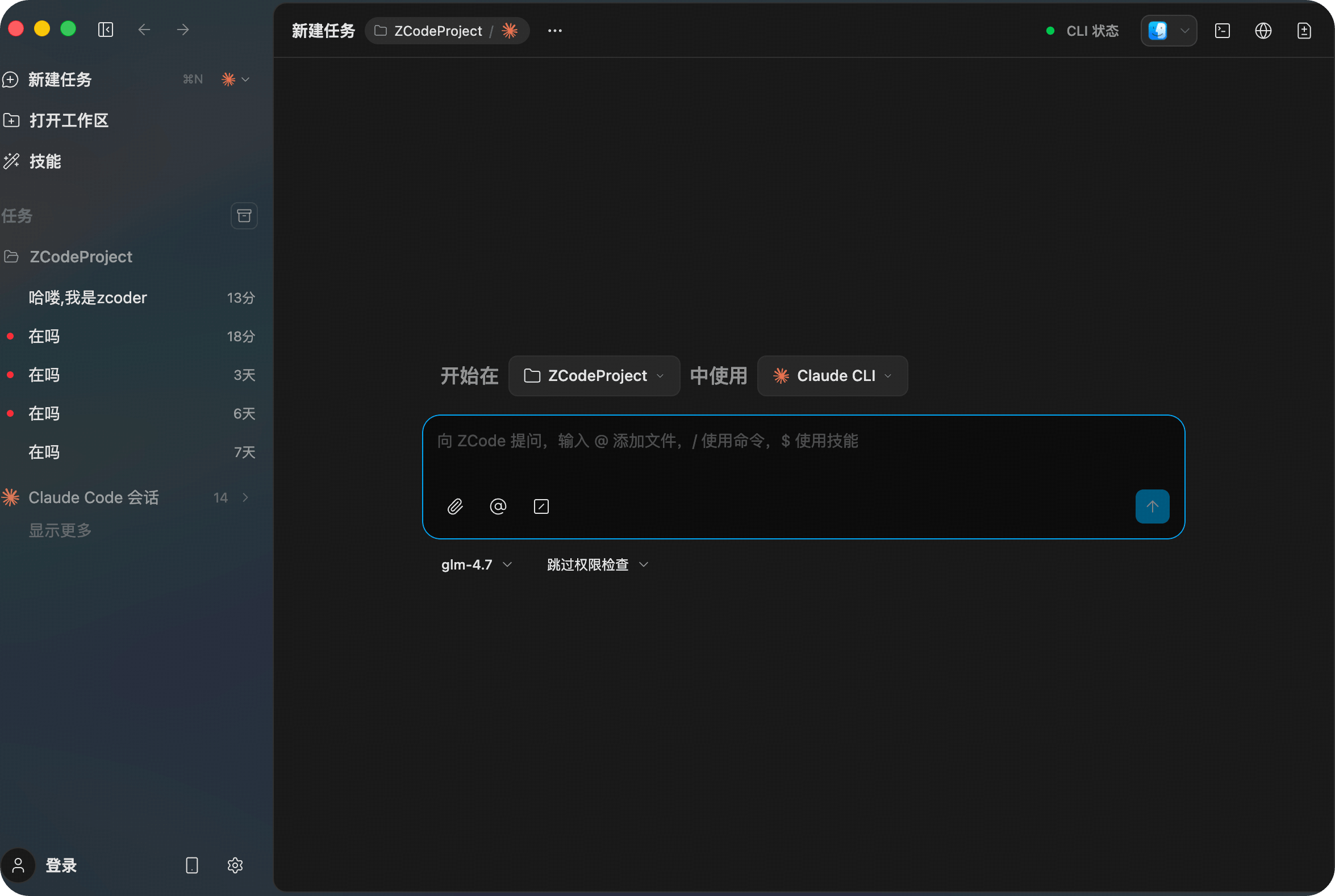
现在可以在主界面左下角点击 设置 按钮,进入设置页后再从左侧导航选择 MCP 服务器。
配置界面
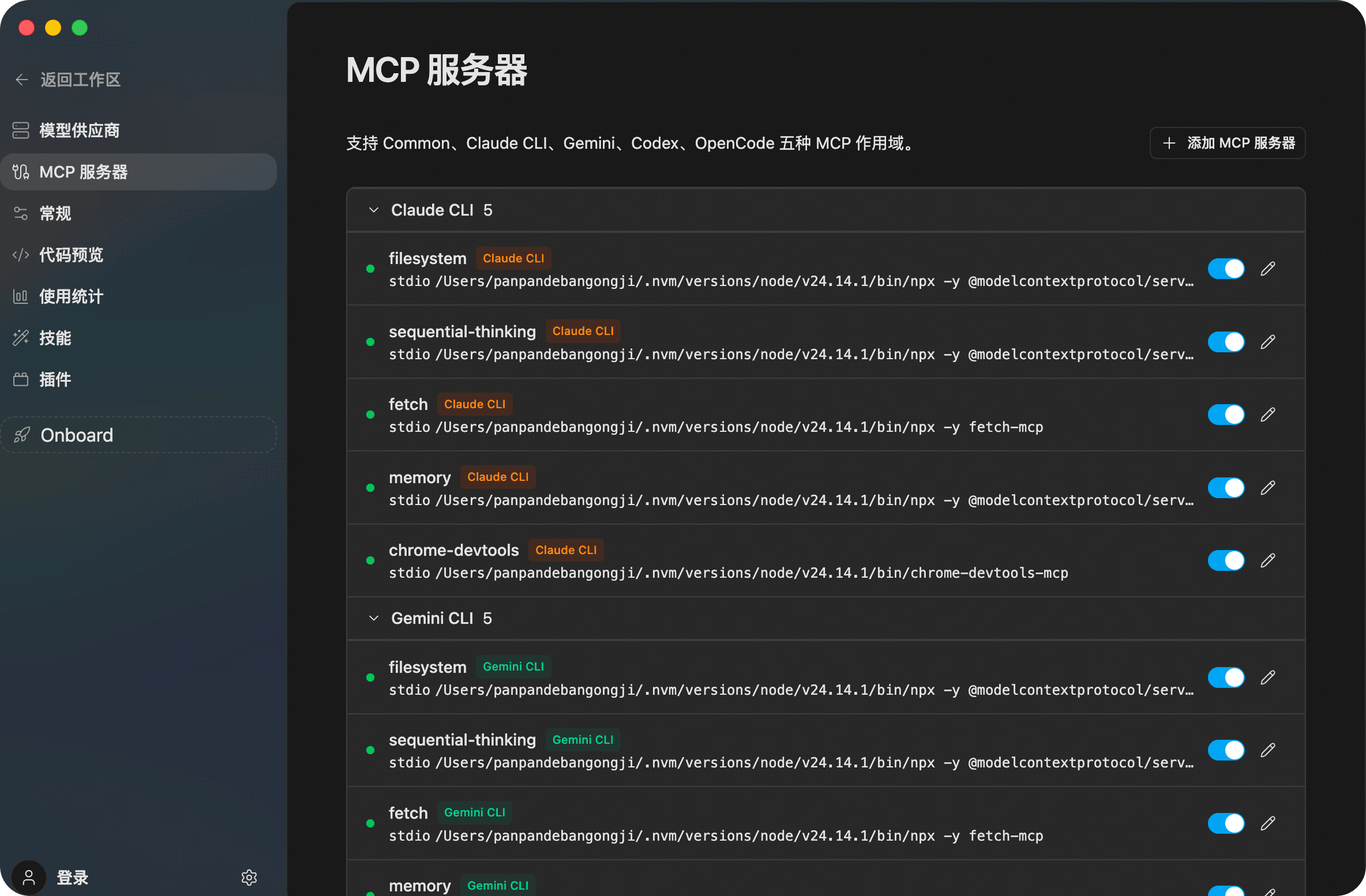
进入 MCP 服务器 页面后,可以看到当前的 MCP 列表以及右上角的 添加 MCP 服务器 按钮。
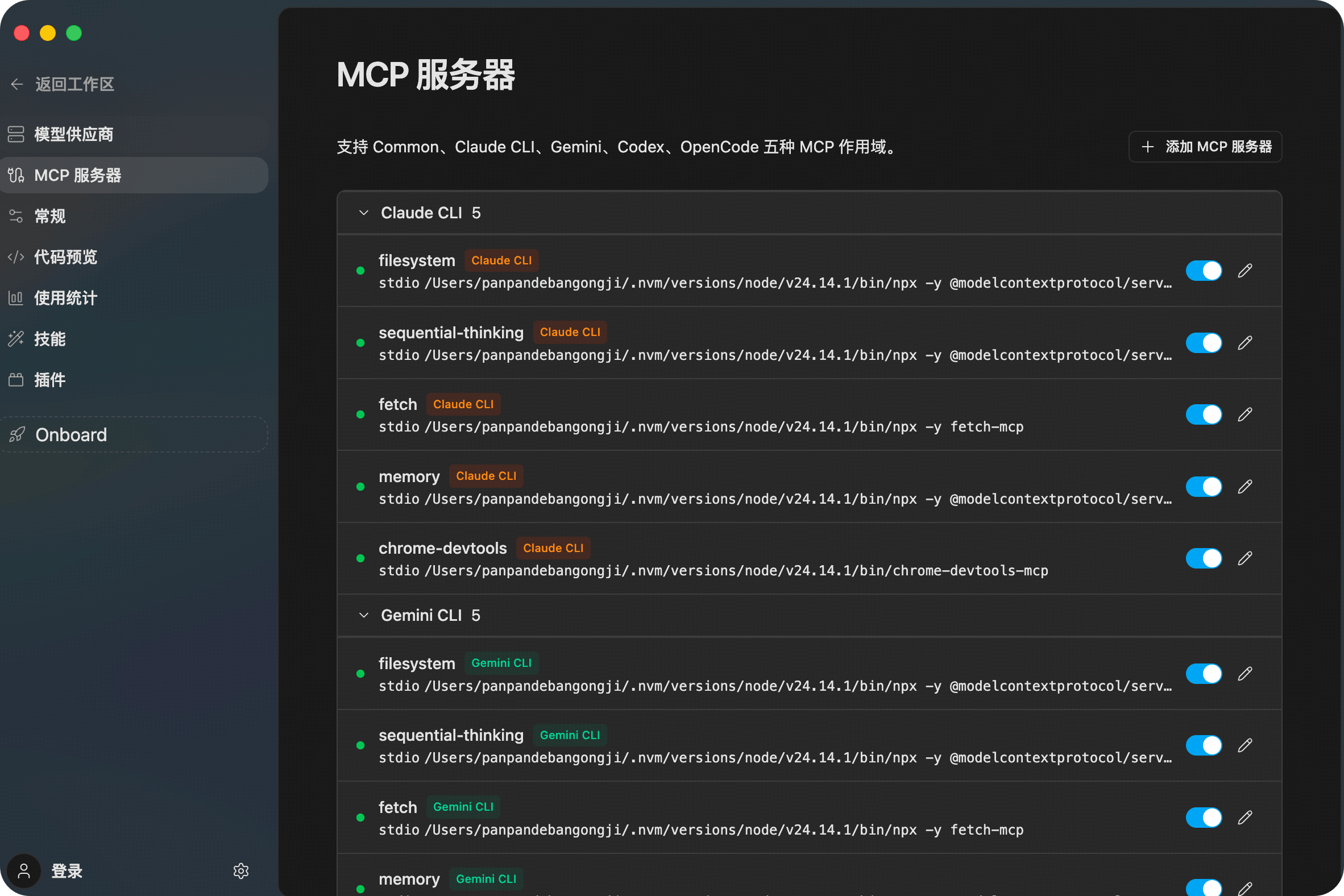
服务分组与状态
当前界面会按不同 MCP 作用域分组展示服务,例如 Common、Claude CLI、Gemini、Codex、OpenCode。每条服务都可以直接查看名称、命令信息,并通过右侧开关进行启用或停用。
新增 MCP 服务
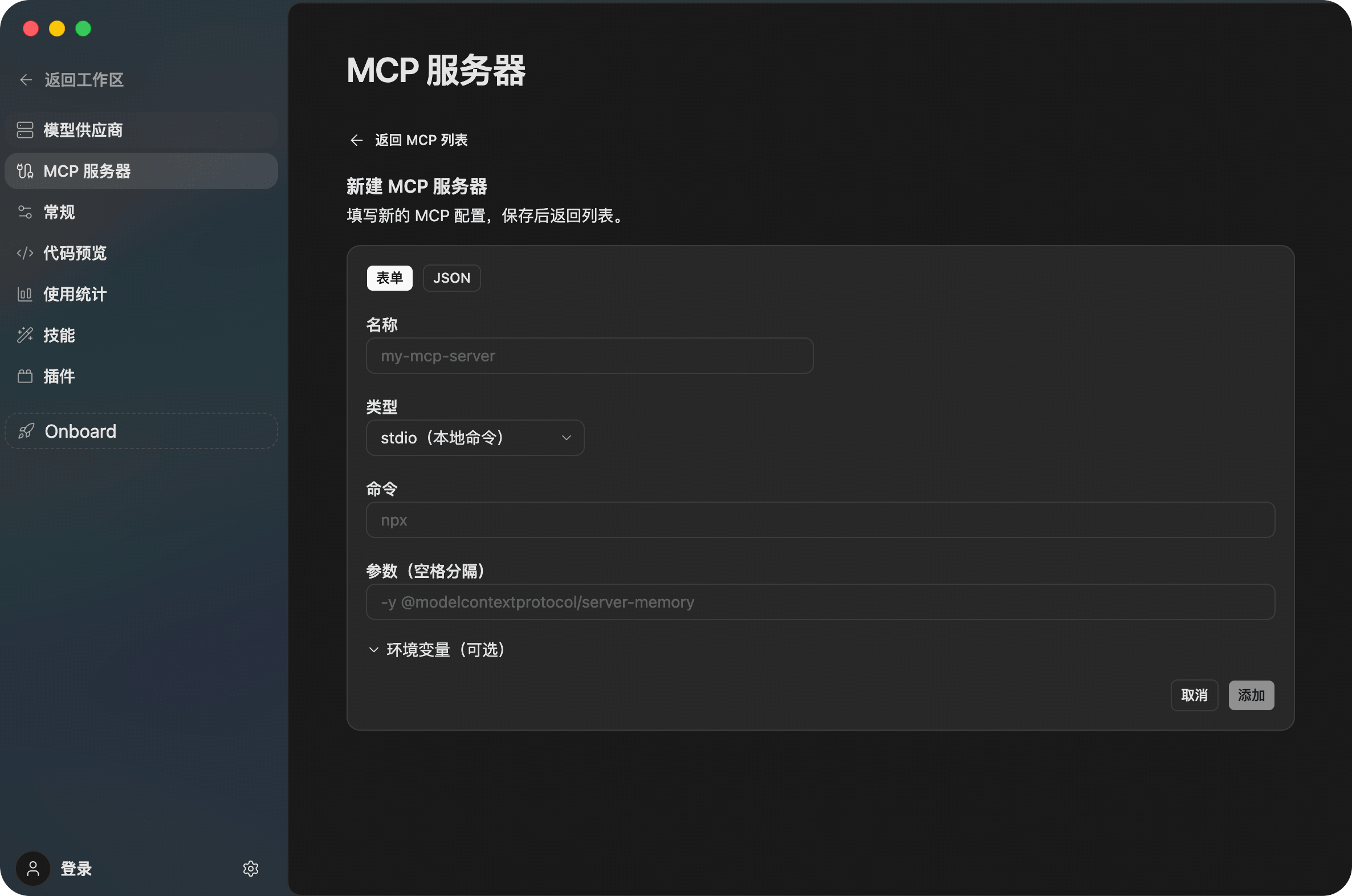
点击右上角 添加 MCP 服务器 后,会进入新增表单。你可以填写名称、类型、命令、参数以及环境变量,也可以在 表单 和 JSON 两种方式之间切换。
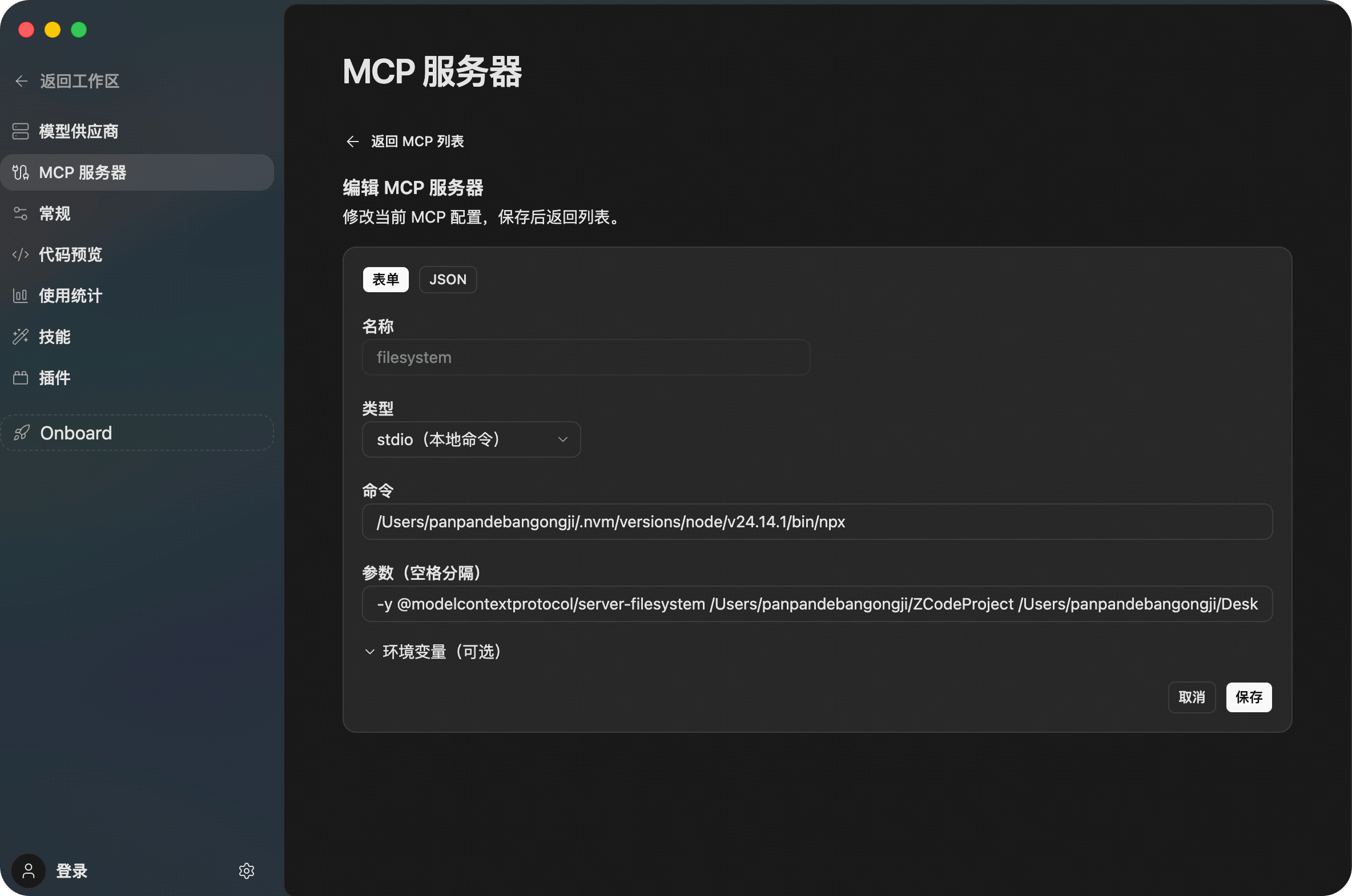
编辑已有 MCP 服务
如果要修改某个现有服务,可以在列表中点击右侧编辑按钮进入详情页。编辑页同样支持表单和 JSON 两种配置方式,修改后点击 保存 即可生效。
核心 MCP 服务配置
1. 视觉理解 MCP (zai-mcp-server)
赋予 Agent 理解和分析图片内容的能力。
- 参考智谱 BigModel 配置文档,获取您的 API Token。
- 在 Z Code 设置 -> MCP 服务器 中,点击编辑
zai-mcp-server。 - 在环境变量 (
env) 中填写您的Z_AI_API_KEY,并将Z_AI_MODE设置为ZHIPU。 - 保存并启用。
2. 联网搜索 MCP (web-search-prime)
使 Agent 能够实时访问互联网,获取最新的信息和数据。
- 参考智谱 BigModel 配置文档,获取您的 API Token。
- 在 Z Code 设置 -> MCP 服务器 中,点击编辑
web-search-prime。 - 在
headers字段的Authorization中填入您的 Key(格式为Bearer your_api_key)。 - 保存并启用。
3. 网页读取 MCP (web-reader)
支持 Agent 深度解析网页内容,提取核心文本和结构化数据。
- 参考智谱 BigModel 配置文档,获取您的 API Token。
- 在 Z Code 设置 -> MCP 服务器 中,找到并编辑
web-reader。 - 同样在
headers的Authorization字段中完成 Key 的填写。 - 保存并启用。