
5-Minute Quickstart
Get through your first real workflow in five minutes and experience the core V2 path: workspace -> choose an Agent -> start the task.
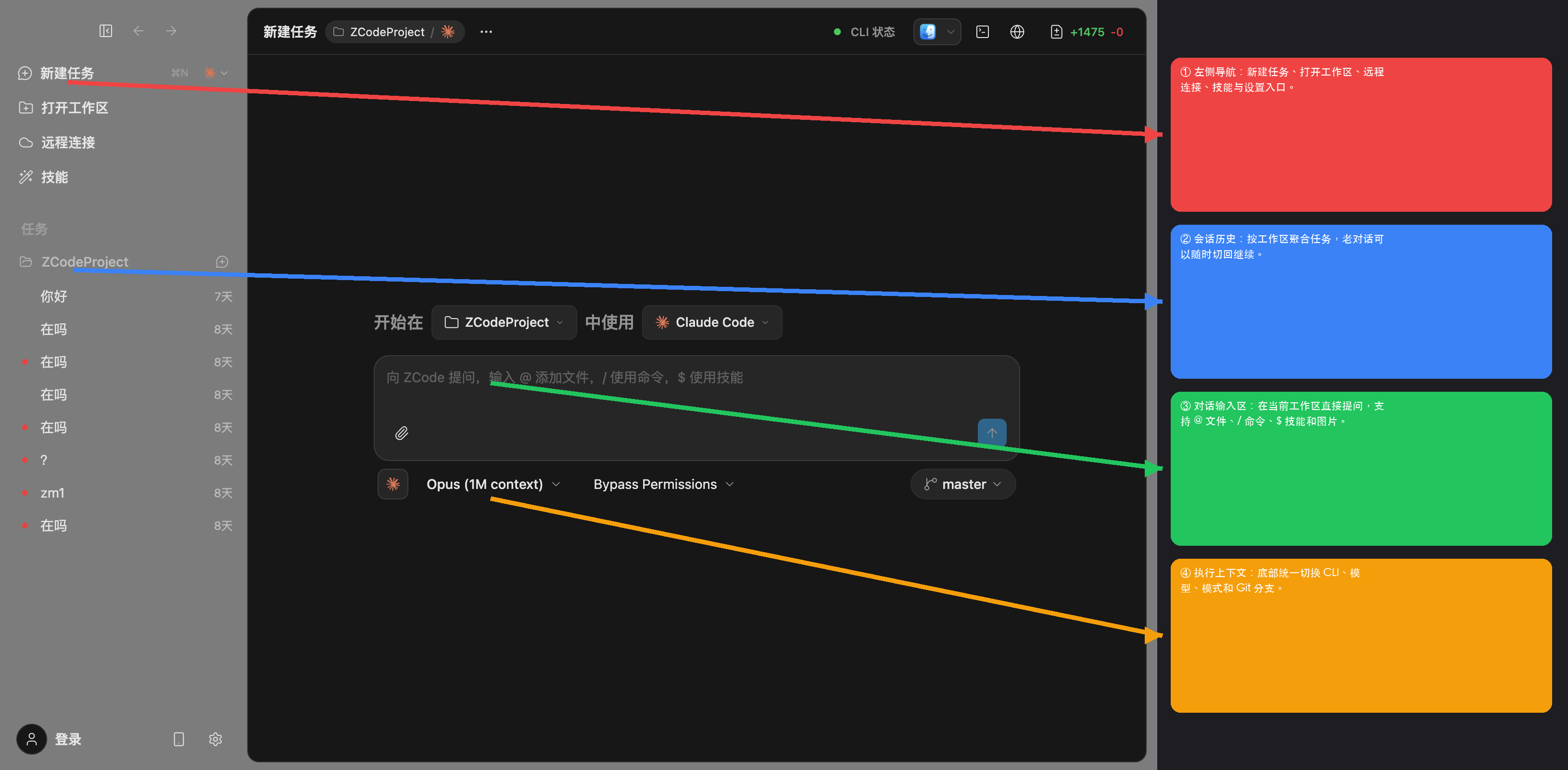
Step 1: Open A Workspace
Launch Z Code and click + Workspace in the left sidebar:
- Local directory - Open any folder on your machine.
- Remote workspace - Connect over SSH, Docker, or WSL. See Remote Workspace.
Once the workspace is ready, you can start working in the main desktop view.
Step 2: Pick An Agent And Model
Use the Agent selector near the bottom of the main view to choose the Agent you want to work with, such as ZCode Agent, Claude Code, Codex, Gemini, or OpenCode. If you have not connected the required providers yet, finish Providers and Sign-In first.
Step 3: Import Claude Code History If Needed
If you already work in Claude Code, use the import entry to bring over your session history and tasks into Z Code. This is the fastest way to continue existing work inside the new desktop release.
Step 4: Send Your First Turn
Try a prompt like this:
Scan this project, summarize the responsibilities of the core modules, and add a short architecture overview at the top of the README.
The Agent will usually inspect the project, summarize what it found, and then propose the next actions or edits.
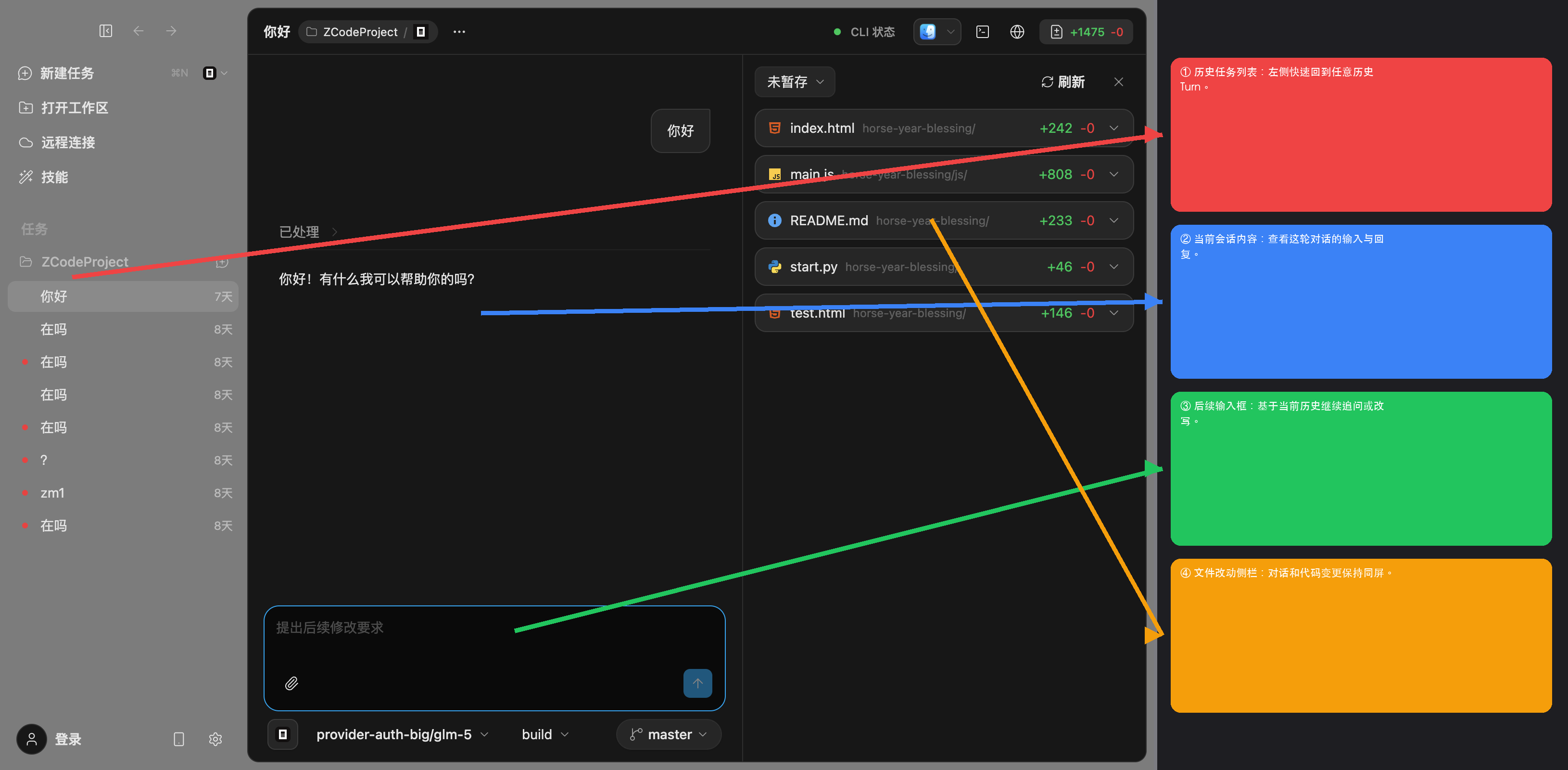
Step 5: Review The Result
- File changes appear as structured tool call cards with diffs.
- Accept or discard them file by file.
- Continue the conversation until the task is in the shape you want.