
Core Features
Remote Workspace
V2 moves Remote development into the main workflow. SSH, Docker, and WSL are treated as first-class workspace types, so the desktop experience can extend cleanly to servers, containers, and remote environments.
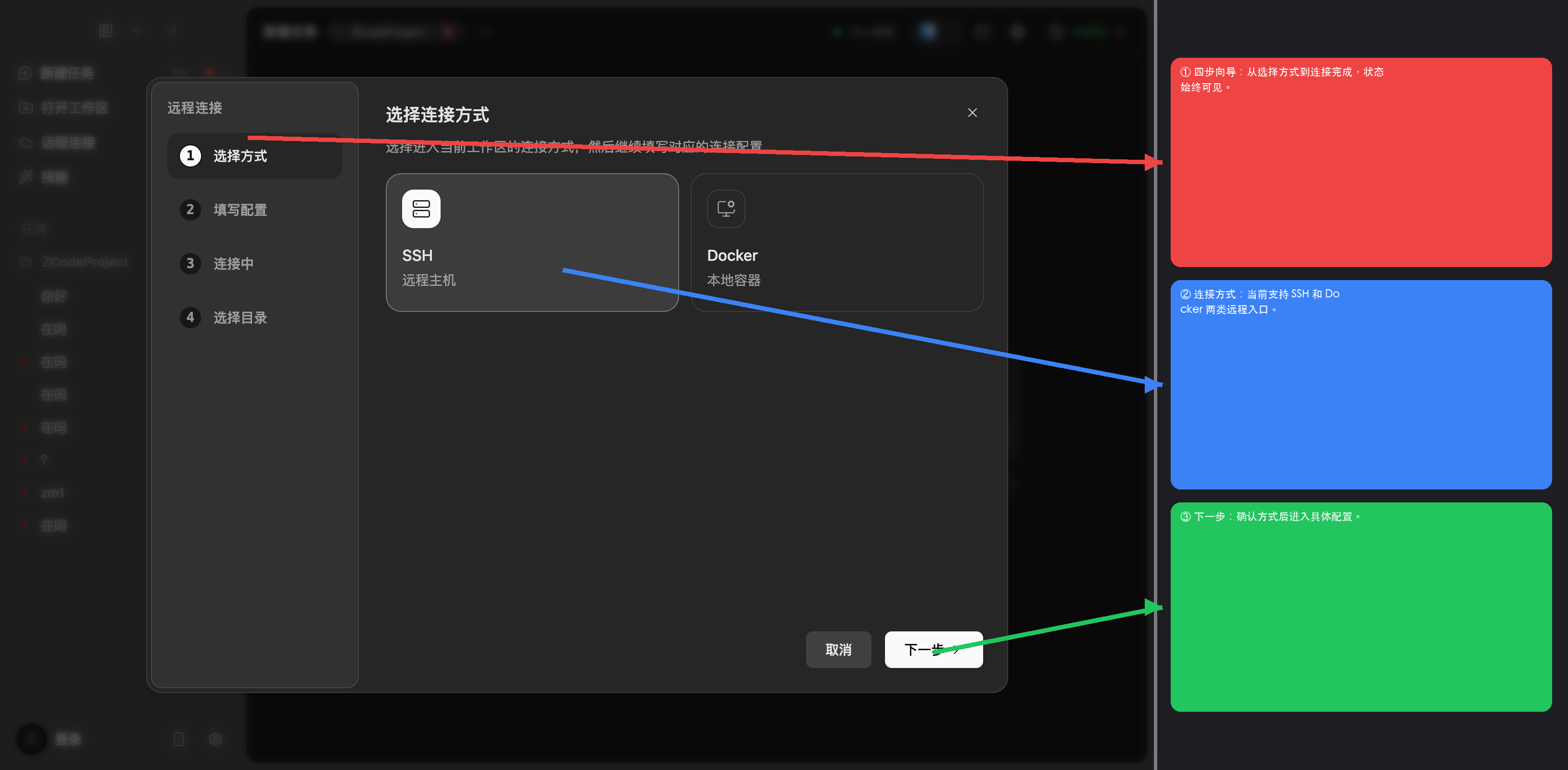
Four-Step Wizard
- Choose a connection mode - SSH, Docker, or WSL.
- Fill in connection details - host, port, username, and authentication mode.
- Watch connection progress - the app shows connection progress as the remote workspace comes online.
- Pick a remote directory - once connected, choose the working folder from the remote file tree and open it.
What You Can Do
- Filesystem - read, write, search, and Git actions all execute remotely.
- Terminal - Remote shell sessions run directly inside the workspace.
- Agent work - continue the same task flow against the remote workspace.
- Workspace continuity - Remote development uses the same main desktop interaction model as local work.
Why It Matters In V2
Remote development is no longer treated as an edge workflow. It now sits in the same main product path as the rest of the desktop release, which makes switching between local and remote work much more natural.